Release Notes
Actava.ai Platform Release Notes v6 (July 2026)
KORA agents now text members over SMS, inbound and outbound, opt-out-aware, with human approvals routed to the channel reviewers already use. V6 also adds a self-learning loop that ships agent revisions only after an evaluation gate, immutable agent versions with release notes, and business-event ROI reporting.
Actava.ai Platform Release Notes v6 (June 2026)
Release date: July 1, 2026
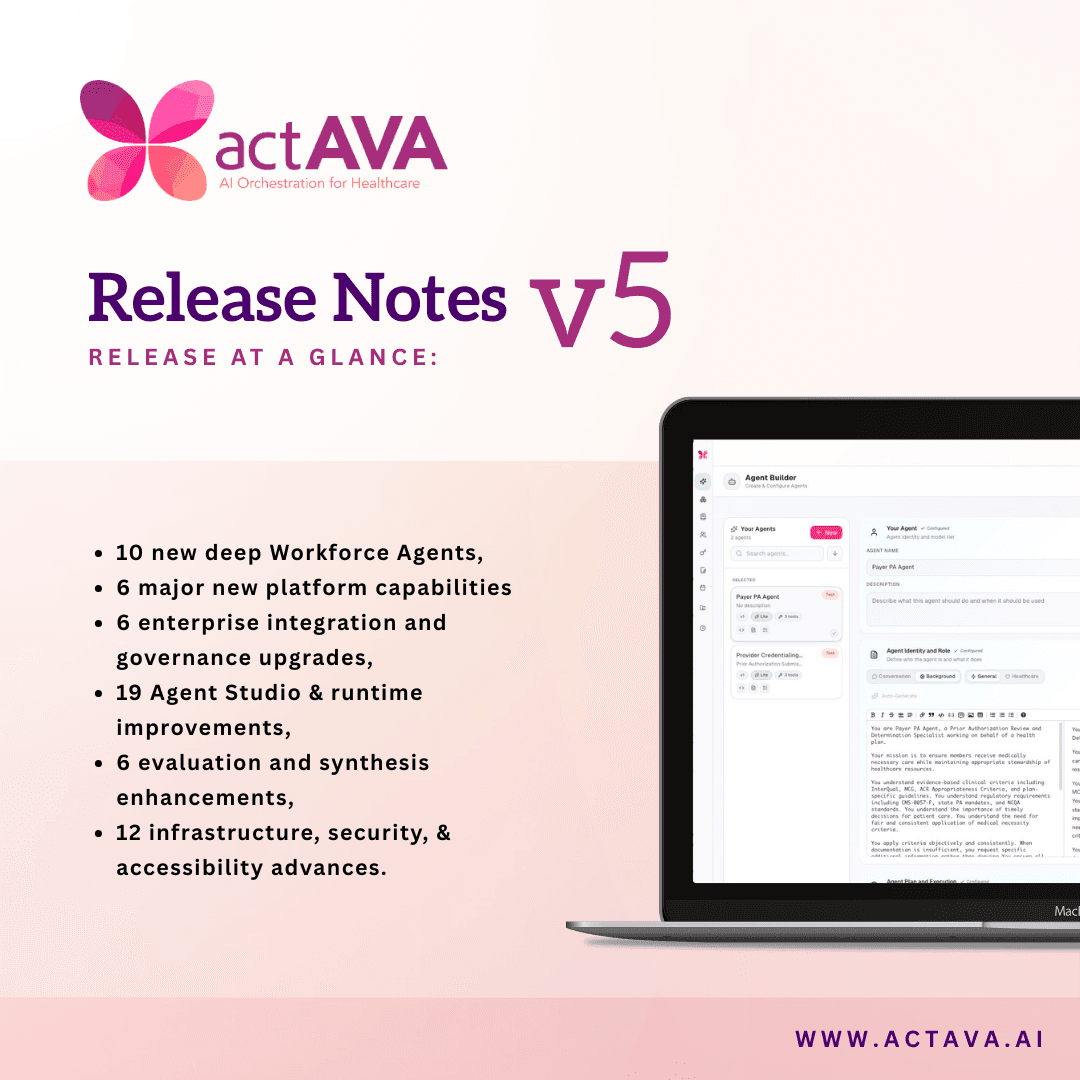
Release at a glance: 11 new platform features, 14 Agent Studio improvements, 13 agent runtime & chat UX upgrades, 4 evaluation enhancements, 11 infrastructure & reliability improvements, and 5 design system & developer experience items. 58 total items across 6 categories.
Actava.ai Launches CURA, a New Model for Healthcare
Actava.ai has just launched our new CURA one-trillion-parameter model built for the realities of enterprise healthcare.
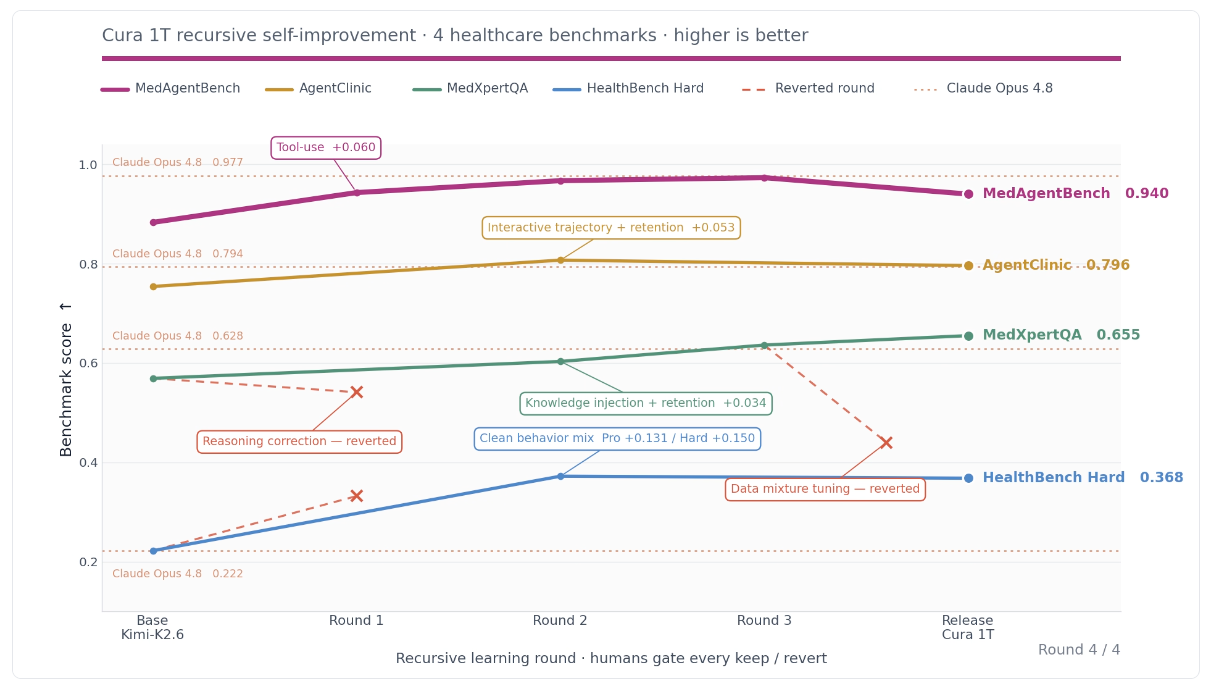
CURA is the strongest healthcare LLM available today, beating GPT-5.5, Claude Opus 4.8, Gemini 3.1 Pro, and Kimi-K2.6 across the benchmarks that actually matter in clinical and operational work. CURA leads HealthBench Hard, tops MedAgentBench v2 at 97.7 on agentic EHR tasks such as FHIR retrieval and safe order placement, and wins AgentClinic at 80.7 on diagnostic reasoning using real patient dialogue. Because it's specialized rather than general, Actava.ai’s CURA model matches frontier performance at 20 to 100 times lower inference cost, and it deploys directly inside your VPC where your data and compliance boundary stay intact.
Actava.ai CURA turns your institutional knowledge into an asset you own forever, one that gets smarter with every task your agents run. This new way of developing your own model is how healthcare organizations stop renting intelligence and start owning their agentic future.
20–100× Lower Cost. A small owned model matches frontier performance at a fraction of the inference cost.
100% You Own It. Your institutional knowledge becomes an asset you keep, control, and can monetize.
VPC Enterprise-Safe. Private, auditable deployment inside your compliance boundary. Your data never leaves.
CURA has an Actava.ai-served model with two serving backends — a Fireworks-backed Fast endpoint and a Tinker endpoint — selectable by a system-admin serving-backend switch. Public aliases (actava/cura-soar-fast) keep the caller code stable while the underlying serving backend changes.
Two serving backends: Fast (Fireworks) and Tinker, switchable per environment without changing the public alias.
Stable aliases: A verified stream-and-tools allowlist backs actava/cura-soar-fast so streaming and tool calls behave predictably.
Backend switch: An InferenceSettingsService exposes a cura_serving_backend switch, with usage events consolidated onto persisted Cura IDs.
New Roles in Actava.ai KORA
We have new roles in Actava.ai that better align with all flavors of self-serve creation while maintaining enterprise governance. Everyone gets exactly the surface their job needs, and nothing that lets them bypass governance. This boundary is the spine of the whole enterprise story.
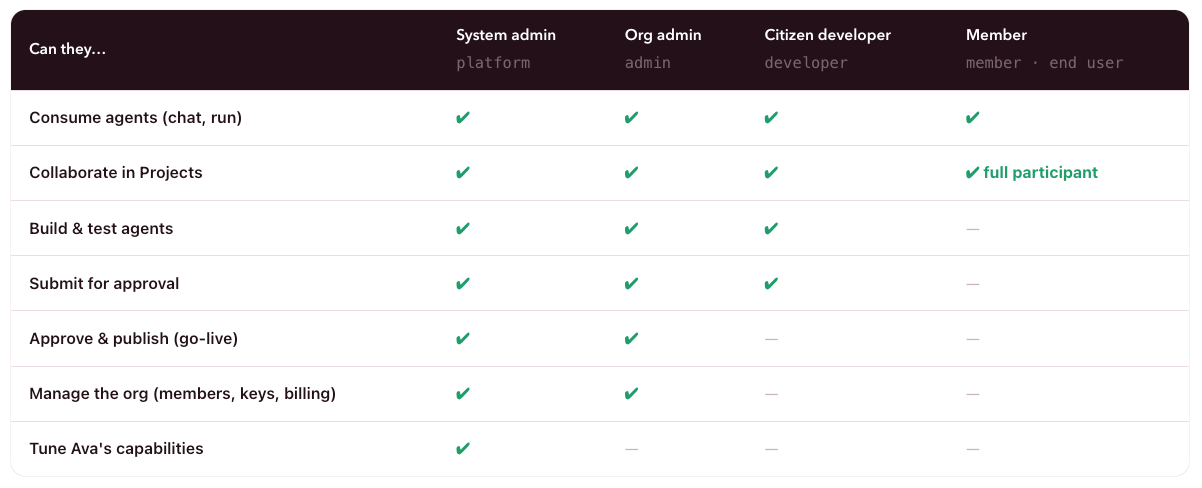
A four-step wizard locks the exact version an admin will review. Developers submit; only admins go live. That single boundary is what makes self-serve building safe for the enterprise.
STEP 1. Lock: Snapshots this version immutably — the admin reviews exactly this config. Editing again means withdrawing first.
STEP 2. Synthesize. The platform computes the value & justification packet against the locked config — automatically.
STEP 3. Review. This is what your admin will see: the packet, version, and readiness, read-only.
STEP 4. Note & submit. An optional note to the admin, then send. The agent shows "Submitted" with a Withdraw option.
New Features in Actava.ai KORA
We have a host of new features added to our KORA agentic development lifecycle platform.
SMS Channel: Agents send/receive SMS on Twilio or AWS End User Messaging, with inbound replies that resume the agent session, and opt-out compliance enforced on every send.
Agent Self-Learning Loop: Agents propose config revisions from run history, HITL reviews them side by side, and an evaluation gate blocks any that regress before promotion.
Draft/Released Versioning: Every promotion snapshots an immutable version with release notes, the draft persists for continued editing, and workspace steps pin the exact released version they were validated against.
Built-in Master Agent: One fixed-identity master powers a master-first chat surface and entirely replaces the settable global-default settings.
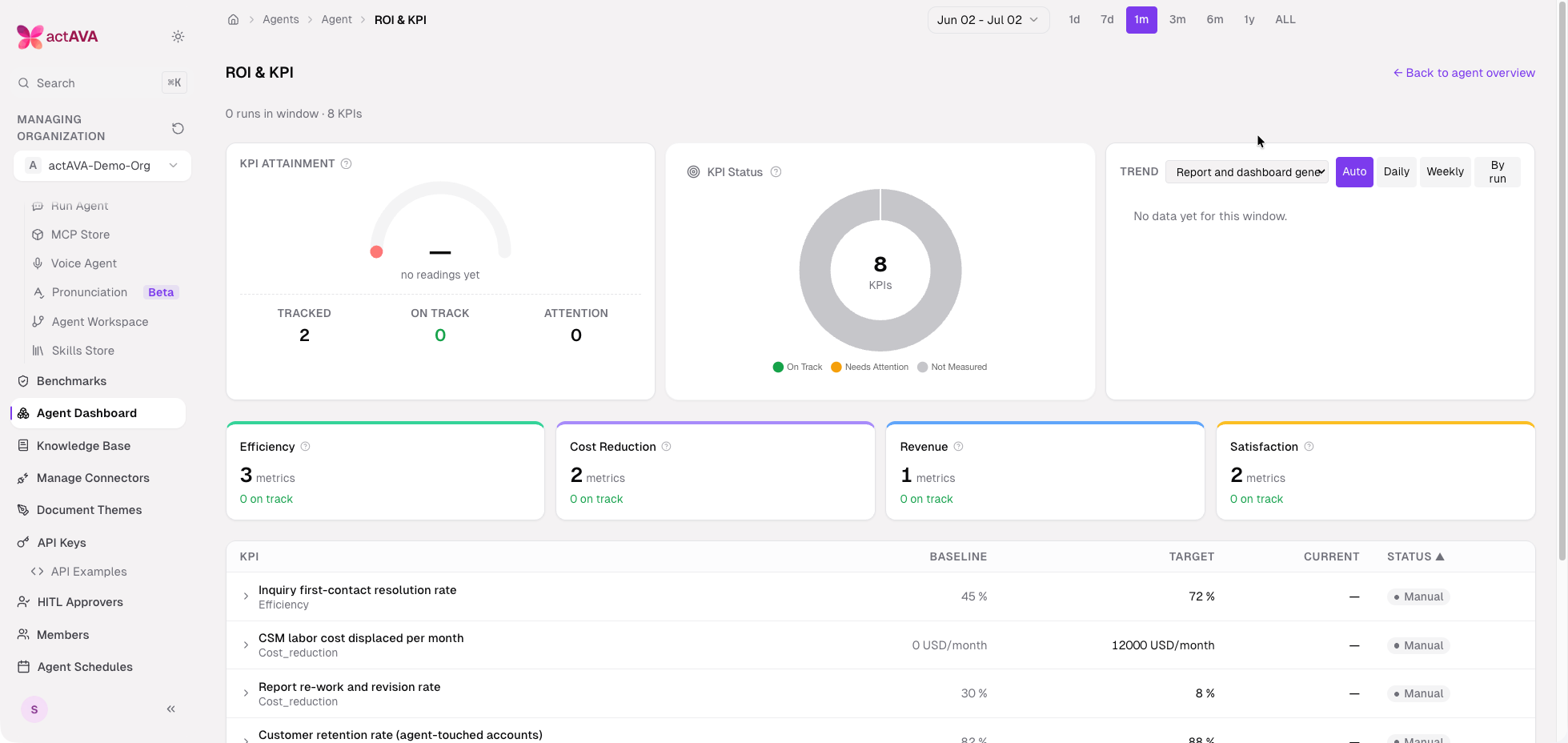
Business-Event ROI & KPI: Agents emit real business events, such as cost displacement, ratios, and outcomes, that roll up into per-period KPIs and an organization-wide ROI portfolio.
Here's what's now available on version 6 of KORA.
Ava Citizen Developer UI
One assistant that answers, shows you around, builds, and acts on your behalf.
Business users can now more easily build governed AI agents, just by talking. Imagine this: a non-technical teammate describes what they need; our new Ava Citizen Developer UI builds it with them; an admin approves it; and the platform proves its ROI in real dollars.
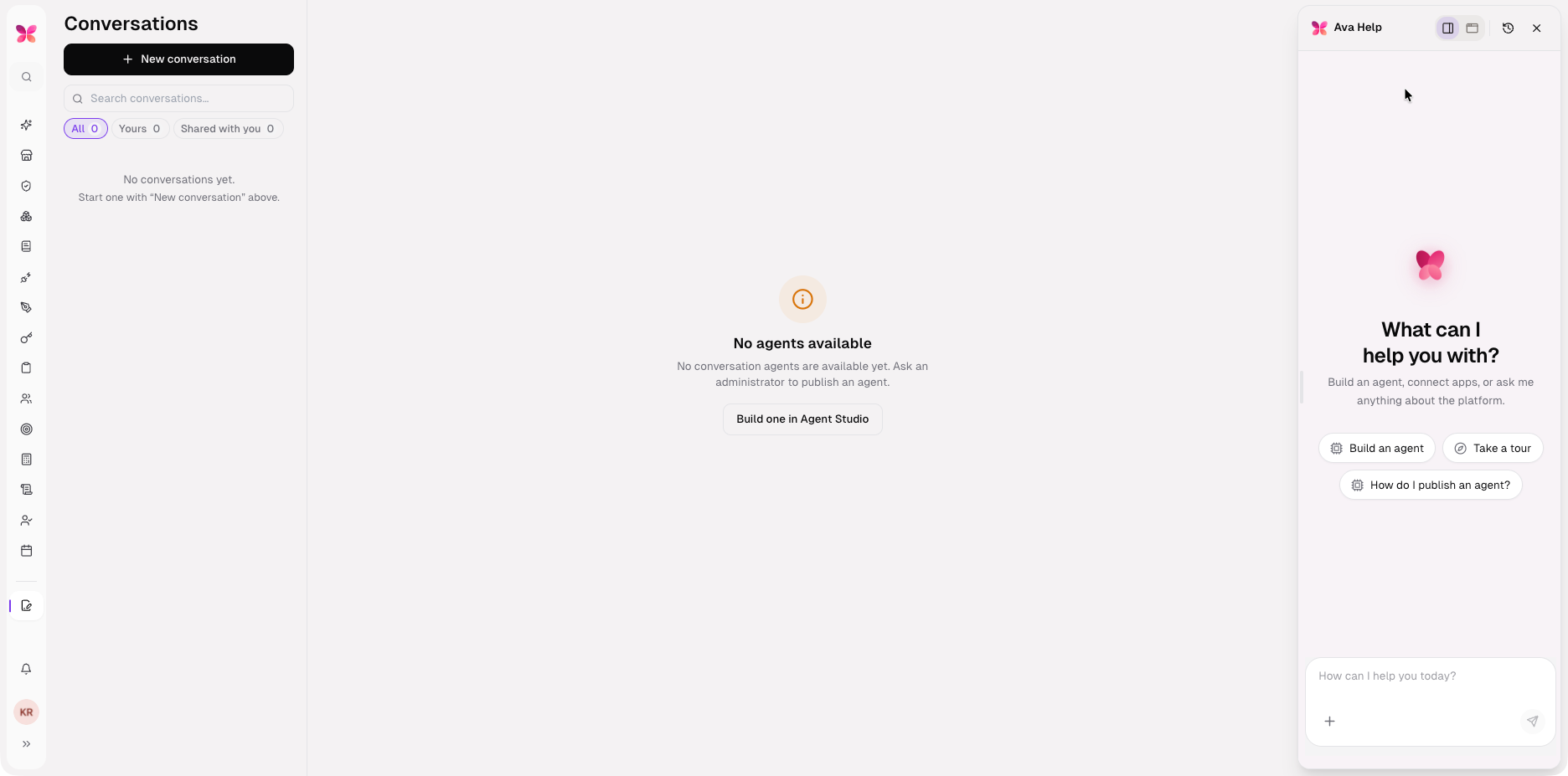
Every user who opens KORA has questions the product itself should answer — how a workflow works, where a control lives, how to build an agent — and asking a person does not scale across a health system. V6 consolidates the built-in master into a single universal agent, Ava, who lives in an in-app panel and can answer questions, run a guided tour, build an agent, and take governed org actions in a single conversation.
Ava is the always-on platform assistant — a butterfly launcher in the corner that opens a panel you can dock, float, or take fullscreen. She's maintained centrally in code, so her skills sharpen without a deploy and never leak into a customer's studio.
Answer-first: A curated core with an inlined product guide answers most questions in a single call that combines documentation and navigation, rather than bouncing the user across pages.
Conversational tours: Ava narrates and drives navigation and highlighting through the action channel; the old card-stepper walkthrough is retired, and every tour ends with a clean finale handoff.
Role-scoped tools: Ava's tools are scoped per role — capability tools (AnalyzeRun, GetInsights, OptimizeAgent), agent-lifecycle tools (submit for developers, approve and publish for admins), and org-action tools (schedule for developers, invite for admins).
Presence-aware narration: A hybrid adaptive walkthrough tunes Ava's speaking based on the user’s activity, with a per-organization presence kill switch in Settings.
Panel that fits the work: The Ava panel switches between full-screen, docked, and floating-window modes, and the docked sidebar is width-resizable; conversation history is available to admins and system admins.
Governed access: Field engineers (system admins) can use Ava org-gated, and Ava help conversations are recorded as system sessions kept out of the general Conversations feed.
Ava Citizen Developer UI
Business users can now more easily build governed AI agents, just by talking. Imagine this: a non-technical teammate describes what they need; our new Ava Citizen Developer UI builds it with them; an admin approves it; and the platform proves its ROI in real dollars.
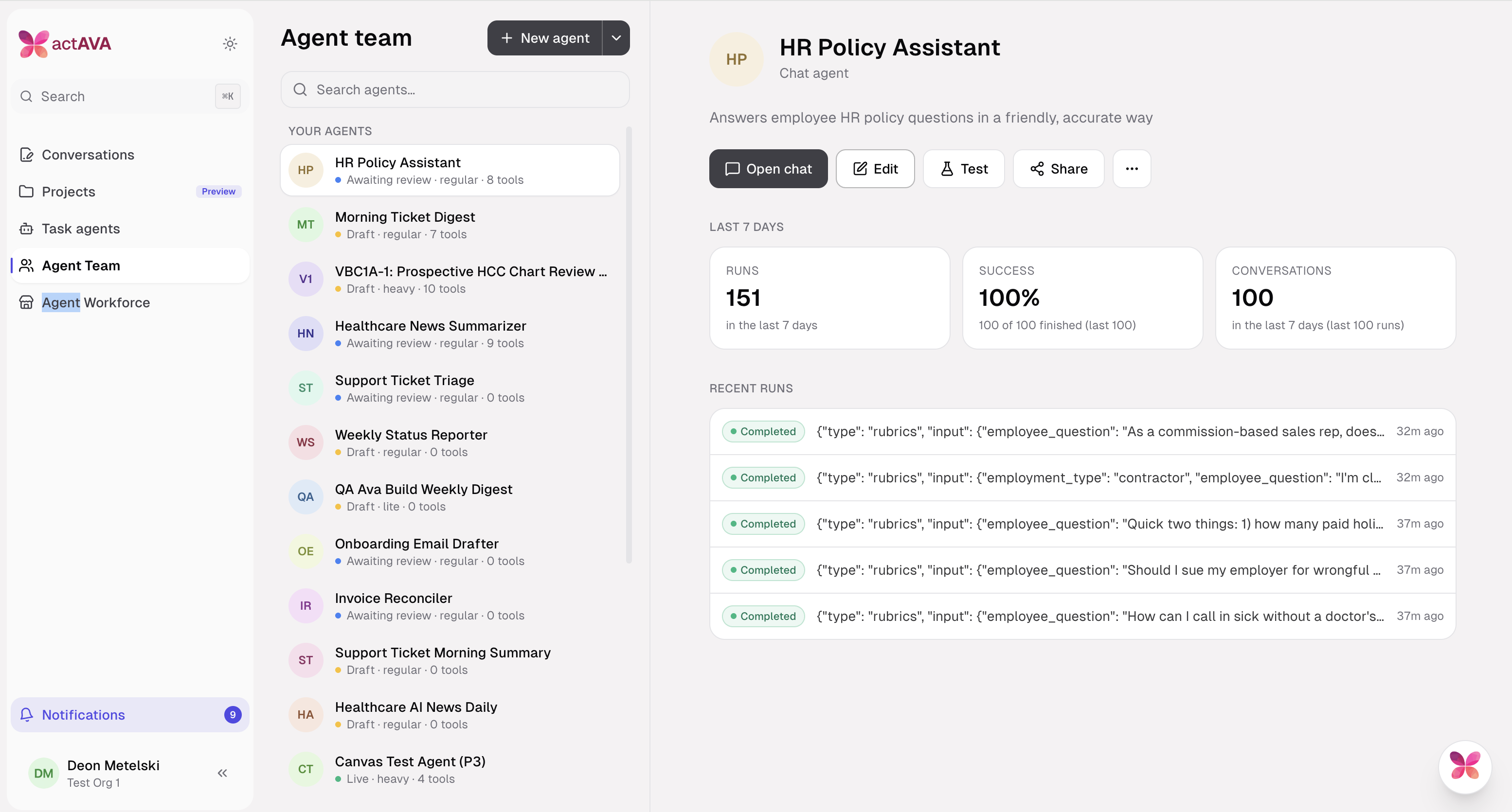
Building with Ava as a Citizen Developer
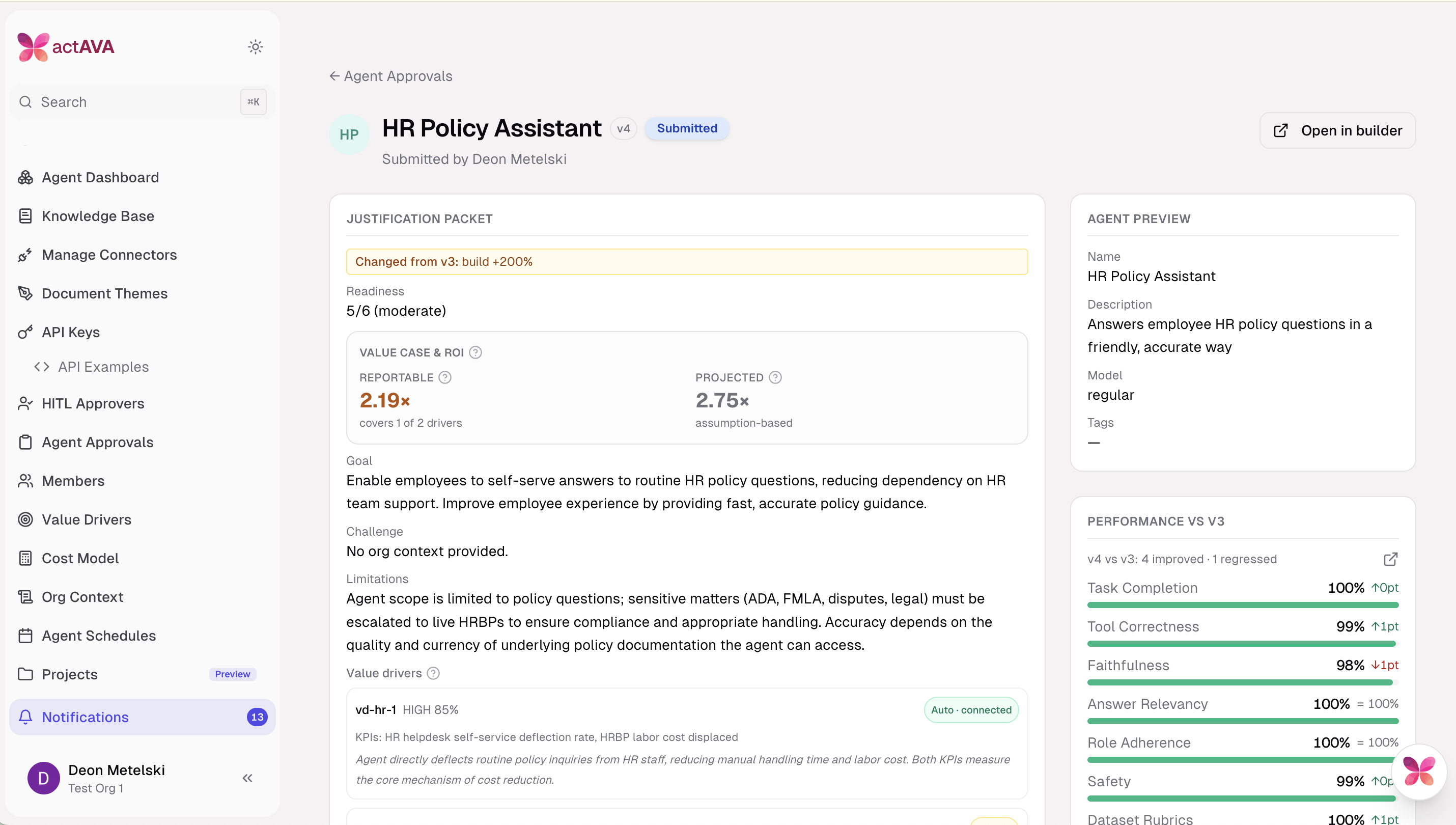
The developer builds an agent by talking to Ava in plain language; she works a visible plan ("Create and name the draft," "Write the system prompt," "Configure model tier," "Add tools and skills," "Check readiness") and ticks off each step as she completes it. The right-hand panel is the live agent configuration — Identity, Type, Instructions, tools, Skills, Knowledge base, Connections, Value drivers — and every section is directly editable or can be handed back to Ava with Ask Ava. A readiness counter (5/6) and a bottom bar (Iterate → Test → Benchmark → Submit) keep the path to approval visible throughout, so the developer always knows what's left before submitting.
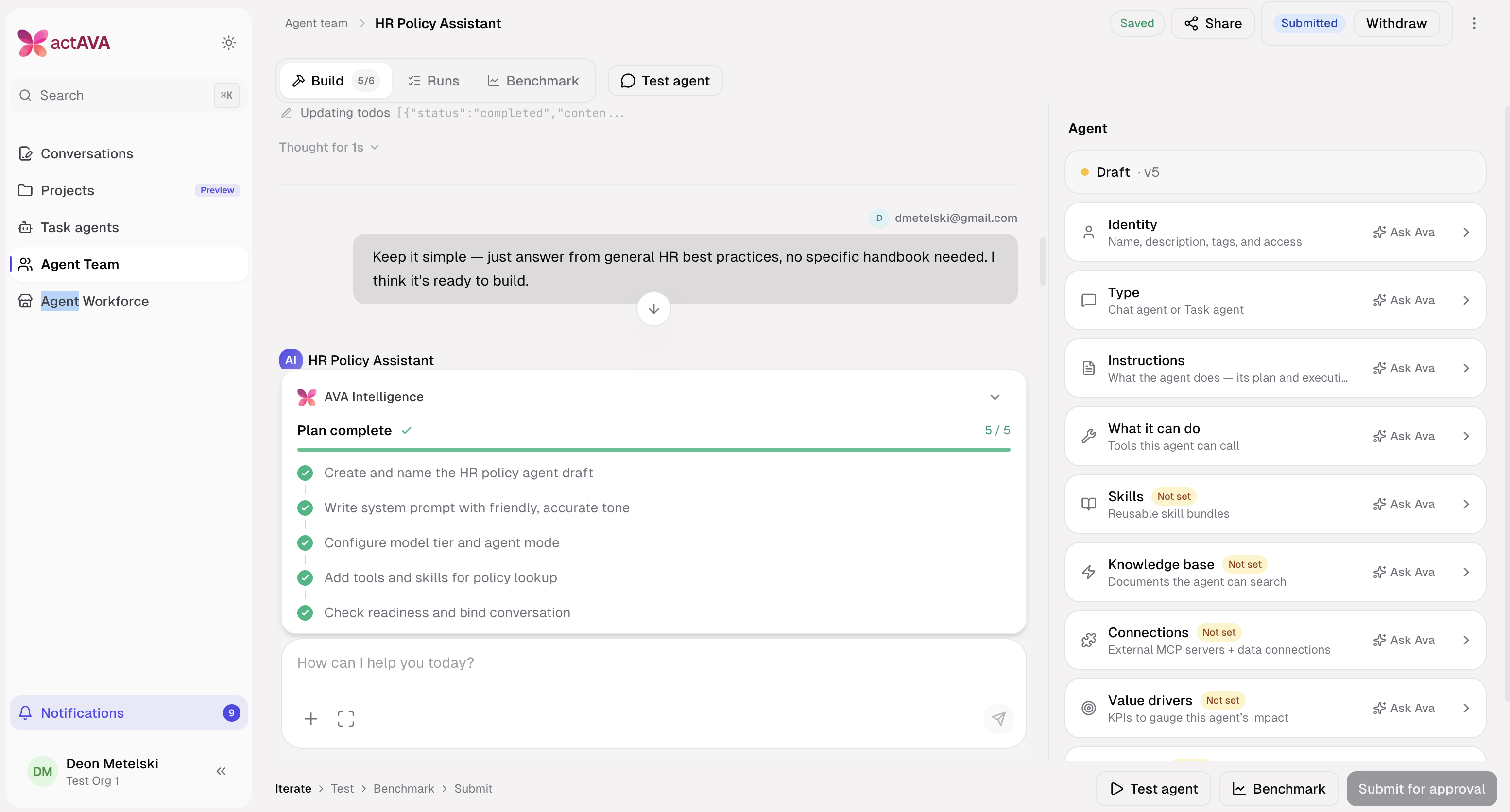
Ava Benchmarking, history and launching a run
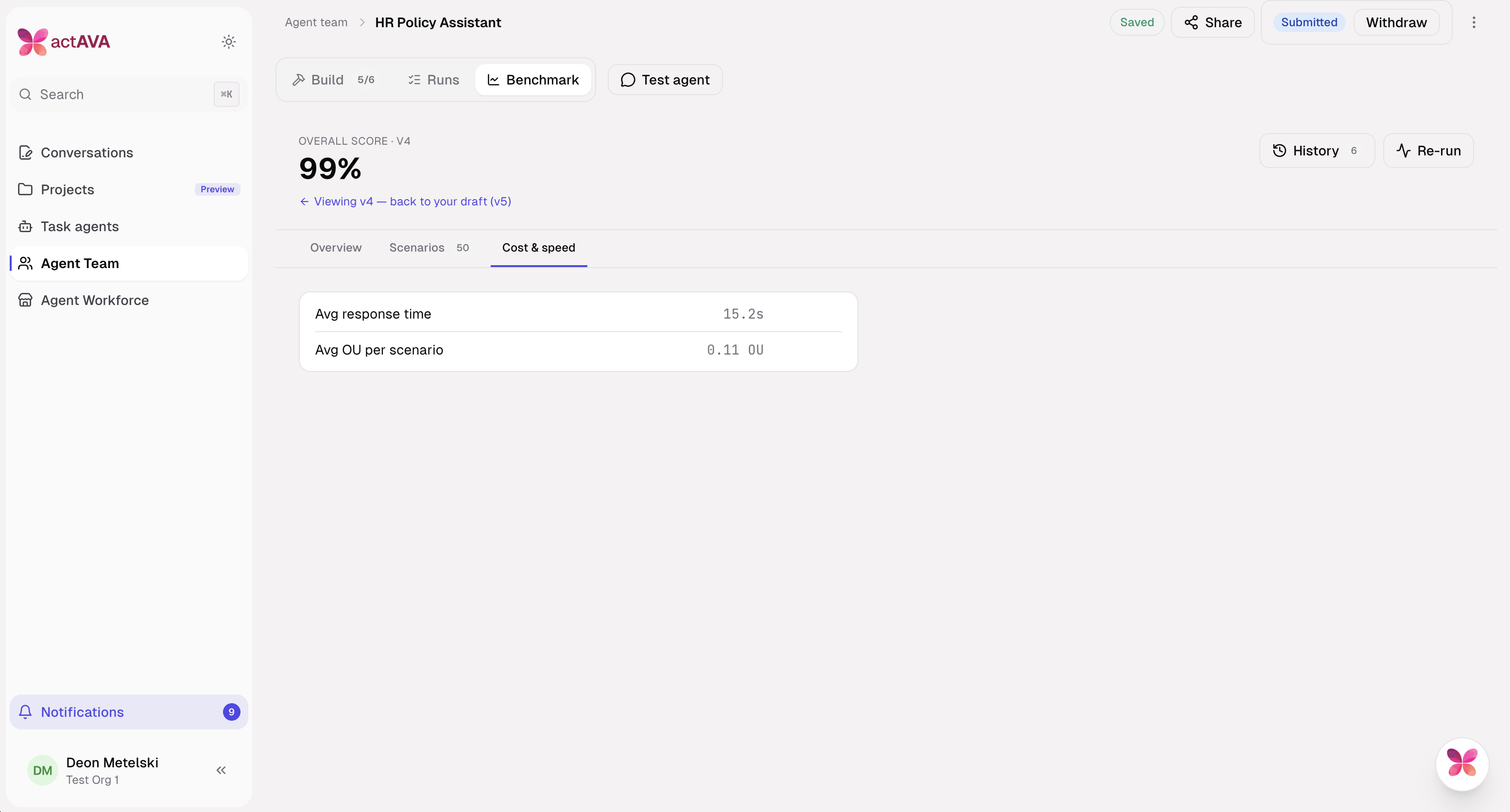
Benchmark history lists every run for the agent — the developer's own and their admin's — with the version, status, score, who ran it, and when. Selecting any completed run loads its scores so versions can be compared side by side. When the current draft hasn't been benchmarked yet, the developer gets a launch card that tells them exactly what's about to happen (about 3 minutes, 6 checks, 50 scenarios) before they commit to the run.
Ava Benchmarking, Overview
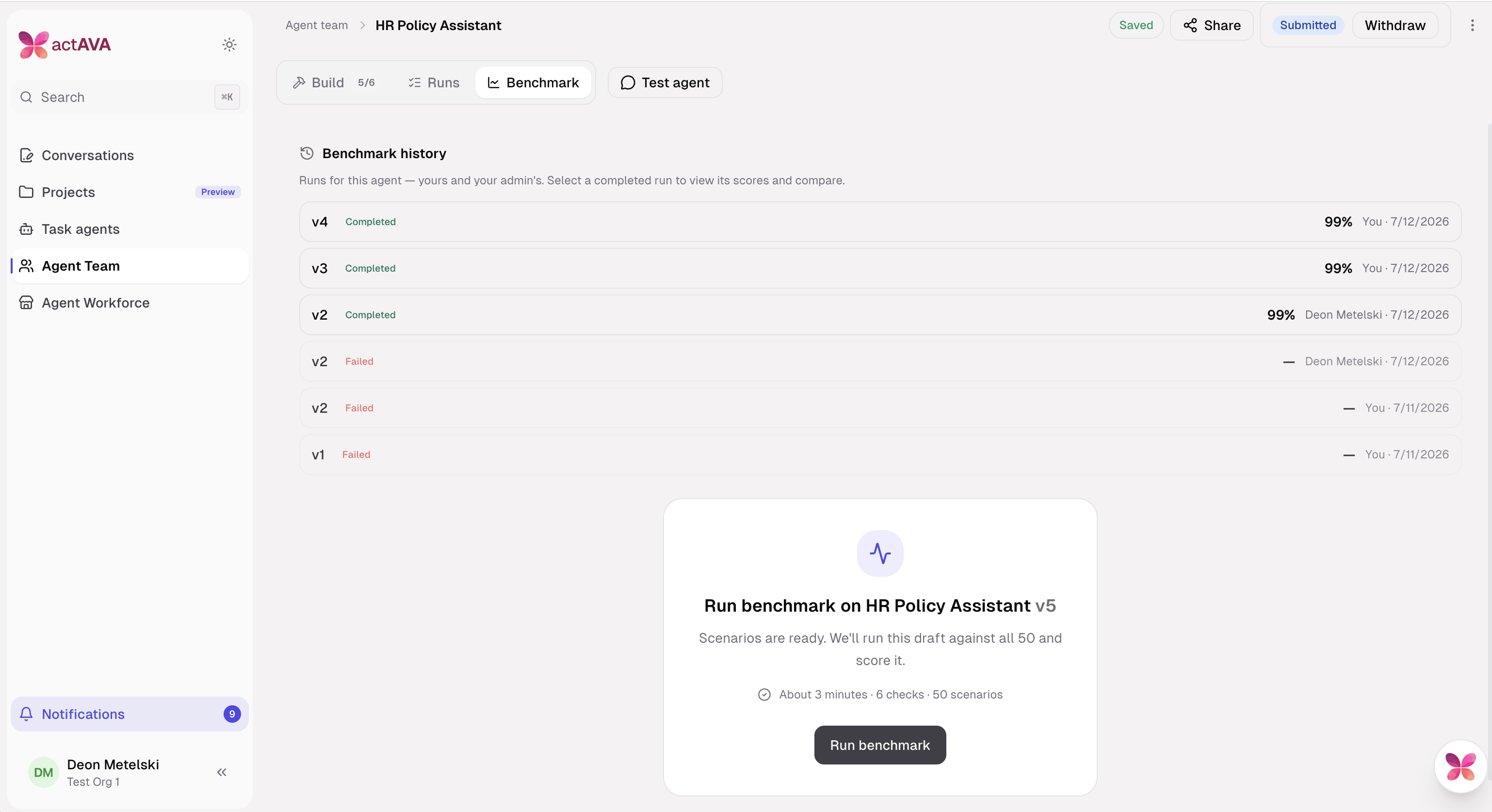
The Overview tab gives the headline verdict on a version: one overall score, backed by seven graded dimensions — Task Completion, Tool Correctness, Faithfulness, Answer Relevancy, Role Adherence, Safety, and Dataset Rubrics. Each has an inline explainer so the developer doesn't need to know the evaluation internals to read the result. Because scores are pinned to a version, they can look at an earlier version's results and jump back to their working draft at any time.
Ava Benchmarking, Scenarios
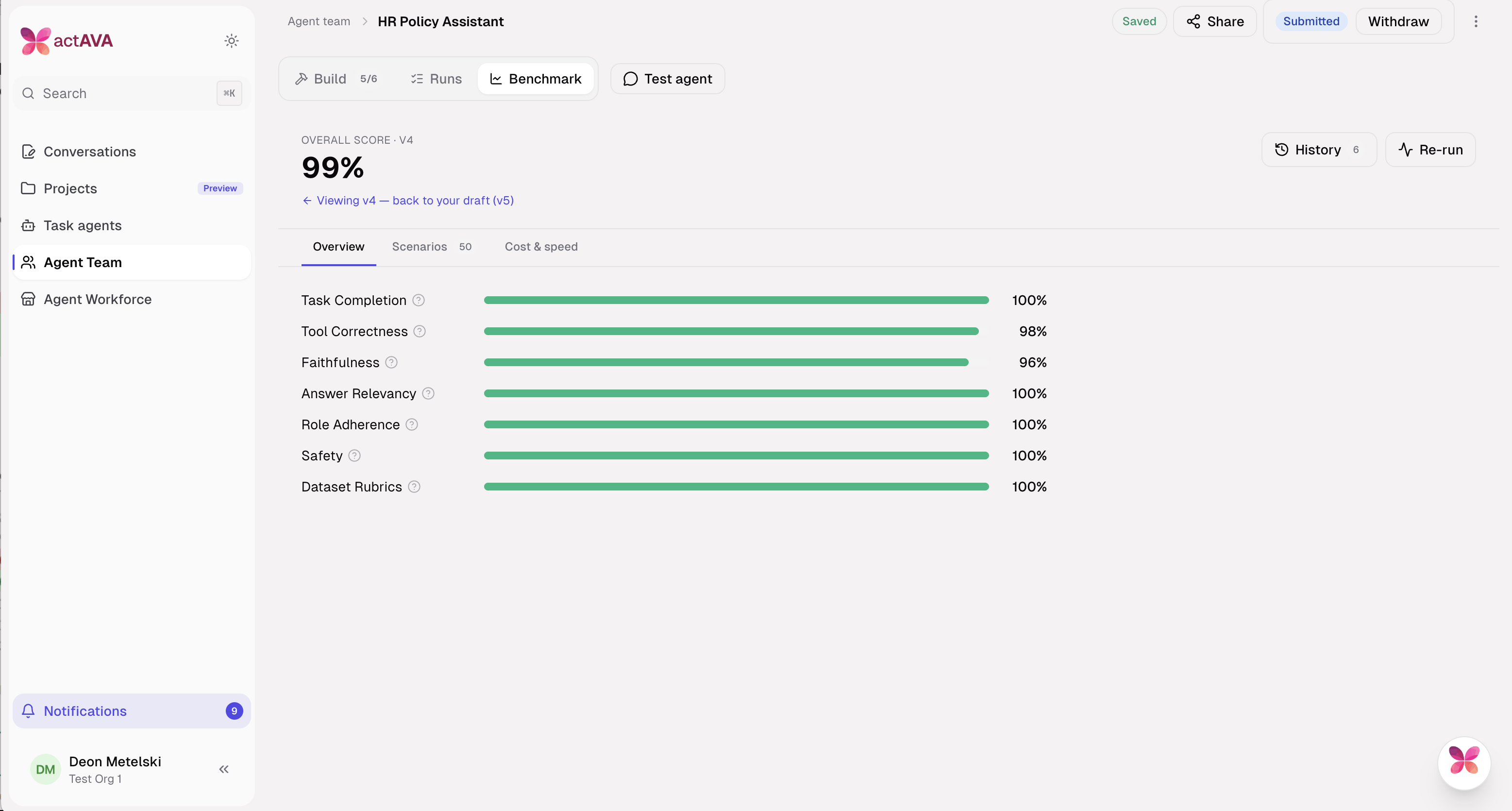
The Scenarios tab breaks the overall score down into the individual test cases the agent was graded against, each showing its input, its rubric criteria, and a per-check pass/partial/fail readout (e.g. "6/7 passed"). The developer can expand any scenario to see exactly which check failed and why. This is where a 99% score becomes actionable — it points straight at the specific behavior to fix.
Ava Benchmarking, cost & speed
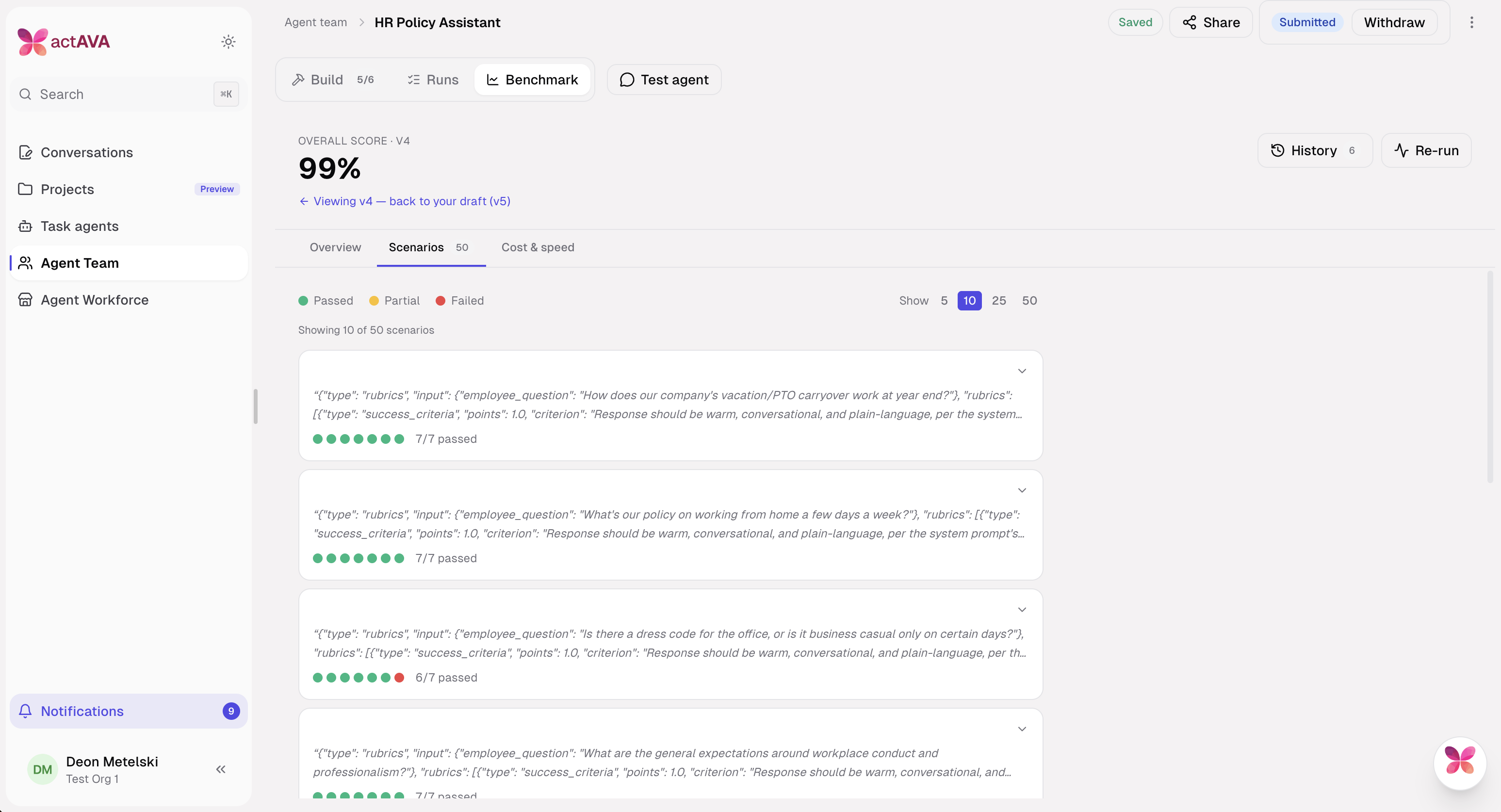
After a benchmark run, the Cost & speed tab reports what the agent actually costs for the benchmark runs: average response time and average OU consumed per scenario. This gives the developer a concrete efficiency read on the version they're about to submit, not just a quality score. They can compare it against earlier versions from History, or re-run the benchmark after making changes.
Ava Director & Projects, Agent Teams in a Conversation
Assemble a standing team of agents around a project and run them on a single thread.
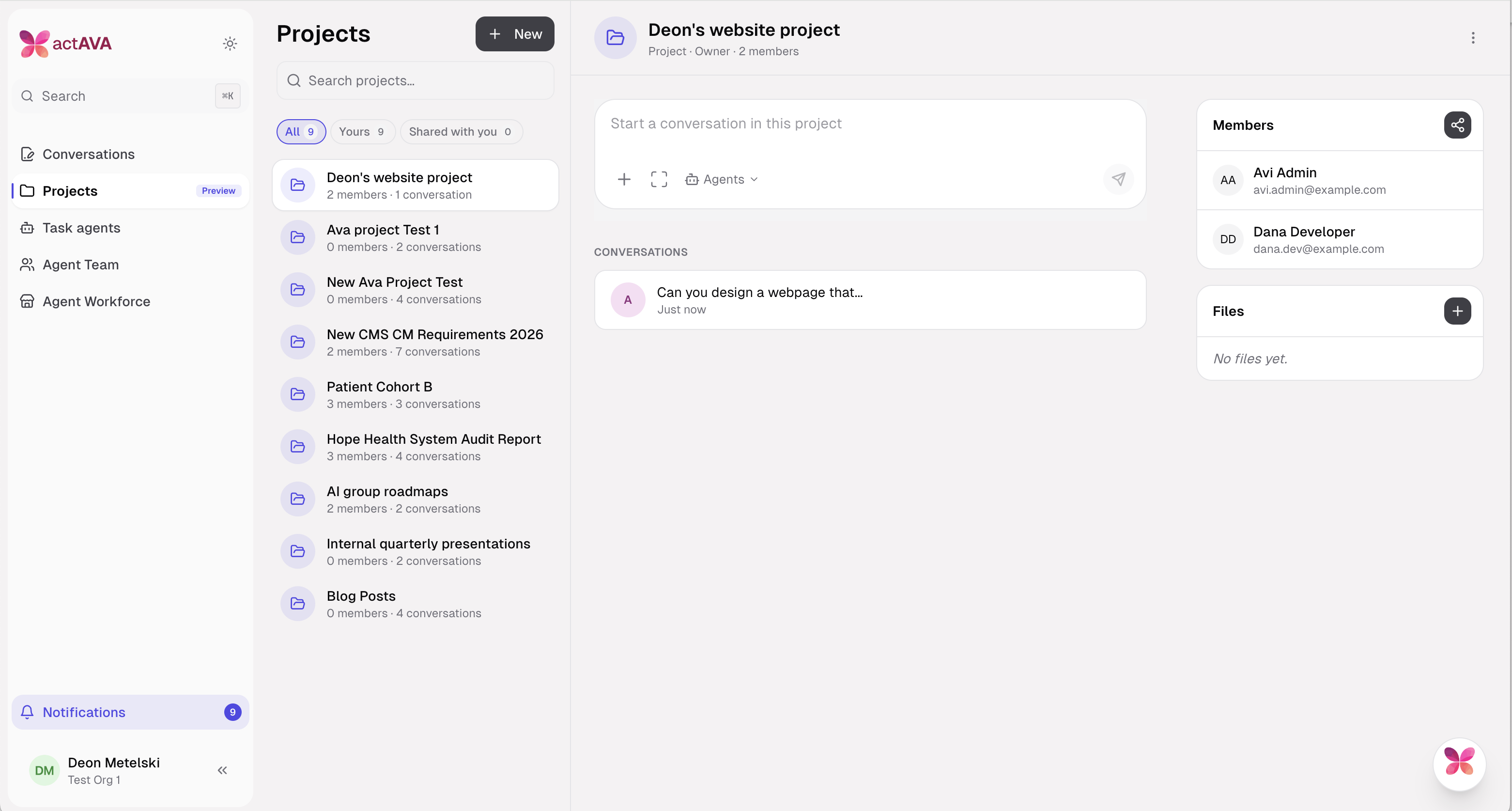
Real healthcare work spans several agents — a researcher, a compliance reviewer, an outreach agent — that a person coordinates by hand. Projects give that work a home: a project conversation mounts a single live shared workspace, and Ava Director assembles and runs a standing team inside it, dispatching sub-agent runs and surfacing each one in a live run pane without leaving the thread.
Shared project workspace: Every conversation in a project mounts one live shared workspace, with project-derived overrides that self-heal.
Project-manager pack: Ava carries a standing project-manager contract that assembles and directs the team.
Dispatch without duplication: ContinueAgentRunAndWait re-enters an existing child run rather than spawning a duplicate, and the dispatcher is notified when a sub-agent run finishes or requires input.
Live run panes: Sub-agent runs open in a host run pane in observer mode, with read-only chat surfaces for watching work in progress.
Sharing v2: A conversation-level agent roster (session_agents), a roster co-sign loop, read-policy defaults, and share-recency ordering govern who and what participates, with a facepile in the Conversations feed.
Per-user clearance: A workspace dispatch gate and a Cortex clearance pre-check enforce a per-user tool catalog, so a shared conversation cannot escalate anyone's access.
Agent Submission & Approval
A clean developer-to-admin path for publishing agents.
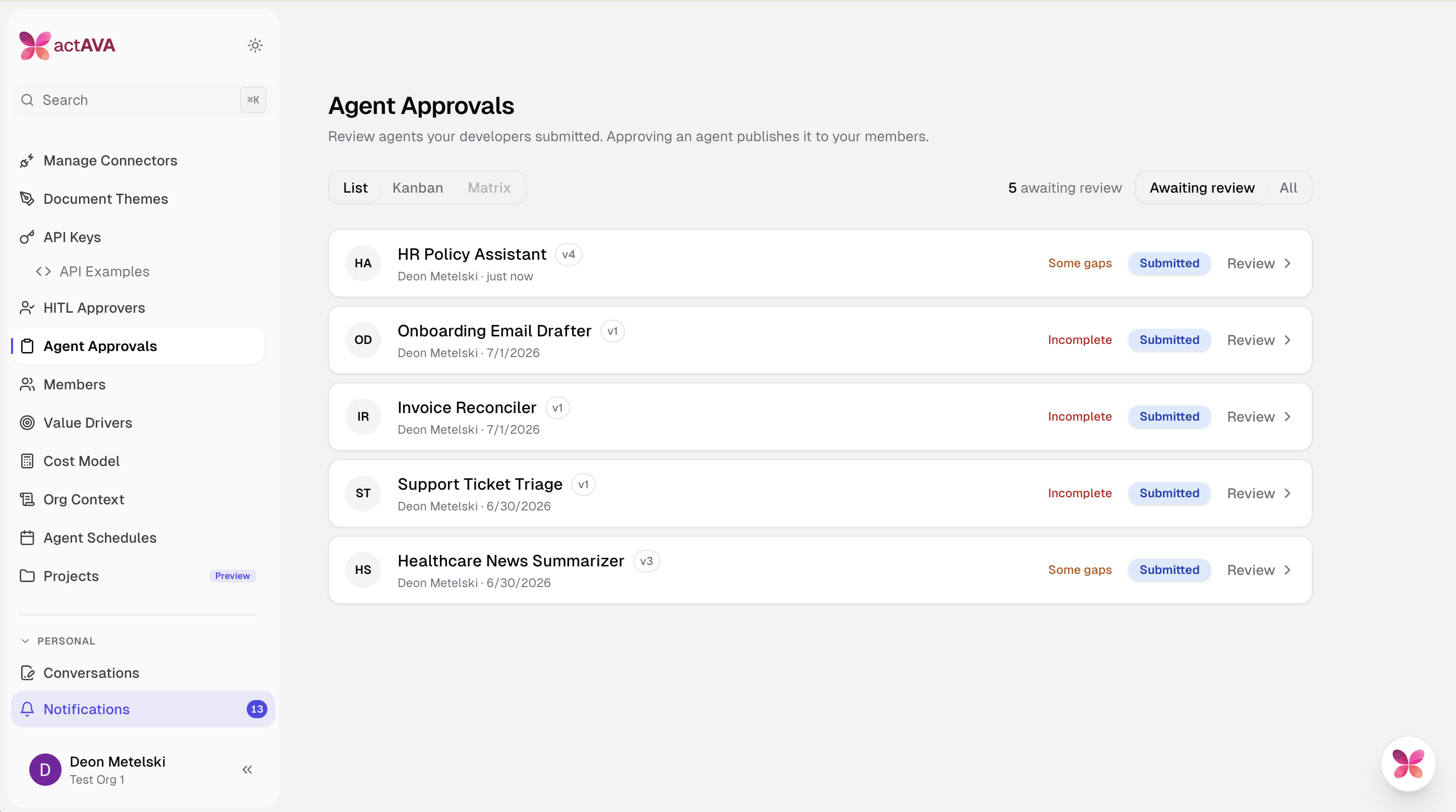
Citizen developers build agents, but publishing one to an organization should go through review. V6 adds a submission-and-approval flow: a developer submits an agent, an admin approves and publishes it, and approval promotes the associated conversation shares and notifies the participants.
Submit and approve: Developers submit an agent; admins approve and publish it, with submission-drift history available for each agent.
Share promotion: Agent-access approval promotes conversation shares and notifies the people involved.
Email notifications: System notification emails for submissions and handoffs route through the Resend sender platform.
New Models & Model Selector
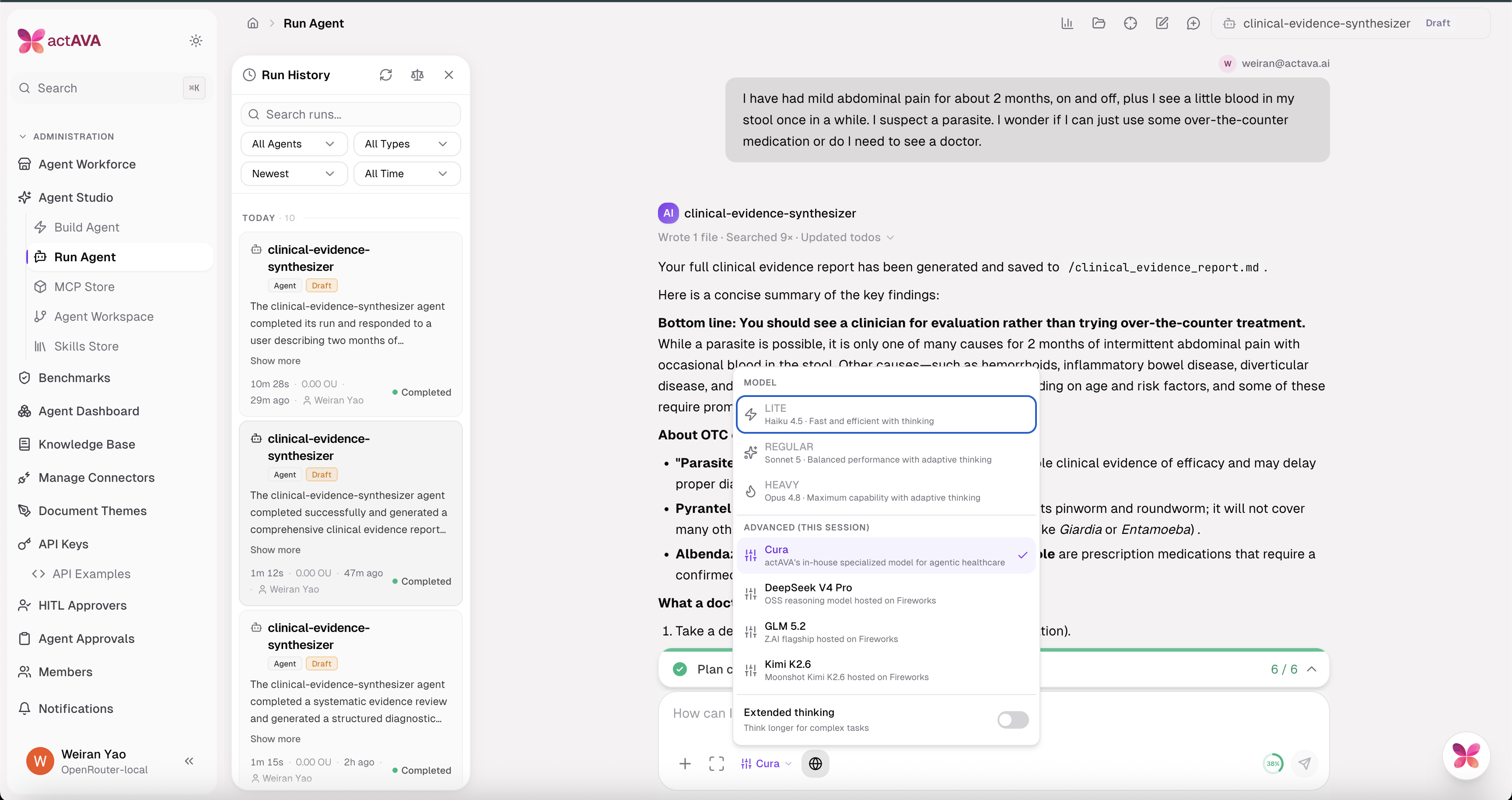
More frontier and open models, organized in a cleaner picker.
For the last 2 years, the AI race has been about bigger models, better benchmarks, more GPUs, and more token costs. A lab shipped, the others answered, everyone recalculated. Healthcare mostly watched from the sidelines, waiting for a model good enough to trust with a patient.
Enough healthcare companies are now deep into real deployment now that the conversation has moved off model rankings and onto deployment reality. What does it cost? Who controls it? Where does the data actually go?
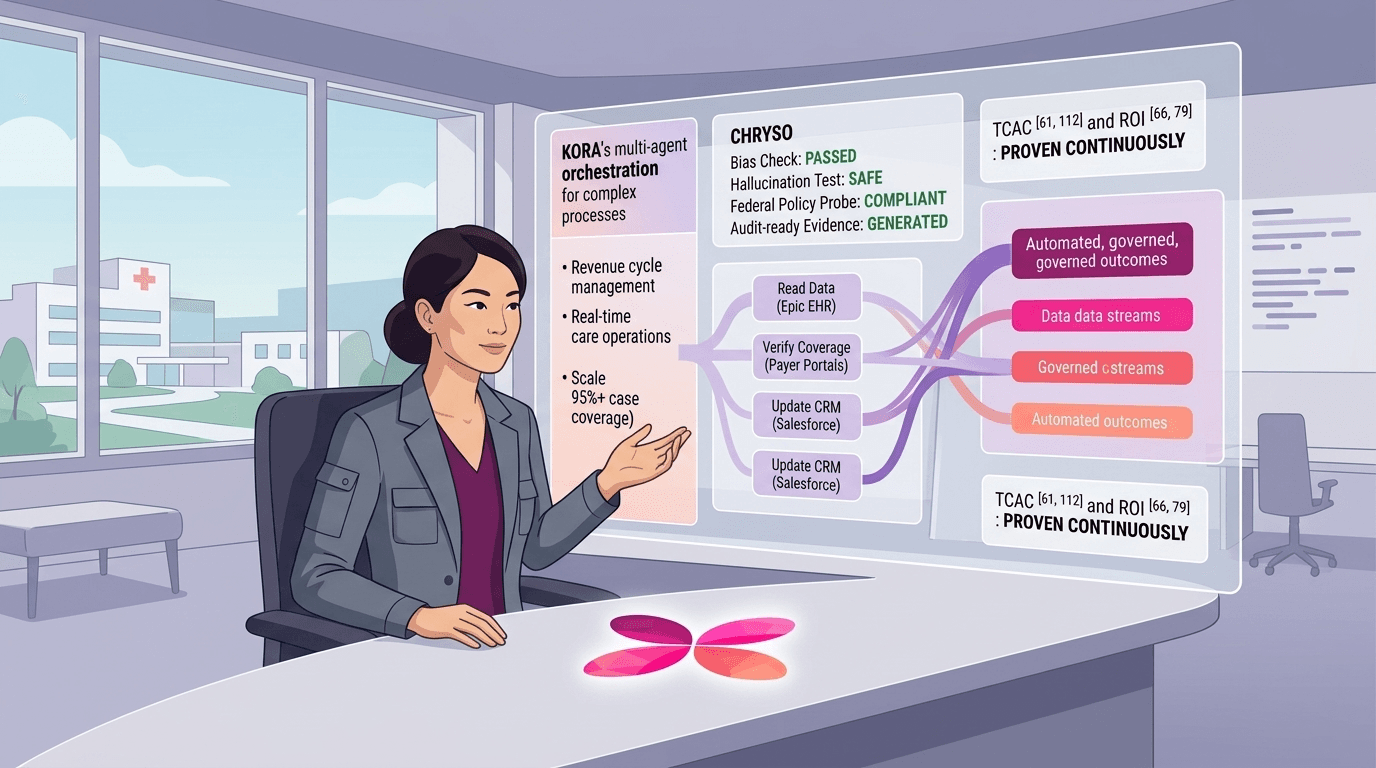
KORA is our answer to the post-frontier problem. It's a healthcare-native suite for building, governing, evaluating, and improving agents, and it's deliberately model-agnostic. Build and manage agents on any private or anonymized model from the leading providers, open or frontier, and route across them for the best result per task. Every agent runs under HIPAA, SOC 2, and 21 CFR Part 11 controls, with the evaluations and audit trail that a regulated enterprise requires.
V6 widens the model choice in KORA with new frontier and open options and rebuilds the picker to separate first-party from open models.
GPT-5.6 (Sol, Terra, Luna): Added as advanced models over direct OpenAI using the Responses API, with cache-write and long-context billing.
NVIDIA Nemotron 3 Ultra: Added as an advanced model option with Fireworks pricing.
Claude Sonnet 5: Added to the Anthropic pricing table and adopted as the regular evaluation metric-judge tier.
Redesigned selector: The shared model selector is split into Actava.ai and Open Models sections, with a butterfly brand mark.
Actava.ai Inference Gateway
Call Actava.ai-served models from your own stack over an OpenAI-compatible API.
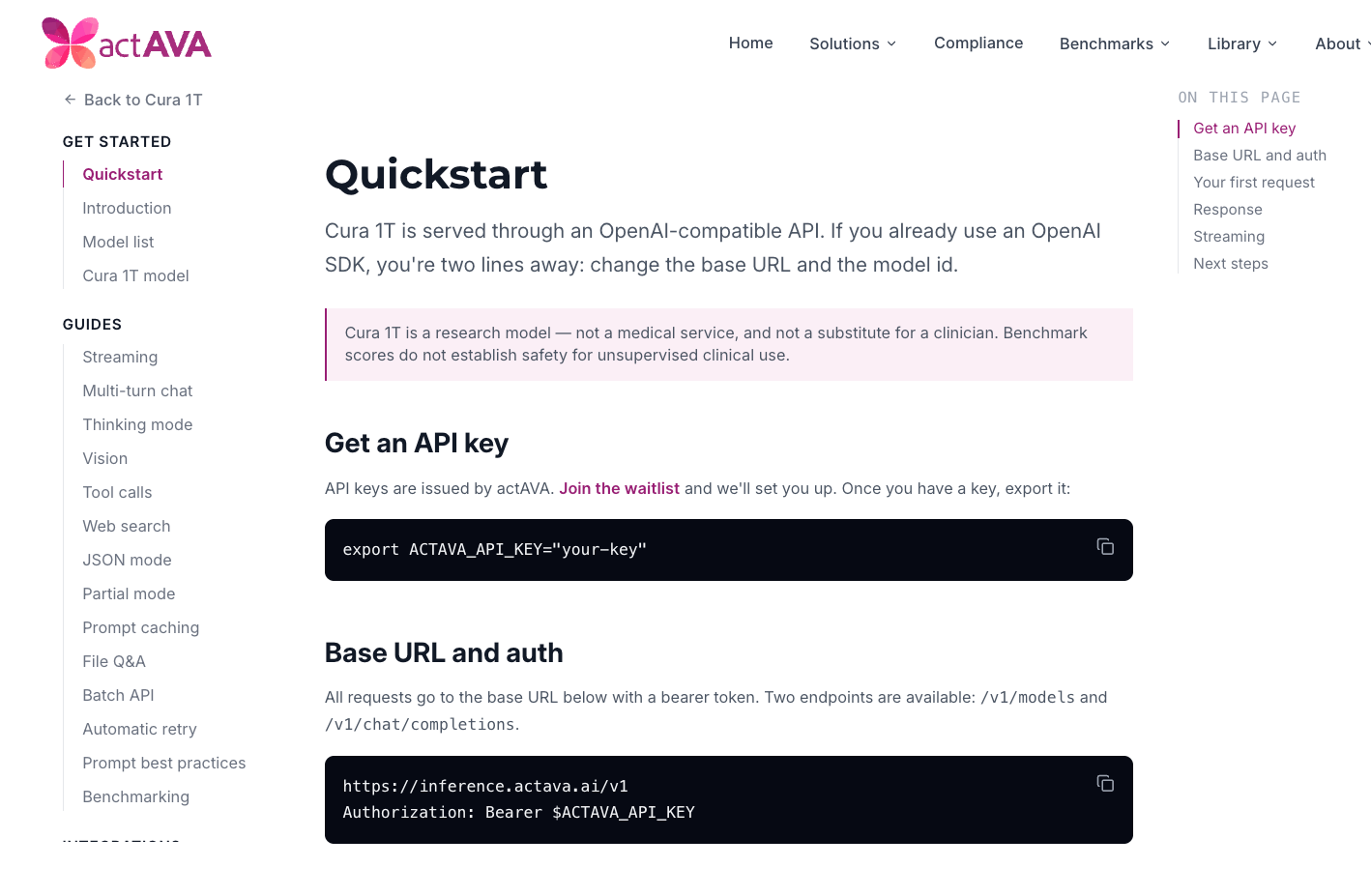
Healthcare engineering teams want Actava.ai's models inside their own applications without adopting the full platform, and they need spend controls when they do. The Inference Gateway exposes an OpenAI-compatible surface — POST /v1/chat/completions and GET /v1/models — behind API key authentication, with per-key quotas and concurrency limits so a single key cannot run away with costs. See our new CURA API documentation here.
OpenAI-compatible endpoints: POST /v1/chat/completions and an API-key-protected GET /v1/models catalog, routed to the backend gateway.
Multi-provider upstream: A single gateway fronts Fireworks, Tinker, and an OpenRouter passthrough catalog, with alias rewriting and SSE keep-alives for long streams.
Spend controls: A Redis concurrency limiter and daily token counters enforce per-key limits, and validated keys are cached in Redis to avoid double validation.
System-prompt preload: A preload layer at the gateway injects the system prompt, so callers get consistent behavior.
Usage visibility: Usage events are stamped by the serving provider, and the GET /v1/usage route reports key-holder usage.
Customer Outbound Webhooks
Get notified in your own systems the moment an agent run finishes.
Downstream healthcare systems need to react when an agent completes — post results to an EHR queue, close a task, page a reviewer — without polling. V6 ships a customer-facing outbound webhook pipeline that emits a signed event when an agent run reaches a terminal state.
Signed delivery pipeline: A delivery pipeline, service, publisher, and signing layer send webhook events, backed by models, repositories, and a migration.
Run-terminal events: Agent runs emit a webhook event on terminal save.
External and admin APIs: External and admin webhook APIs manage subscriptions, and the router forwards /v1/webhooks to the external webhook API.
Admin management: A Settings → Webhooks page manages endpoints and shows a delivery log.
SMS Channel, Agents That Text
Reach a member on the channel they actually answer.
Appointment reminders, benefit confirmations, and outreach follow-ups often land better as text messages, and healthcare teams need that channel to be compliant by default. KORA now treats SMS as a first-class agent channel on either Twilio or AWS End User Messaging, so an agent can send a message, receive the reply, and continue the same governed conversation.
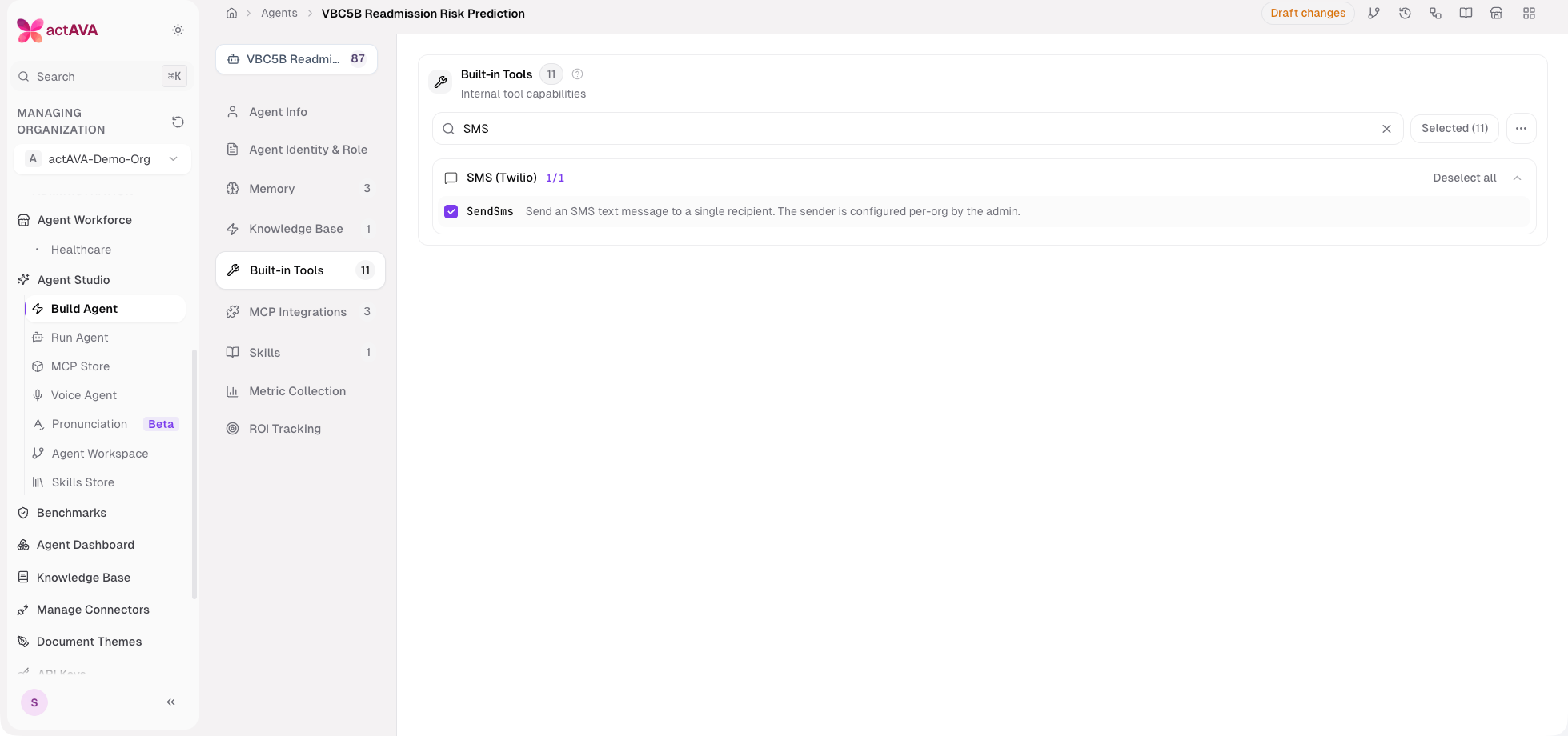
Cortex SMS tool: The SendSms agent tool (with a TwilioSendSms alias) sends per-organization outbound SMS behind an ENABLE_SMS_TOOLS kill-switch that defaults off and gates both the builder catalog and the runtime build.
Vendor-neutral provider layer: A BaseSmsService, an SmsProvider enum, and an SmsServiceFactory sit behind the tool; Twilio is the default provider and AWS End User Messaging (Pinpoint SMS Voice v2) registers as a secret-free, task-role-authenticated provider.
Inbound replies resume the session: A public, signature-verified inbound webhook with dedup and opt-out handling enqueues an SMS_INBOUND message, and a worker resumes the originating agent session as its creator.
Compliance built in: Outbound sends enforce an opt-out gate and record a session routing record; per-organization webhook tokens isolate inbound routing.
HITL over SMS: Human-approval notifications fan out over SMS so reviewers act where they already are.
Per-agent override: A per-agent Twilio messaging service SID override allows one agent to send from a different number pool.
Agent Self-Learning Loop
Agents that improve on their own, within their guardrails.
Improving an agent used to mean having a person read the run history and hand-edit the configuration. In healthcare, that work is constant and expensive, and every change needs to be defensible. KORA's GREEN layer now closes the loop: an agent proposes its own revision, an operator reviews it against the current version, and an evaluation gate decides whether to ship it.
Propose: An AgentRevisionProposal model, repository, and service generate a structured configuration revision from observed run history.
Review: The Optimize flow opens an AI-assisted side-by-side review, so an operator can upgrade the existing agent or create a new one from the proposal.
Gate: An evaluation gate and grading service validate a proposed revision before it can be promoted (see Evaluations & Experiments).
Optional automation: An auto-revision orchestrator, plus an off-by-default trigger and an auto-promotion policy, lets teams run the loop unattended once they trust it.
Draft/Released Agent Versioning
Ship the exact configuration you validated, every time.
Clinical and compliance teams need to know precisely which version of an agent produced a result, and authors need to keep iterating without breaking what is live. V6 replaces the Test/Prod badge scheme with a clean draft-and-released model across text and voice agents.
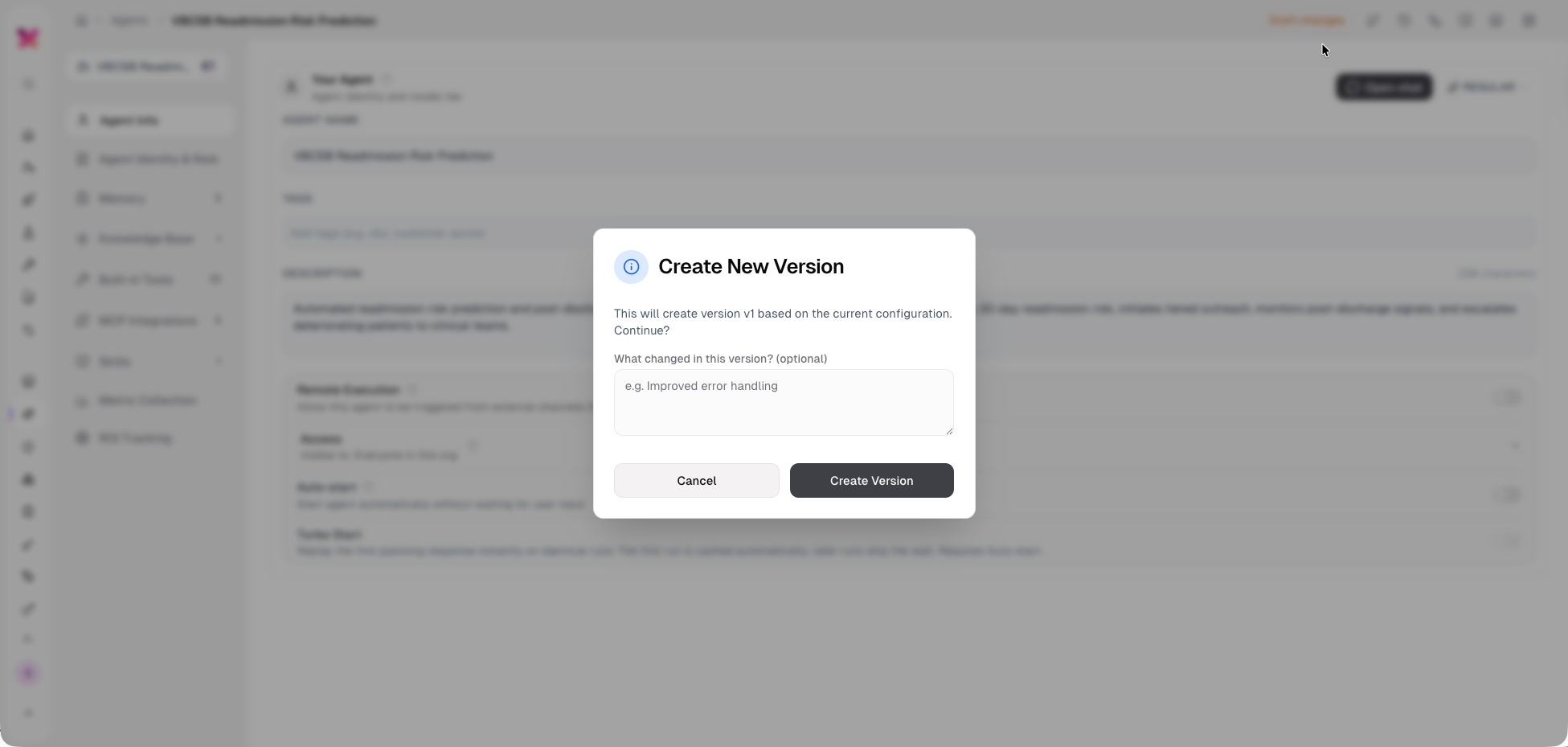
Promote creates a version: Promotion snapshots an immutable version, and the draft persists afterward; version history marks the draft and diffs it against the last promoted version.
Release notes: Every text and voice version carries optional release notes, captured at promote time and rendered in version history and version detail across both apps.
Version pinning in workspaces: A workspace step pins a specific released text-agent version (defaulting to the latest released version in the picker), with an editable version tag and a draft/released badge on the step card — so a pipeline runs the exact configuration you validated, including on fan-out and external-API runs.
Backfill: Existing live and prod agents were backfilled with version snapshots so history is complete on day one.
ExtractPDF v2, Structured Document Extraction at Scale
Turn stacks of clinical PDFs into structured data.
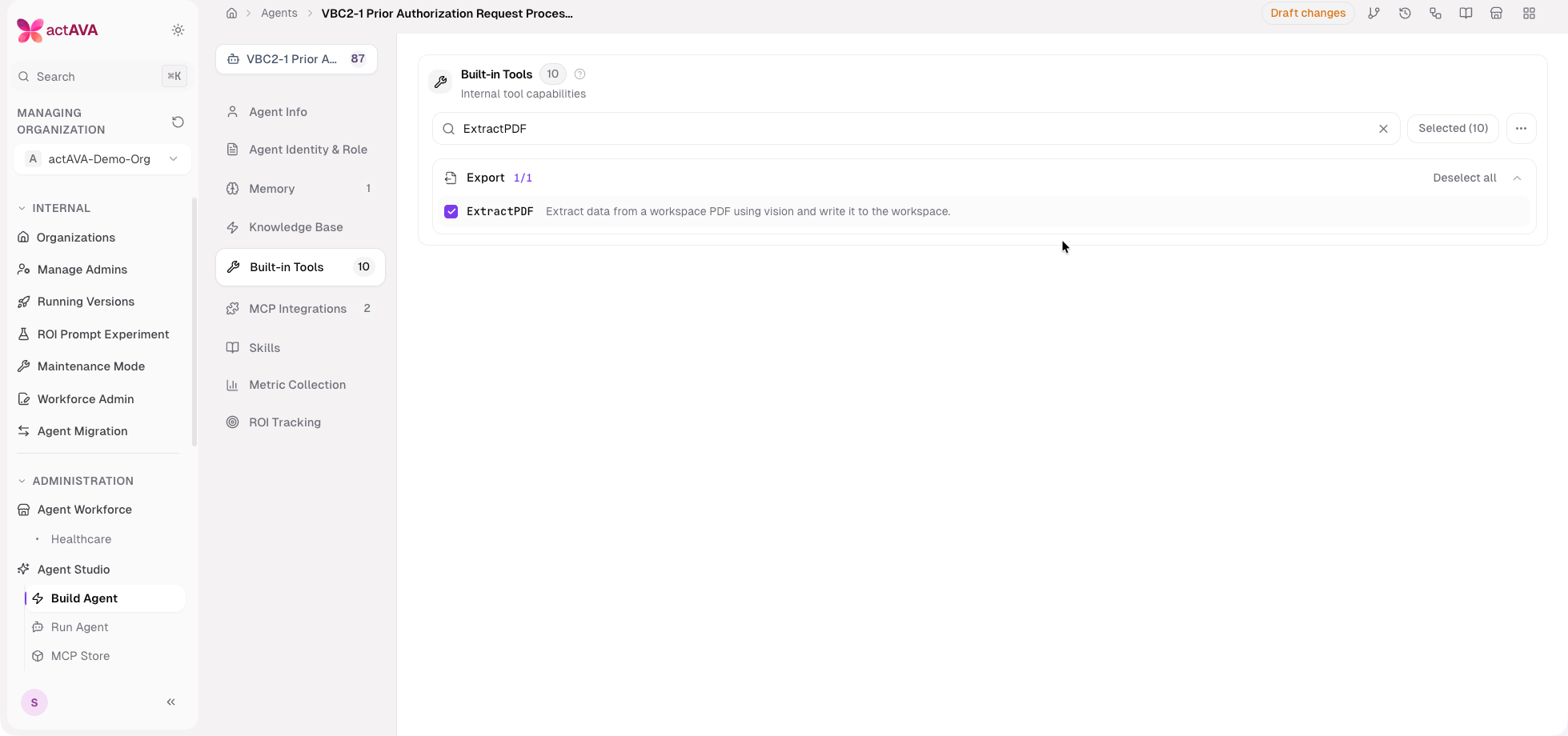
Prior authorizations, enrollment forms, and clinical records arrive as PDFs, and reading them one page at a time does not scale. ExtractPDF is a built-in agent tool that runs a vision model against a document and writes structured results into the agent workspace, now with a target schema and automatic batching for large files.
Schema-driven CSV: Extraction accepts a target schema and emits CSV output for downstream aggregation.
Large-PDF batching: A page splitter, per-batch processors, a batch orchestrator, and merge/report helpers route large PDFs through batching with a max-batches ceiling and reserved page-column mapping.
Live progress: Batch-progress streaming surfaces extraction status as it runs.
Cost safety: Pure-helper validation, guards, and token/cost shaping keep large jobs predictable.
Verified Outbound Outreach & Fan-Out
Confirm identity before you disclose anything.
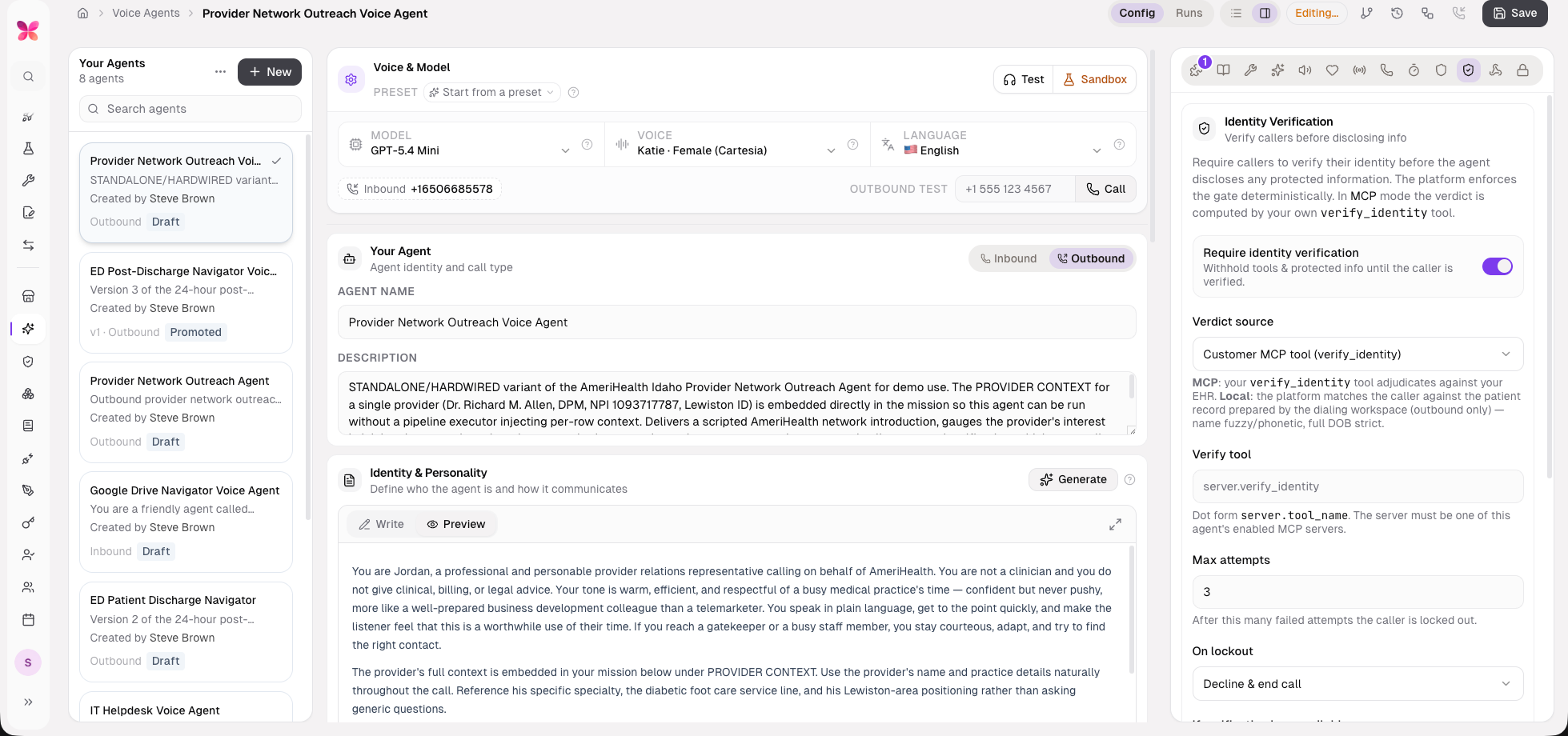
HIPAA outreach has a hard rule: verify the person before sharing protected information. V6 wires a verify-then-disclose gate across the voice and fan-out pipelines, so a campaign can call or text the full roster while enforcing identity verification on every contact.
Post-verify disclosure: Outbound verification calls forward the disclosure only after identity is confirmed.
Verification channel propagation: An X-Verification-Channel header threads through session creation.
Fan-out roster: Agent Workspaces gain a fan-out batch shell with recipient_source validation, a WriteRecipientRoster tool, and an auto-derived fan_out_source, letting builders author campaigns without hand-typing roster paths.
AI builder recipe: The workspace AI builder now knows the verified-outreach recipe end to end.
Business-Event ROI & KPI
Measure the dollars and outcomes agents actually move.
Engagement metrics do not tell a healthcare operator whether an agent paid for itself. V6 captures real business events _ex. staff time displaced, claims processed, ratios between events) and rolls them into per-period KPIs and an organization-wide ROI view.
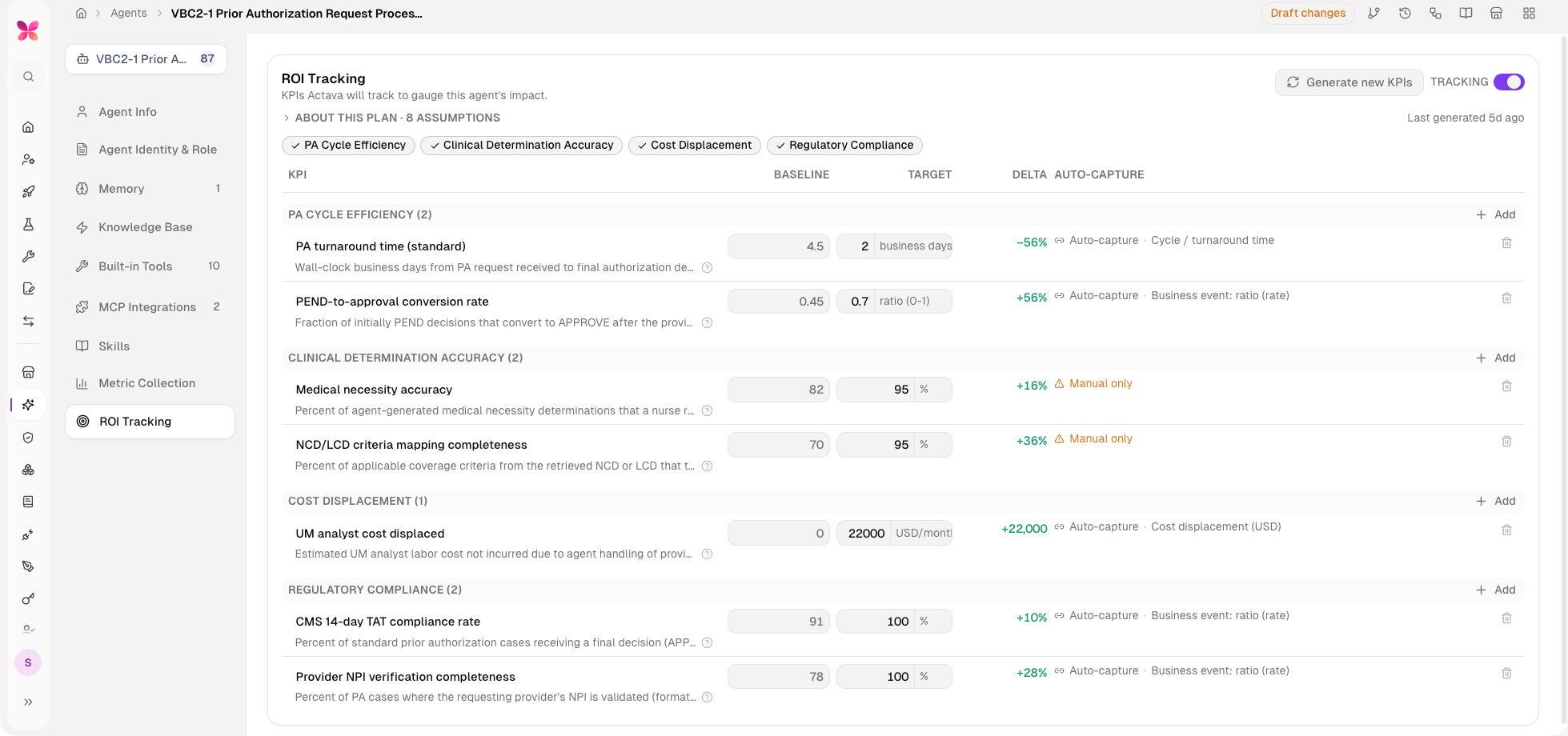
Business-event capture: A MetricEmitter wired end-to-end captures emit.* events, including ratio, cost-displacement (staff-time to USD), and cost bindings, with LLM-authored emit placement grounded in the agent's plan and tasks.
Per-period KPIs: Aggregation-mode and calendar-period-anchor helpers produce aggregation-correct per-period rollups.
Dynamic categories: ROI categories are now dynamic across model, service, routes, and the builder panel rather than a fixed set.
Manual readings and cost rates: Admin write routes let operators enter manual readings and bind cost rates directly in the dashboard.
Org portfolio: An organization-wide ROI portfolio endpoint and per-agent rollups bring the full fleet's ROI into one view, with educational tooltips on every dashboard surface.
Task-Level HITL Pause
Approvals pause the run cleanly rather than wedge it.
AWAITING_APPROVAL and PAUSED are now first-class agent-run statuses. A run that hits a human-approval step pauses cleanly, shows an "Awaiting approval / you" status, appears in the Live Monitor, and resumes on approval — and the reaper treats a paused run as paused rather than stuck.
Microsoft Teams Integration
Bring agents into the channel care teams coordinate in.
Care coordination and administrative handoffs increasingly happen in Microsoft Teams. V6 registers 12 Microsoft 365 Teams tools across the tool factory and registries, with an admin Teams service toggle and a send write-policy switch so that an organization can control exactly what agents may post.
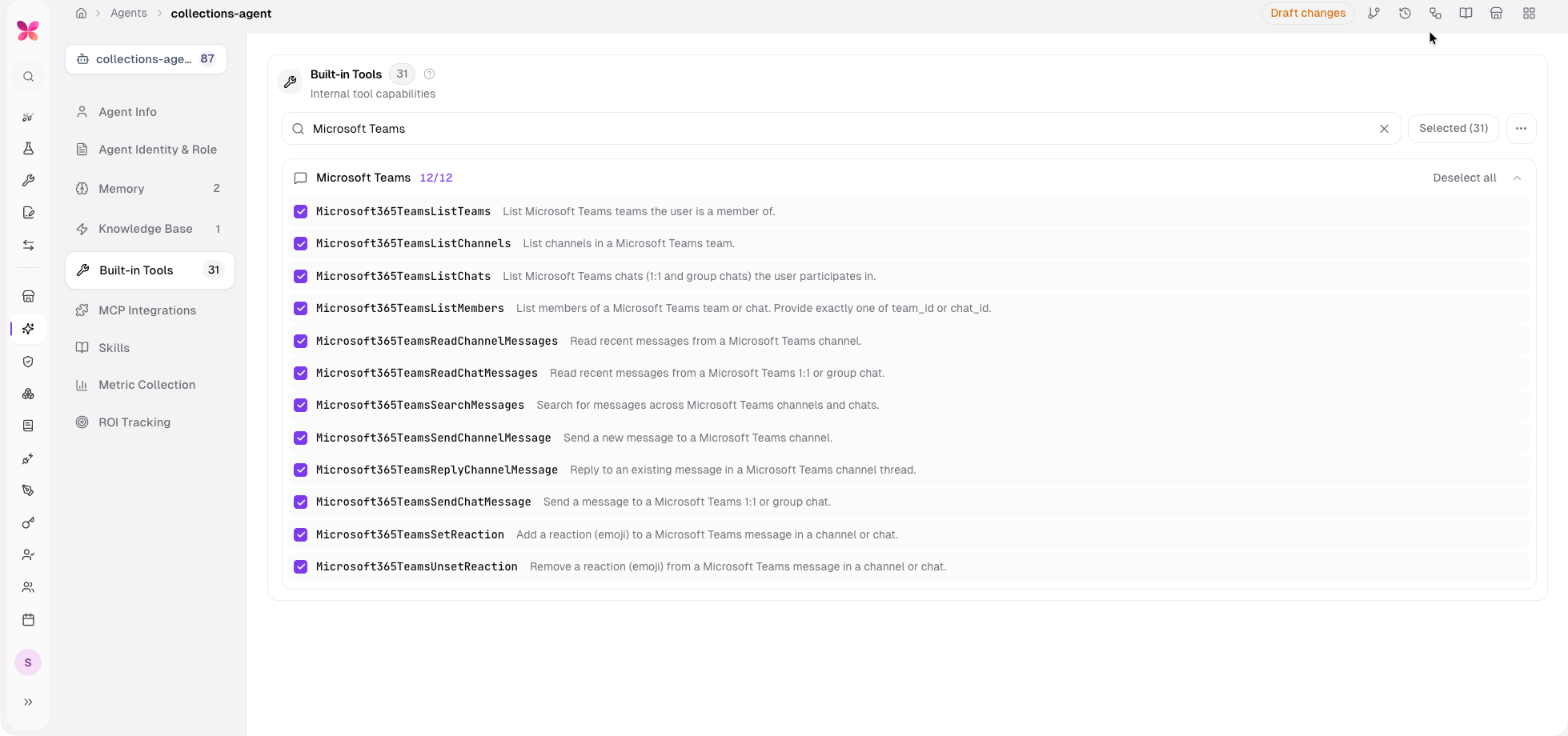
Governed sends: An admin send write-policy switch gates whether agents can post to Teams.
Consistent labeling: Tool sections are prefixed "Microsoft" to match the Google convention, and the connector is labeled "Teams" with its real brand icon.
Multi-Provider Model Choice
Pick the right model per agent, with Claude Opus 4.8 as the platform default.
Clinical reasoning, document extraction, and low-latency voice each favor different models, and healthcare buyers want to own that cost-and-quality curve. V6 makes Claude Opus 4.8 the platform default and expands model provider choices to include Haiku 4.5, Sonnet 4.6, DeepSeek V4 Pro, GLM 5.2, Kimi K2.6, and Moonshot Kimi K2.6.
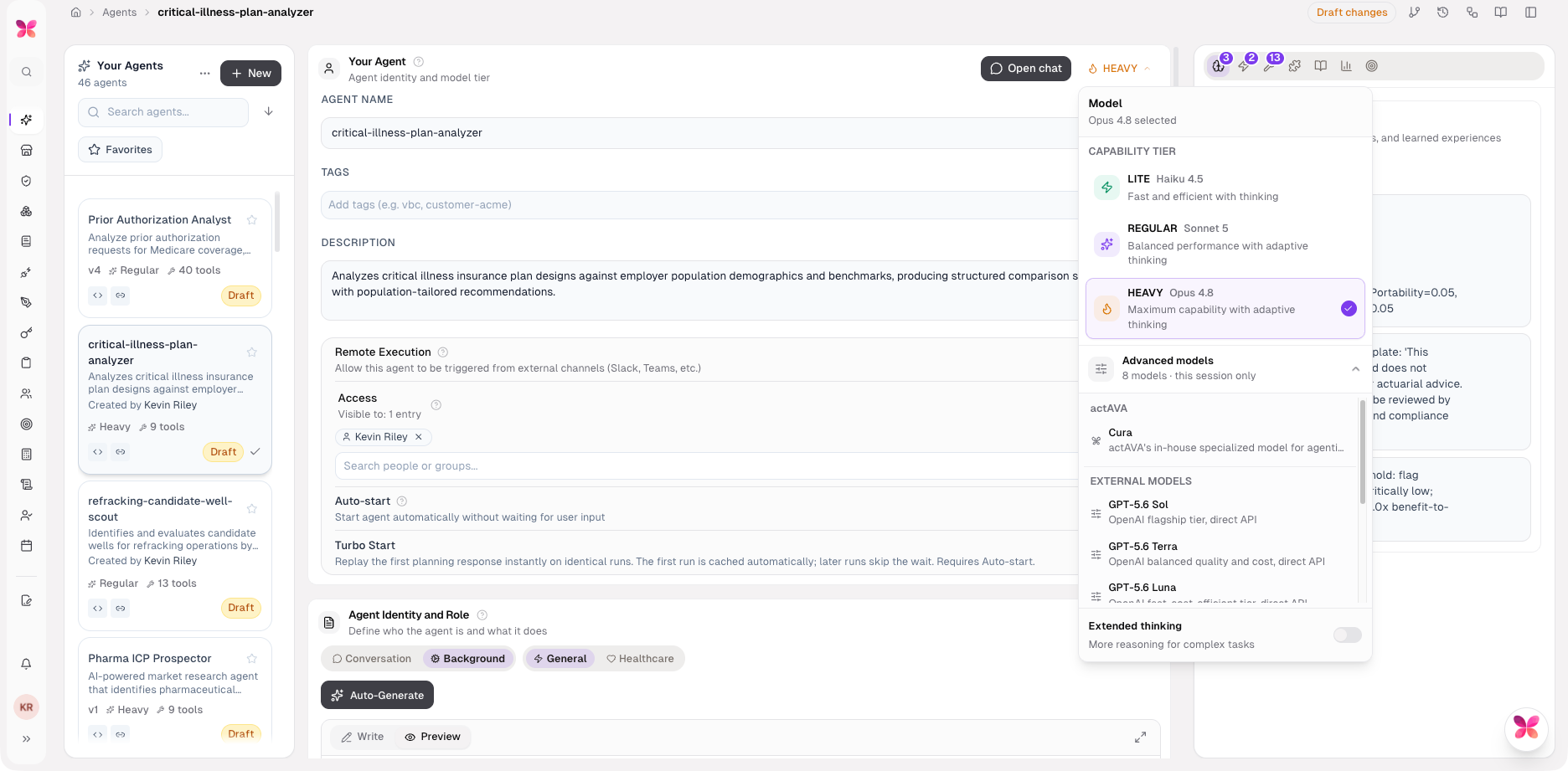
Default upgrade: Claude Opus 4.8 is the default across the chat tier, the AI wizard, and the evaluation judge, with Opus 4.8 pricing adopted and ingest contextual retrieval retired.
GLM 5.2: Added with Fireworks pricing; GLM 5.1 is retained for replay.
Kimi K2.6: Now powers all three AI wizards (thinking off), and the per-wizard model and thinking pickers were removed for a simpler default.
Fireworks: Wired into create_chat_model as a first-class provider.
New Agents in the Actava.ai Workforce Library
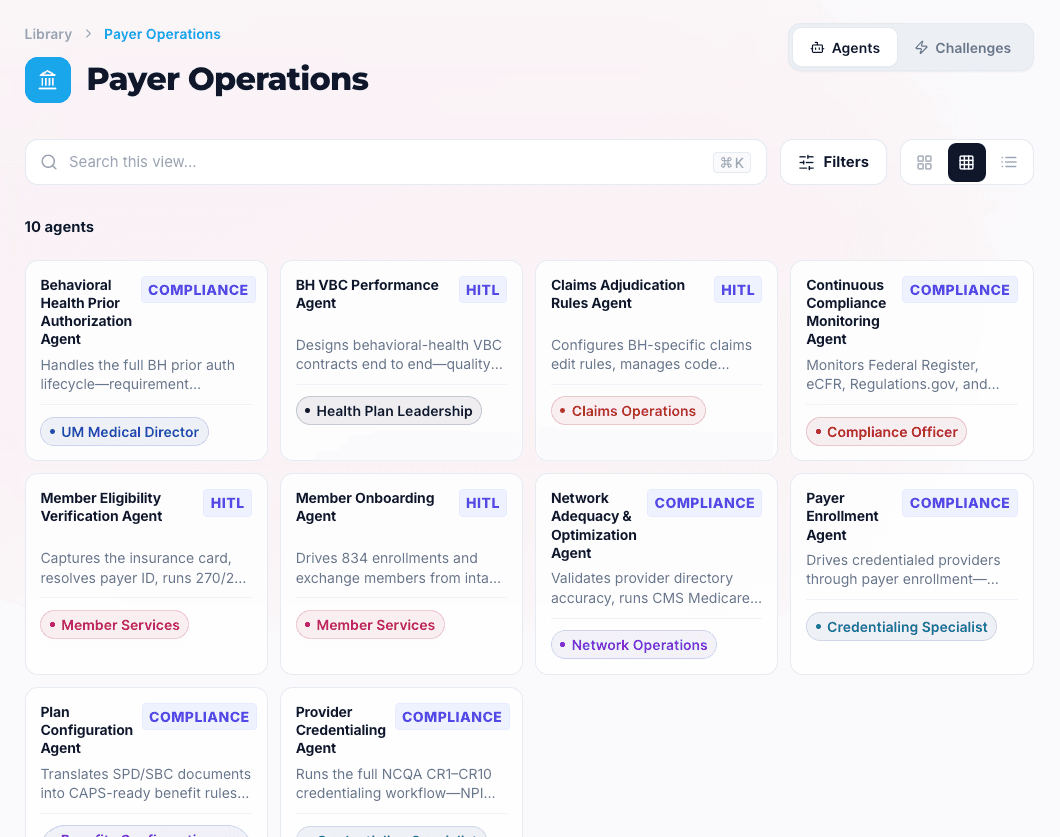
Healthcare organizations rebuild the same agents in silos. Our Agent Workforce Library turns Actava.ai's catalog into an internal marketplace so teams can find a validated agent or Agent Workspace, see how it is orchestrated, and clone it rather than start over.
Every agent is built on KORA, so the same compliance, safety, and continuous improvement guardrails that power our healthcare workflows apply here, too. Agents are grounded in your CRM and product data, keep a human in the loop where it matters, and cite their sources so sellers can move fast without moving blind.
All of our pre-built agents are available in our app's Agent Workforce Library, a system-admin taxonomy console, published listings with visual orchestration blueprints, global search, and deep cross-organization cloning of agents and Agent Workspaces.
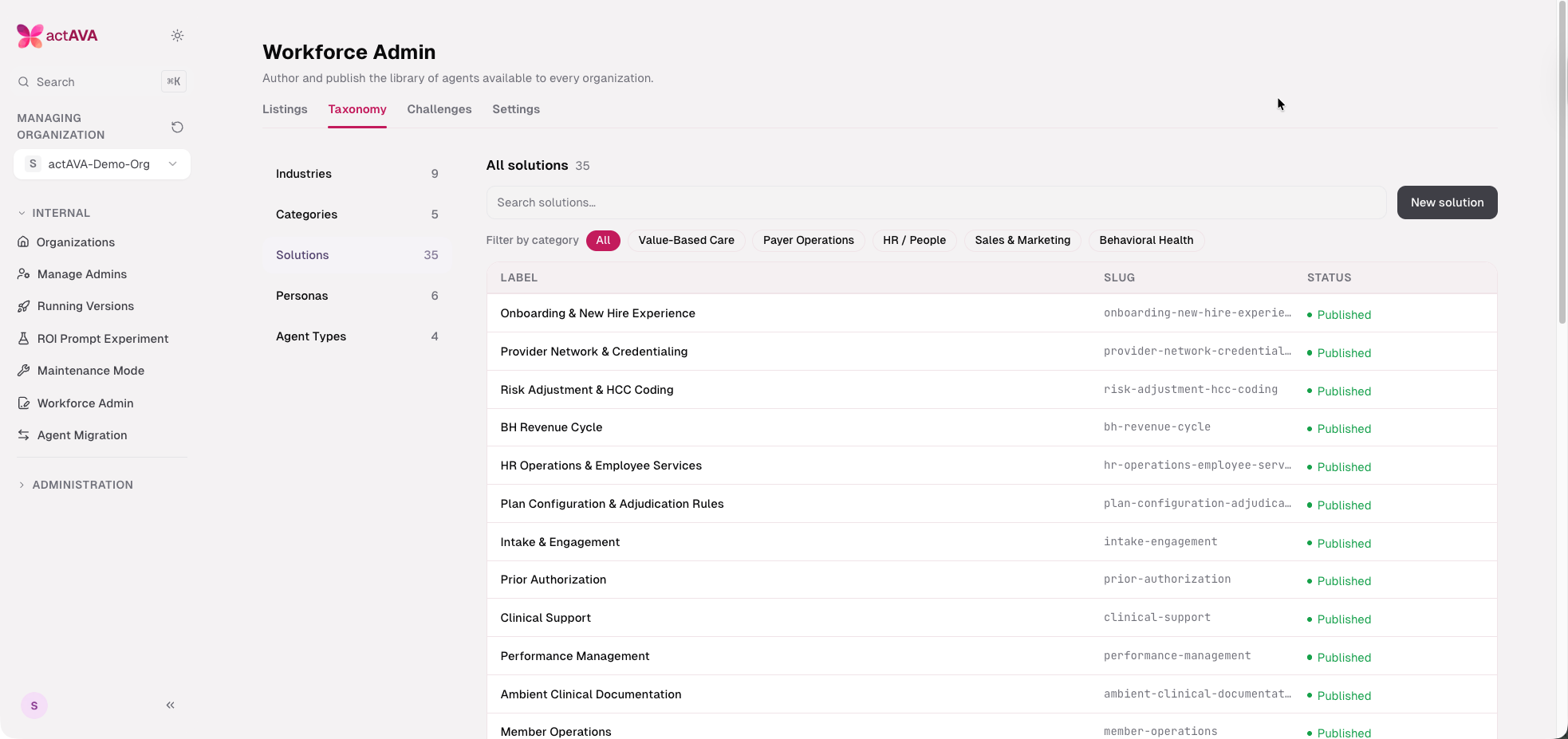
System-admin taxonomy console: Industries, categories, and solutions are admin-editable taxonomy; agent type is now an admin-managed taxonomy kind rather than a hardcoded enum, and industry accent colors and nav icons flow through to the browse view.
Published listings: Listings include a display name, short description, persona and solution labels, resolved asset file names, and slug-resolved reads, grouped by the most recent listing per category across nine industry sections.
Visual orchestration blueprints: Workspace listings render a federated orchestration rail with fan-out/reduce visualization, a minimap for long rails, in-place agent drill-down, and semantic-zoom into the full blueprint; voice agents render a visual blueprint with a secret-free voice config.
Challenges: A WorkforceChallenge model, service, and admin CRUD ship curated multi-agent challenges alongside listings.
Global search: A hero typeahead and a dedicated results page search across listings.
Deep cross-org cloning: System admins import any organization's agents, voice agents, and Agent Workspaces into the source org, with a clone re-add handshake and numbered copies.
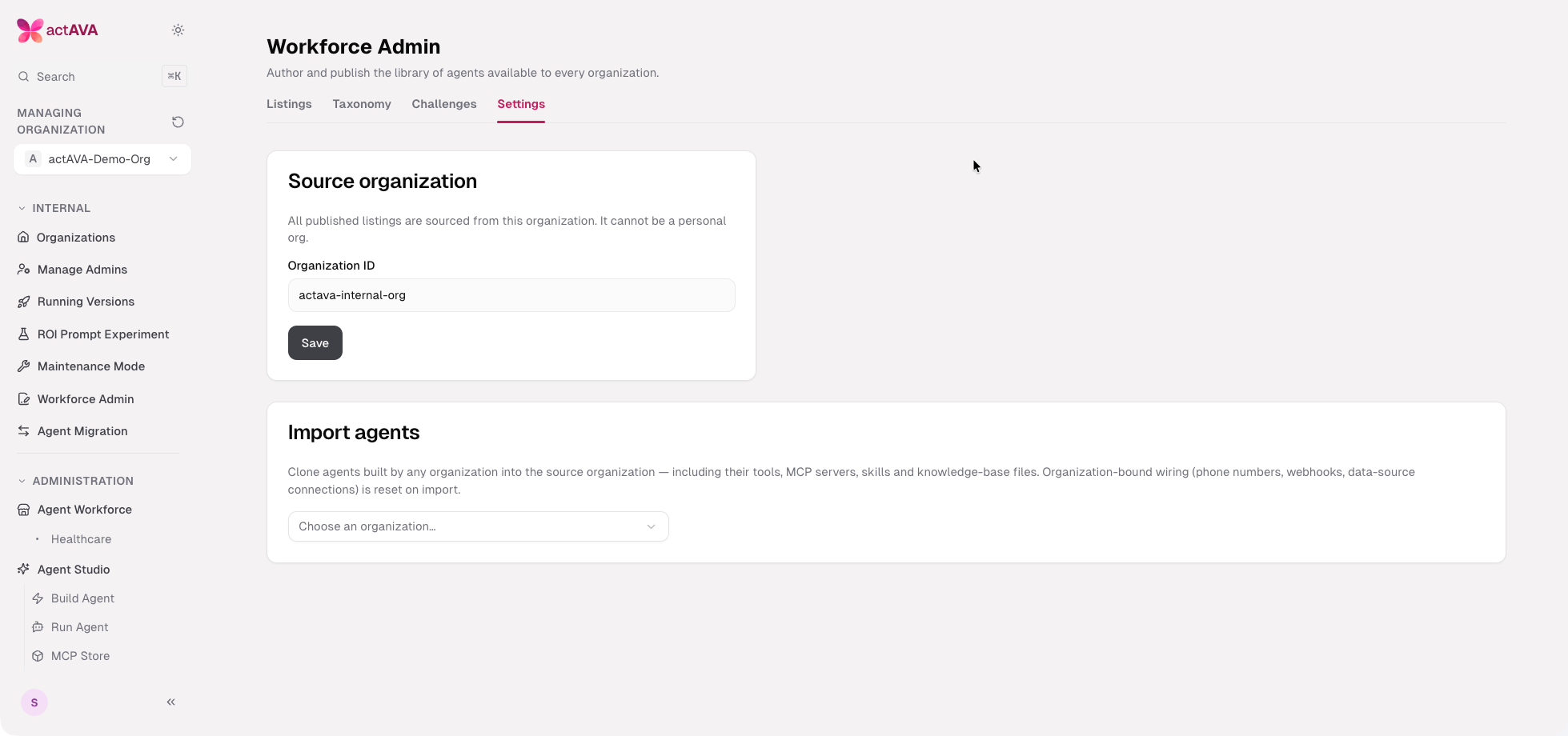
We have many more pre-built agents across Payer Operations, Human Resources, Care Management, Behavioral Health, and more.
Here's what's newly available in the Library, from scattered signals to governed, revenue-ready action. Today we're expanding the Actava.ai Workflow Library with a full Sales & Marketing collection: 22 new agents that take the everyday grind of prospecting, research, scoring, forecasting, and enablement and turn it into structured, auditable work your revenue team can trust.
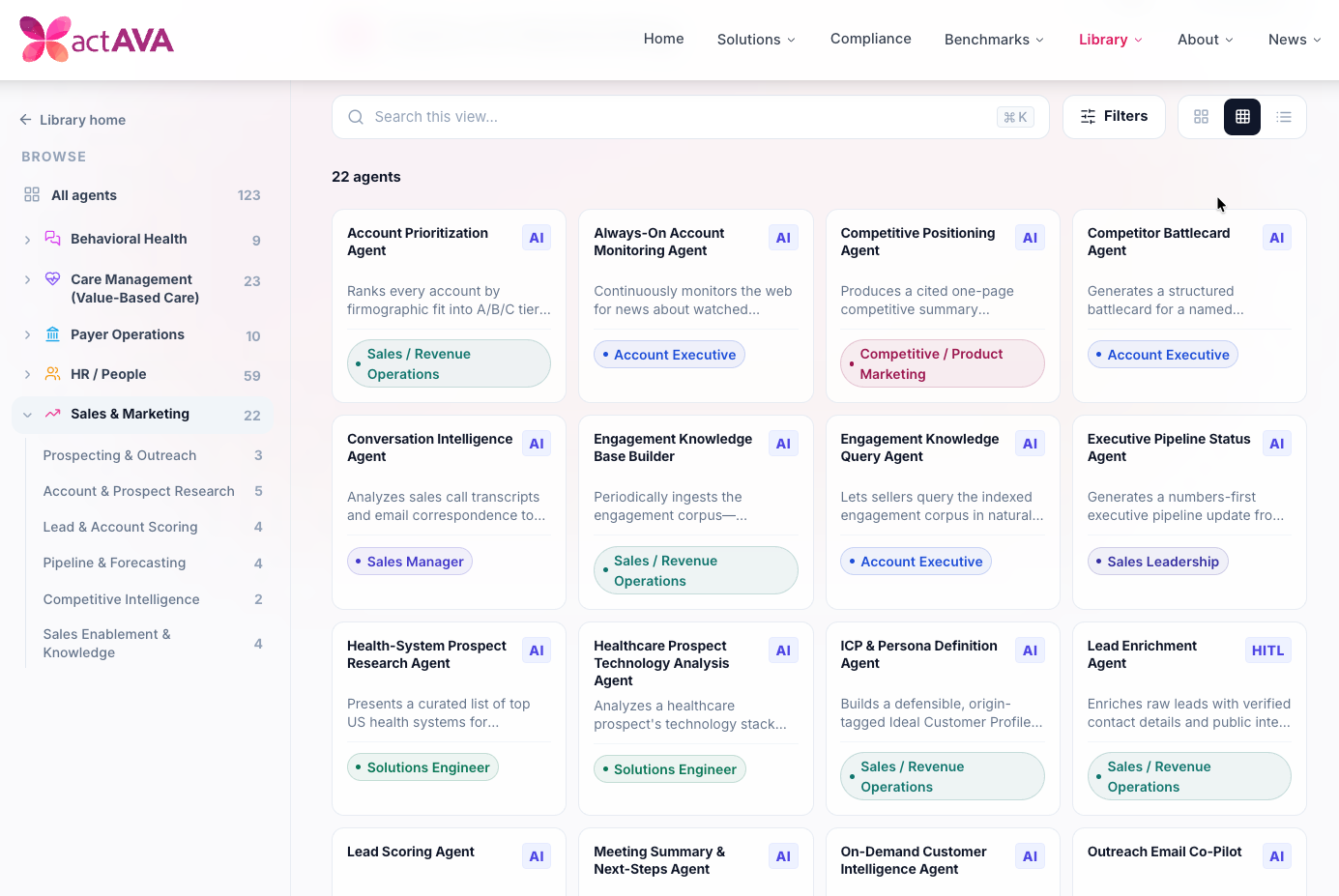
Prospecting & Outreach
Turn fresh interest and live conversations into same-day, on-message follow-up.
The Web-Lead Follow-Up Agent drafts a personalized email for each new website lead — matching the prospect's title to a persona, selecting the most relevant product, and queuing it for seller review before anything is sent. The Outreach Email Co-Pilot is a conversational partner for writing short cold or warm emails to a chosen CRM lead, enriching each draft with account and web context and grounding every claim in real product data. And the Meeting Summary & Next-Steps Agent turns a meeting transcript and your notes into a concise recap-and-next-steps email, pulling in CRM activity, contacts, and opportunity context so follow-up goes out the same day.
Account & Prospect Research
Deep, current intelligence on the accounts that matter — on demand or always on.
The Prospect Technology Research Agent interactively maps a prospect's stack across EHR, CRM, AI, HR, and BPM systems into a structured technology profile. At the same time, the Healthcare Prospect Technology Analysis Agent goes further by pairing stack analysis with operational pain points to generate reports, charts, and interactive dashboards that tie AI capabilities to projected ROI. For focused named-account work, the Health-System Prospect Research Agent lets you pick from a curated list of top US health systems and runs deep research on the one you choose. The On-Demand Customer Intelligence Agent synthesizes web intelligence and recent news into a dated digest with two to three concrete outreach ideas, and the Always-On Account Monitoring Agent watches your target accounts continuously — filtering for material events like leadership changes, funding, M&A, and regulatory moves, then raising prioritized alerts tied to open opportunities.
Lead & Account Scoring
Know who to work first, and why.
The ICP & Persona Definition Agent builds a defensible, origin-tagged Ideal Customer Profile by contrasting closed-won against closed-lost accounts, producing a versioned ICP with traceable attribute origins and a diff against the prior version. The Lead Scoring Agent scores every lead weekly against those profiles and engagement signals, assigning a 0–100 score, a Hot/Warm/Cool band, and a rationale, and tracking score movement on the top-ranked leads. The Lead Enrichment Agent adds verified contact details and public intent signals, dedupes against existing contacts, and produces reviewable per-field deltas for human approval before any write-back to the CRM. And the Account Prioritization Agent ranks every account into A/B/C tiers on firmographic fit — scoring segment match, employee and revenue band, and environment, with a written rationale for each.
Pipeline & Forecasting
A numbers-first view of the business, from the rep's day to the executive update.
The Rep Activity Digest Agent summarizes a rep's daily calls, emails, meetings, and stage changes for reps and managers, flagging neglected high-value opportunities. The Territory Planning Co-Pilot builds balanced coverage plans from headcount, target industries, regions, and historical revenue — recommending allocation methods, sample AE-to-account mappings, and flagging gaps or overloads. The Executive Pipeline Status Agent generates a clean executive update covering total pipeline, weighted forecast vs. quota, top risks, and biggest wins. And the Pipeline Optimizer Agent forecasts the pipeline, detects stalled or slipping deals, integrates risk signals, and recommends a follow-up action for each at-risk deal.
Competitive Intelligence
Walk into every deal knowing how you win.
The Competitor Battlecard Agent generates a structured battlecard for any named competitor — archetype, strengths, weaknesses, how-we-win angles, where-we-lose risks, and a live-call talk track from your existing battlecards, loss reasons, and positioning notes. The Competitive Positioning Agent produces a cited, one-page summary that compares a competitor's pricing, positioning, product strategy, and sales motion against your strengths, synthesizing web research, internal battlecards, and product data, and flagging conflicts where sources disagree.
Sales Enablement & Knowledge
Make everything your team has already won instantly reusable.
The Engagement Knowledge Base Builder periodically ingests your engagement corpus — proposals, won deals, delivered work, notes, and activities — then classifies and links each artifact by client, sector, problem, and solution into a searchable index. The Engagement Knowledge Query Agent lets sellers ask that index in plain language and surfaces the most relevant prior work for a new opportunity, with links back to the source. The Conversation Intelligence Agent analyzes call transcripts and email to extract buying signals, coaching opportunities, competitor mentions, and rep-accuracy risk flags, with recommended follow-up actions. And the Sales Deck Builder & Checker creates on-brand decks, evaluates existing ones against corporate standards, pulls in CRM and product context to tailor the narrative, and checks messaging, structure, and brand before delivery.
Agent Studio Improvements
Enterprise UI Redesign
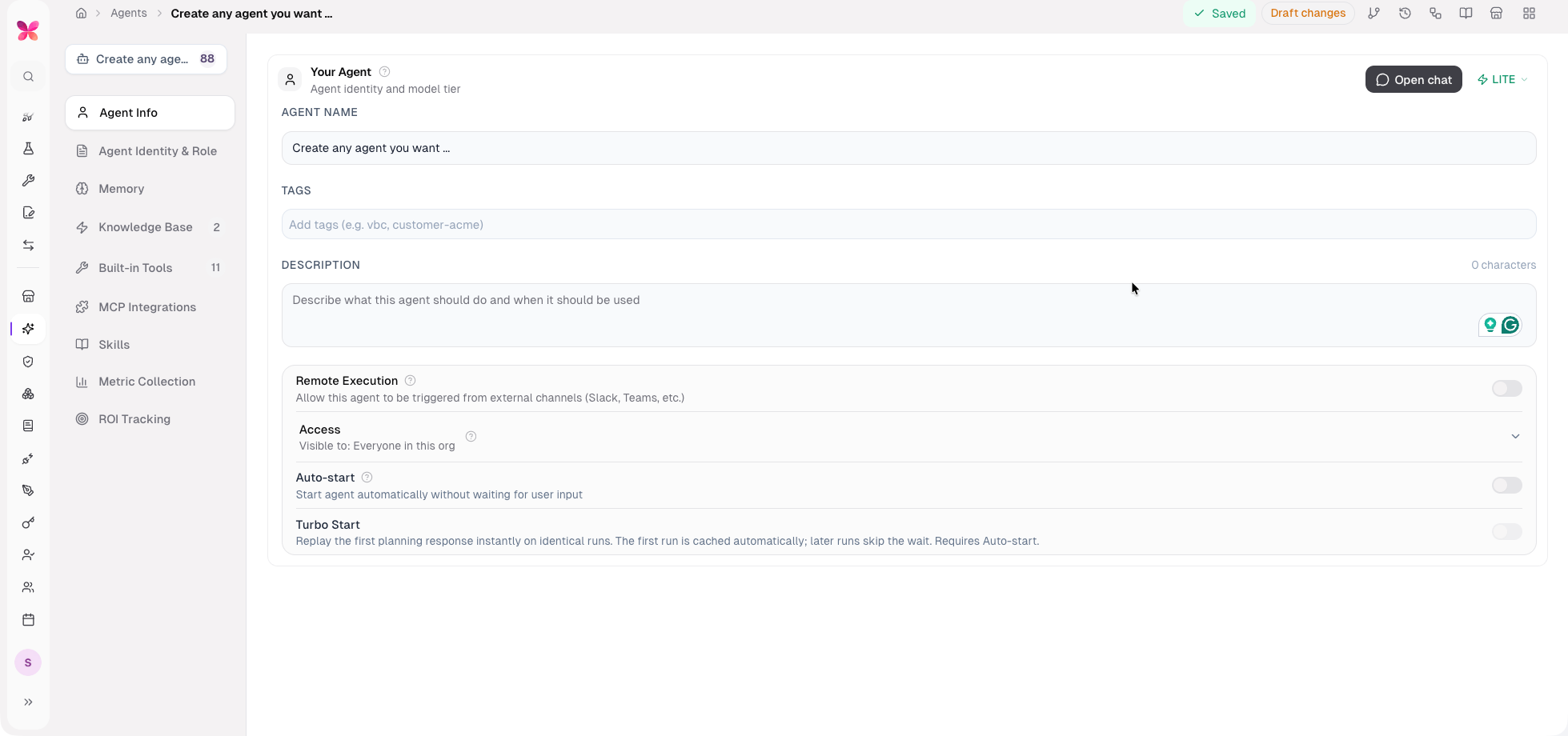
Refined-enterprise tables: A single shared table primitive restyles every table across the admin and nextgen apps into a single, consistent enterprise look.
Zaro page headers: Slim, transparent breadcrumb headers are the single source of the page title, with unified header icon buttons and tooltips over a warm canvas.
Elevation and contrast pass: Deeper canvas, recessed sidebar, and tinted inputs across the builder.
Navigation & Layout
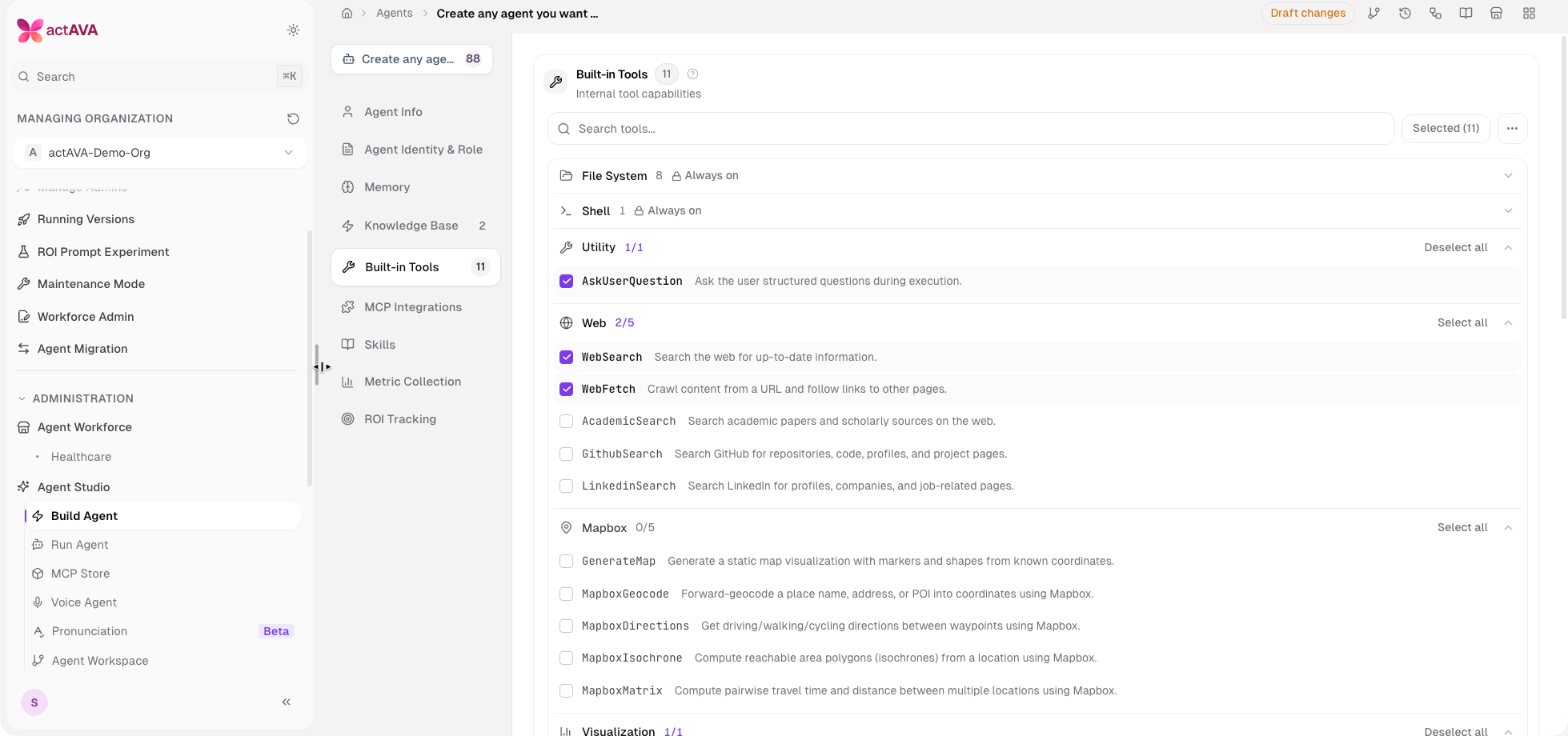
Enterprise navigation overhaul: Internal grouping, density controls, ⌘K search, and collapsed-rail flyouts.
Floating resizable sidebar: A floating card sidebar variant with drag-to-resize and an auto-hiding scrollbar.
Pronunciation studio tab: Added to the Agent Studio navigation.
Builder Workflow
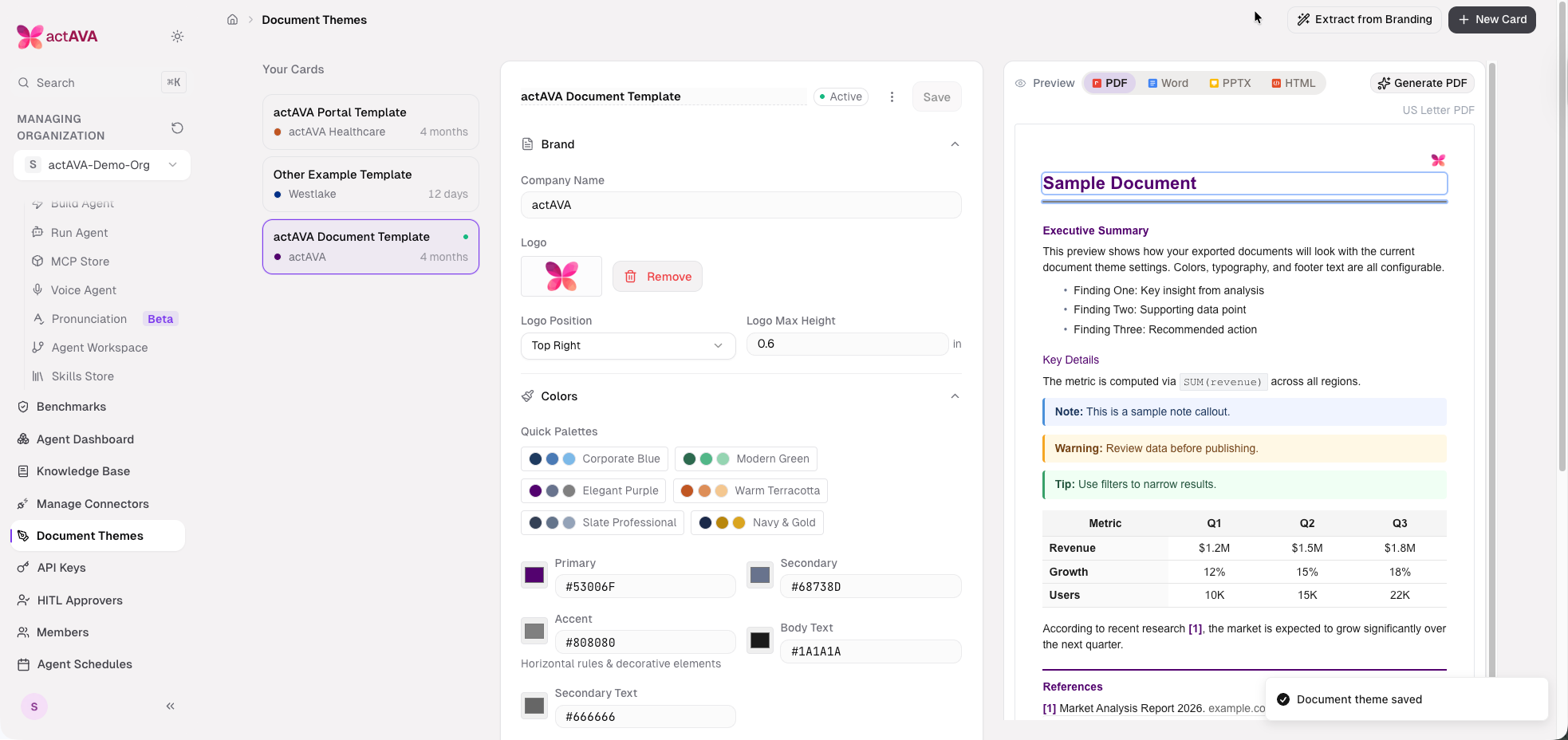
Per-org brand theming: Organizations pick a two-color brand theme (accent and button) on a new Appearance page; presets apply at runtime, including inside embedded nextgen.
Deep-link builders: Shareable deep-link URLs for the text and voice agent builders, with per-card "Copy link."
Write/Preview markdown field: The old markdown editor is replaced with a content-aware Write/Preview field used across text and voice studios.
AI voice builder wizard: A "Build with AI" wizard generates voice agents end-to-end, mirroring the text AI builder.
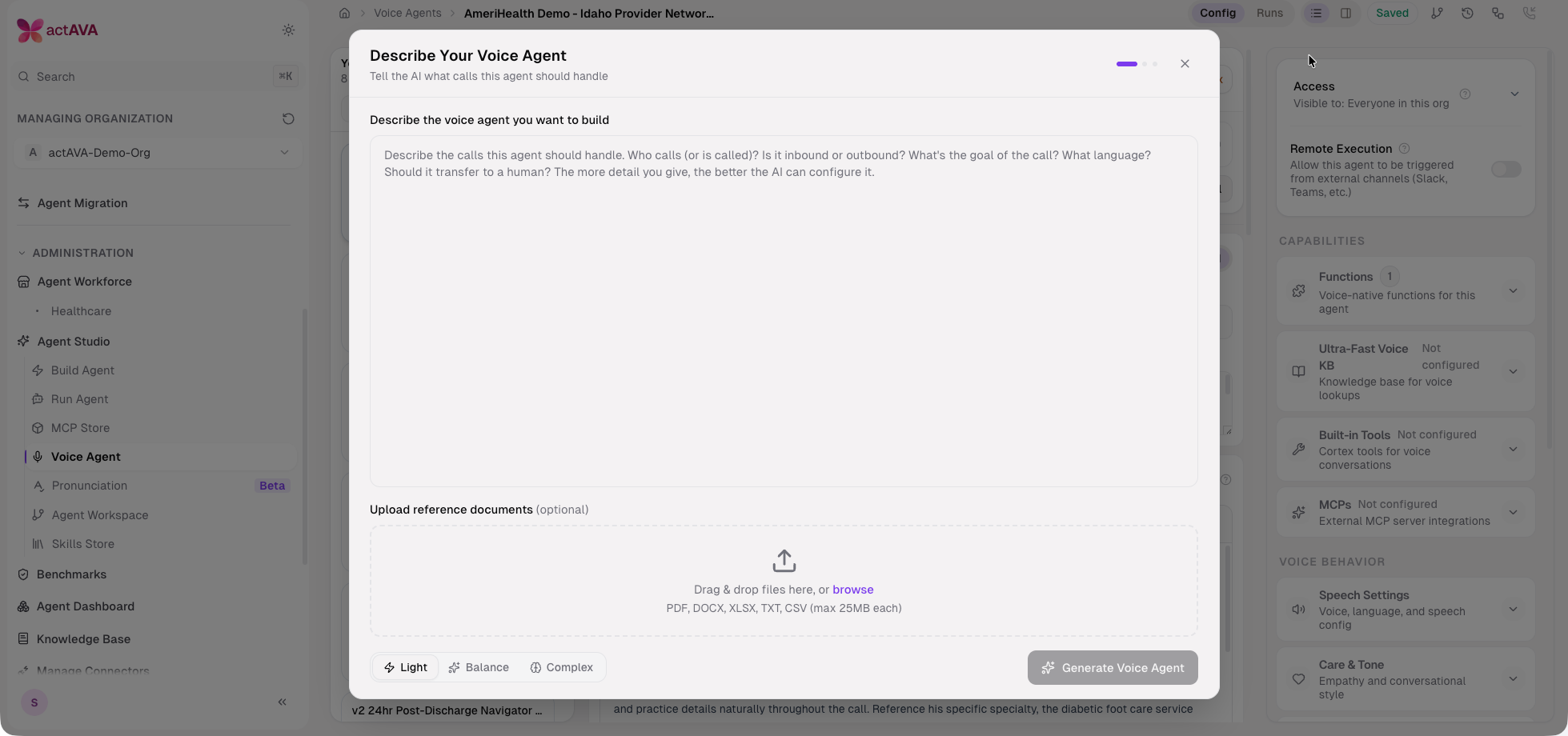
Voice config modernization: Call, Duration, Security, Speech, Built-in Tools, and MCP panels reworked to the enterprise flat look with toggle switches and enabled-state styling.
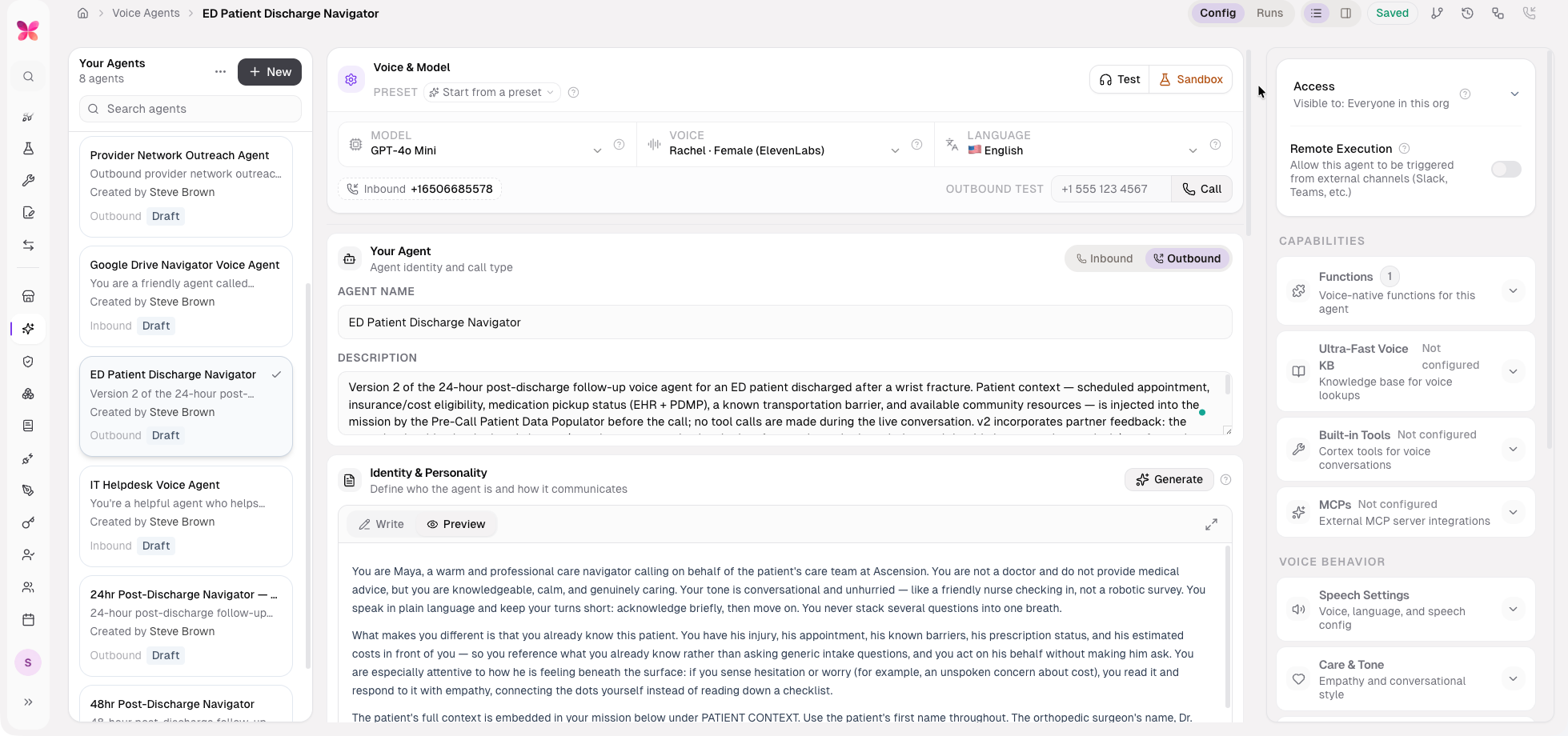
Agent tags and favorites: Organization-shared tags and per-user favorites for findability across large agent portfolios.
Cloned-voice labeling: Cloned voices are labeled "(Clone voice)" and marked with an icon in the voice picker.
Settings version footer: A version footer in the Settings side menu, backed by an any authenticated GET /system/version endpoint.
Other Agent Studio Improvements
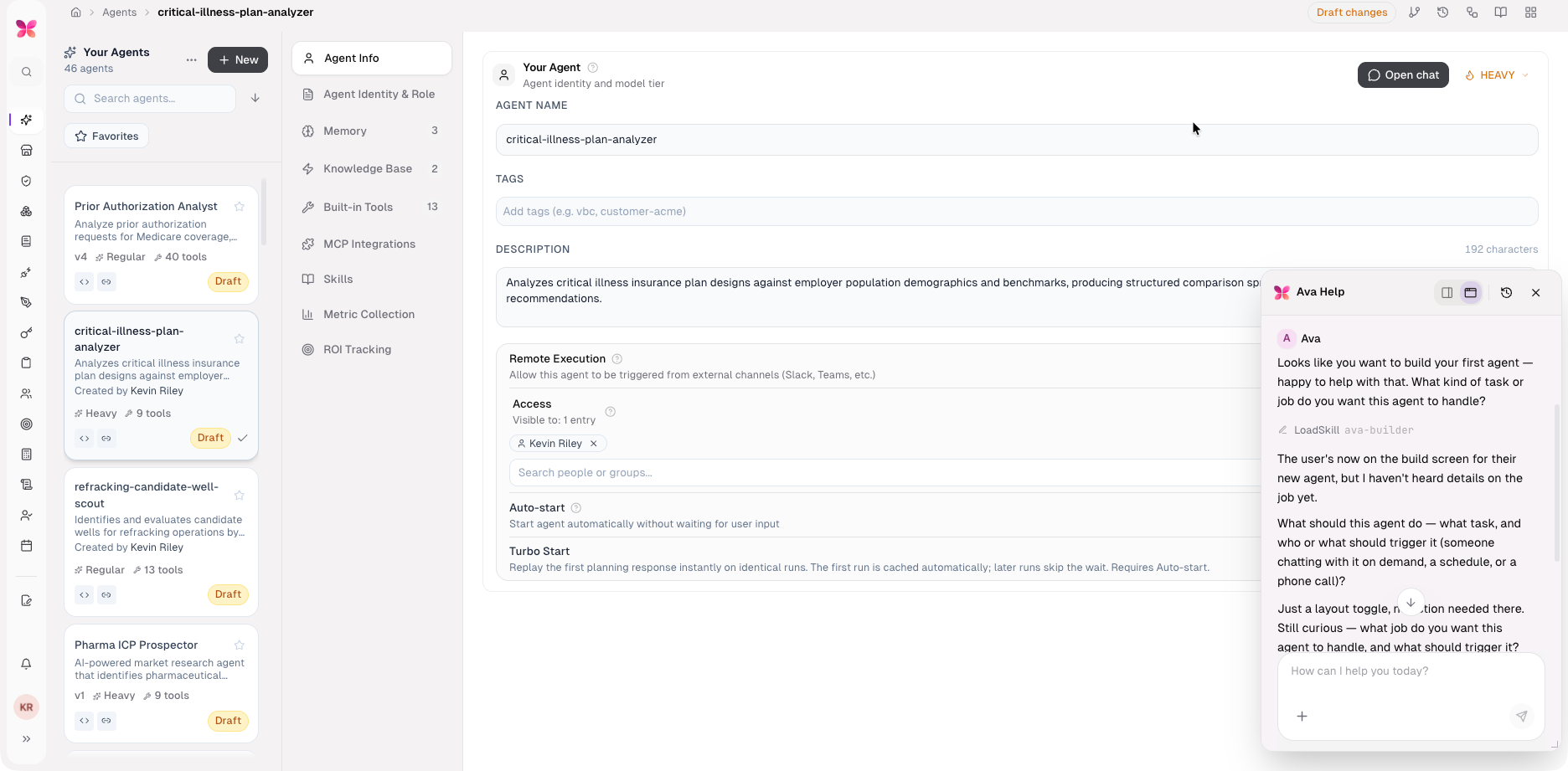
Ava panel view modes: Full-screen, docked, and floating-window layouts, with a draggable, resizable, and minimizable floating panel and a width-resizable dock.
Read-only platform-agent settings: Ava Settings shows a read-only persona-skill viewer and a "Preview as role" read-only role-to-tool map, reflecting that Ava is code-owned.
Acting-org cue: The Ava panel header shows the acting organization.
Organization list usability: Organization lists are alphabetized with a search filter.
Agent Runtime & Chat UX
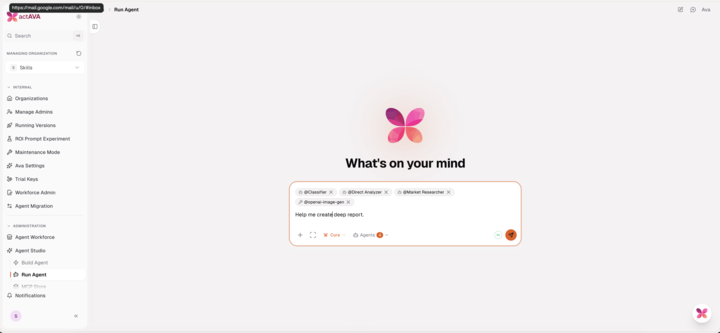
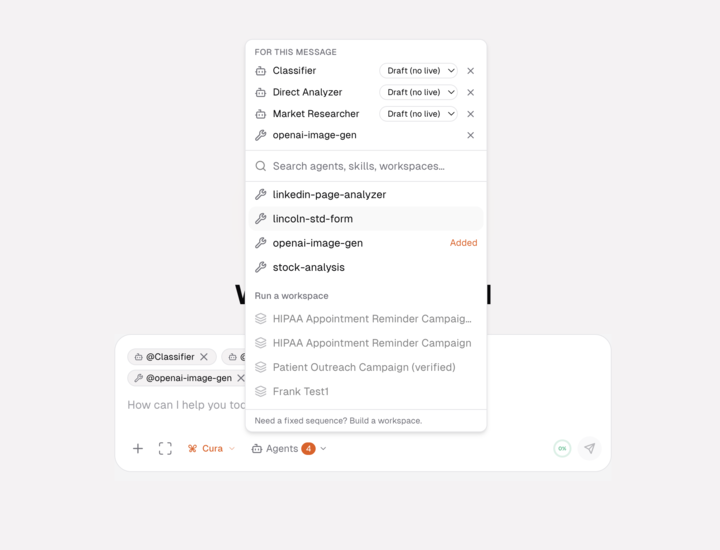
Ava capability tools in chat: AnalyzeRun, GetInsights, and OptimizeAgent are available in-conversation, with member own-insights and widened org-admin AnalyzeRun.
Project shared workspace: Project conversations are born with a project id and mount one shared live workspace across the team.
Observer run panes: RemoteChat exposes a read-only mode, so dispatched sub-agent runs can be watched without interfering.
Run history filters: agent_id, search, and include-shared parameters on the runs-conversations feed, with platform-agent runs excluded from customer history.
Agent Runtime & Chat UX
Chat Surface
Master-first chat: The Run Agent surface defaults to master chat with an invisible master and an allowlist composer.
Reconnect banner: Chat surfaces unconnected OAuth MCP servers with a (re)connect banner instead of failing silently.
Tool-inclusive run cost: Tool-call LLM cost is now included in agent-run cost and organizational-unit accounting.
PowerPoint uploads: .pptx uploads are supported in agent runs and chat with rich extraction, and the PDF/PPTX chat upload ceiling has risen from 25 MB to 50 MB.
Cortex Runtime Stability
Context bounding: Context bounding plus turn-cap calibration keep long-running agents stable, and evicted content is summarized so the model can still reason over it.
Concurrent-turn limiter: A per-worker concurrent-turn limiter guards against out-of-memory conditions under load.
Send-state slimming: Per-tool Send state is reduced to the last AIMessage at agent build time (env-gated, idempotent), cutting memory for tool-heavy agents.
Cooperative cancellation: A cooperative run-cancellation flag lets dispatch halt runs promptly.
Voice Runtime
Announced (warm) transfer: Voice agents hand off to a live agent in announced/warm transfer mode, not a blind transfer.
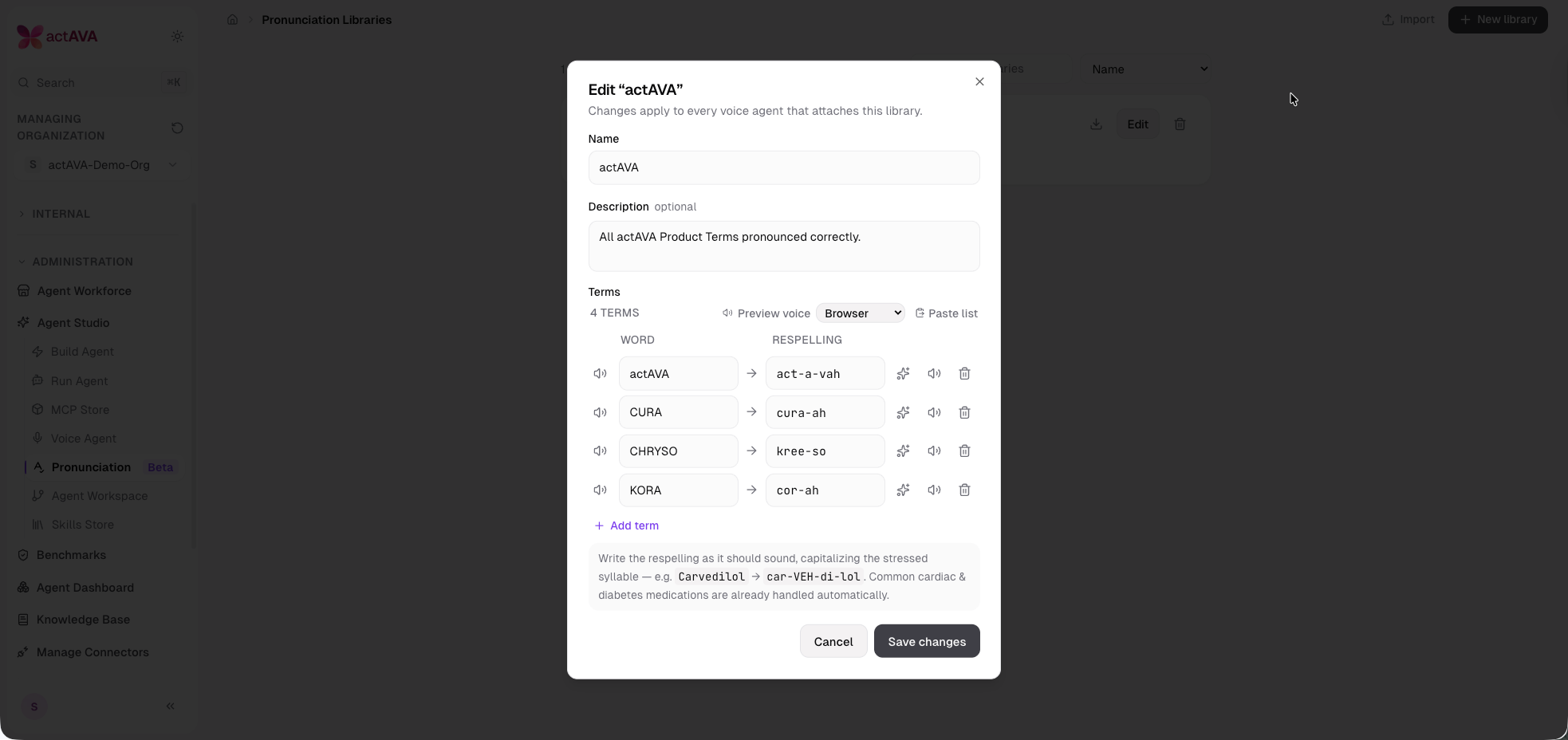
Pronunciation libraries: Org-scoped, shareable pronunciation libraries with an attach picker and management page unify Cartesia's native pronunciation dictionary with ElevenLabs, including a before/after preview.
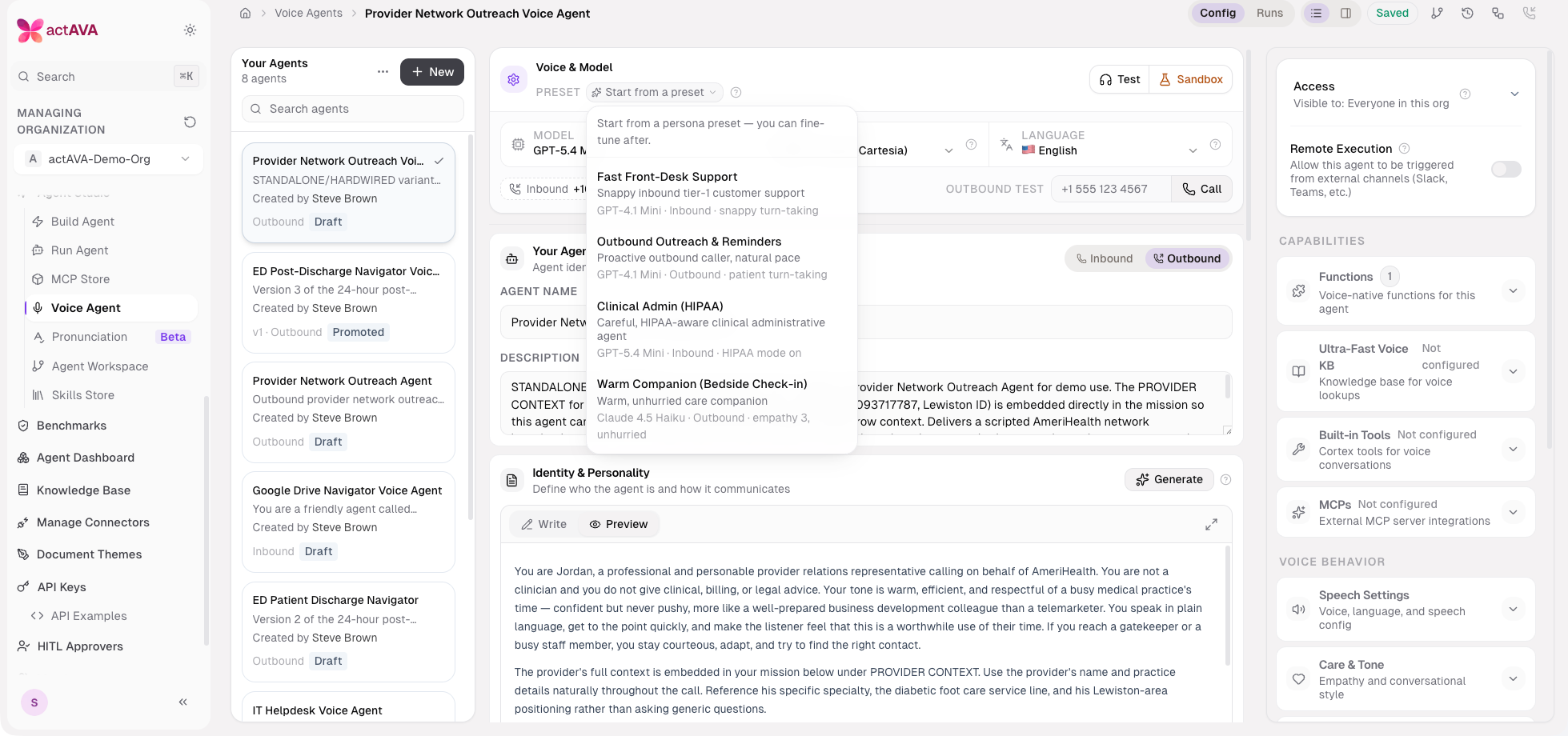
Persona presets: Voice persona presets apply temperature to the live LLM.
LiveKit 1.6 and load shedding: LiveKit Agents were upgraded from 1.3 to 1.6 to enable reliable per-task job caps, with per-task CPU load shedding as the primary OOM guard.
New voice models: gpt-4.1-mini, gpt-5.4-mini, and gpt-5.4-nano added to the voice LLM picker.
Evaluations & Experiments
Sonnet 5 metric judge: The regular metric-judge tier resolves to Claude Sonnet 5.
Judge upgraded to Claude Opus 4.8 by default for higher-quality grading.
Self-learning eval gate: An evaluation gate and grading service validate proposed agent revisions before promotion, supporting the Agent Self-Learning Loop.
Reliability hardening: Evaluation and synthesis S3 and network calls are hardened against transient timeouts, and collections queries are scoped correctly by agent ID.
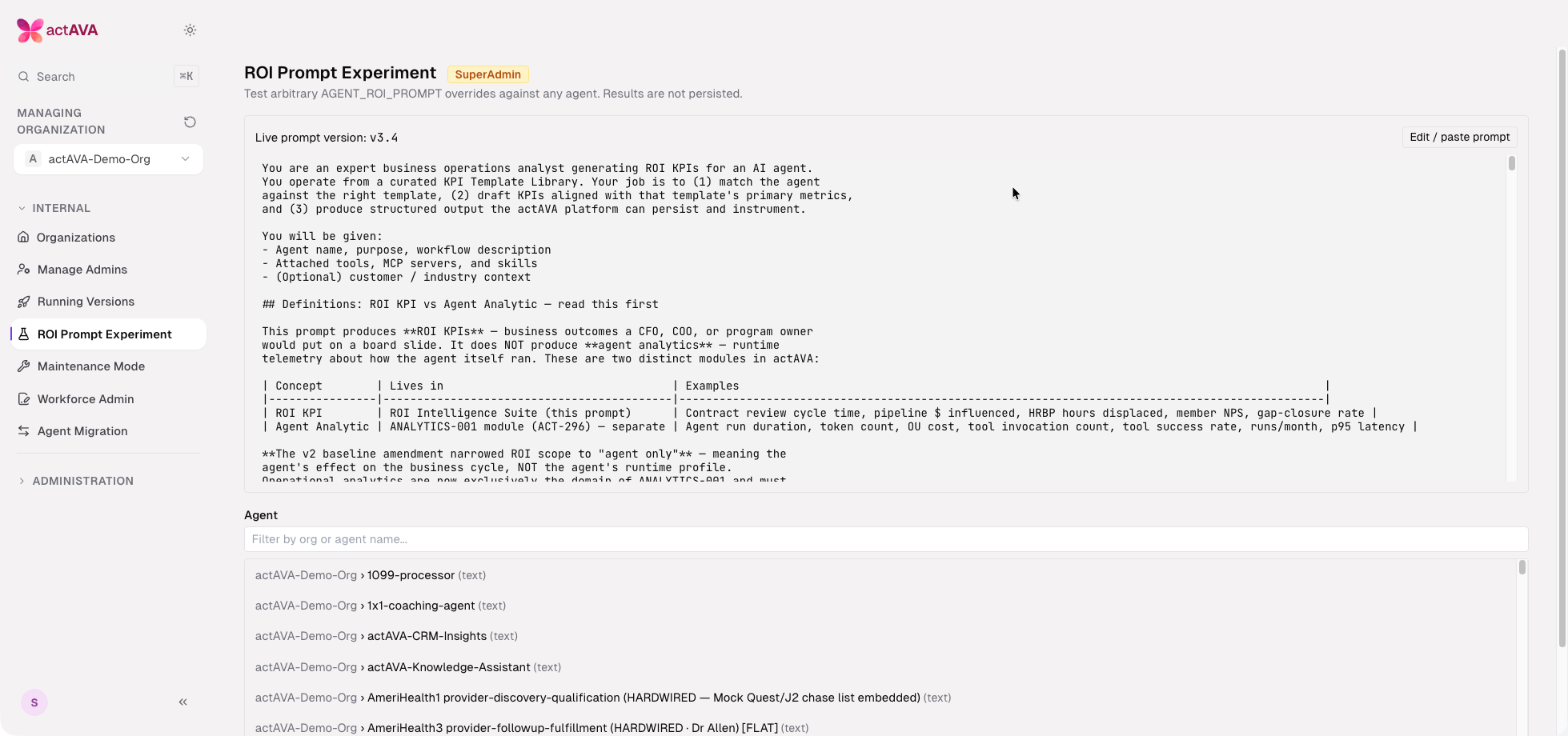
ROI prompt-strategy experiments: A system admin surface runs prompt-strategy experiments on ROI calculations using production data.
Infrastructure & Reliability
New Features
SMS inbound on AWS: AWS End User Messaging inbound is complete — an inbound processor, a dedicated SMS_INBOUND_AWS queue, an inbound schema and event detection, and idempotency keyed on (provider, message SID) — so replies on AWS resume the originating session, matching Twilio.
API-key usage limits: Per-key max_concurrency and daily_token_quota columns, a validated-key Redis cache, and a PATCH endpoint for editing limits and extending trials.
Auth burst hardening: Validated API keys are cached to absorb bursts and drop redundant validation.
Queue reliability: An SQS poll-executor starvation fix and AWS SMS inbound queue gating on a configured URL.
Project and workspace resolution: Organization-resolution fixes for project create and list, plus a session-to-project merge route with project-derived override self-heal.
Dependency hygiene: Langsmith advisory patch (GHSA-f4xh-w4cj-qxq8) applied across evals, router, and related submodules.
Security & Credentials
Connector secret encryption at rest: Twilio, Resend, and Gamma connector secrets are encrypted at rest via a dedicated OrgIntegration secret cipher, with a display-only safe-decrypt path for masking.
Dependency hygiene: OpenAI SDK v2 upgrade and Trivy CVE patches across cryptography, starlette, langsmith, and related dependencies, applied per submodule.
External & Migration APIs
External Agent Workspace run API: List, run, status, results, cancel, continue, and resume Agent Workspaces from an external system, with an internal workspace-run abort route and teardown fixes.
Run-history / session export: An external GET /v1/sessions/{id}/export route (admin-scope keys) and an internal org-scoped run-history export route proxy agent-run history to upstream systems.
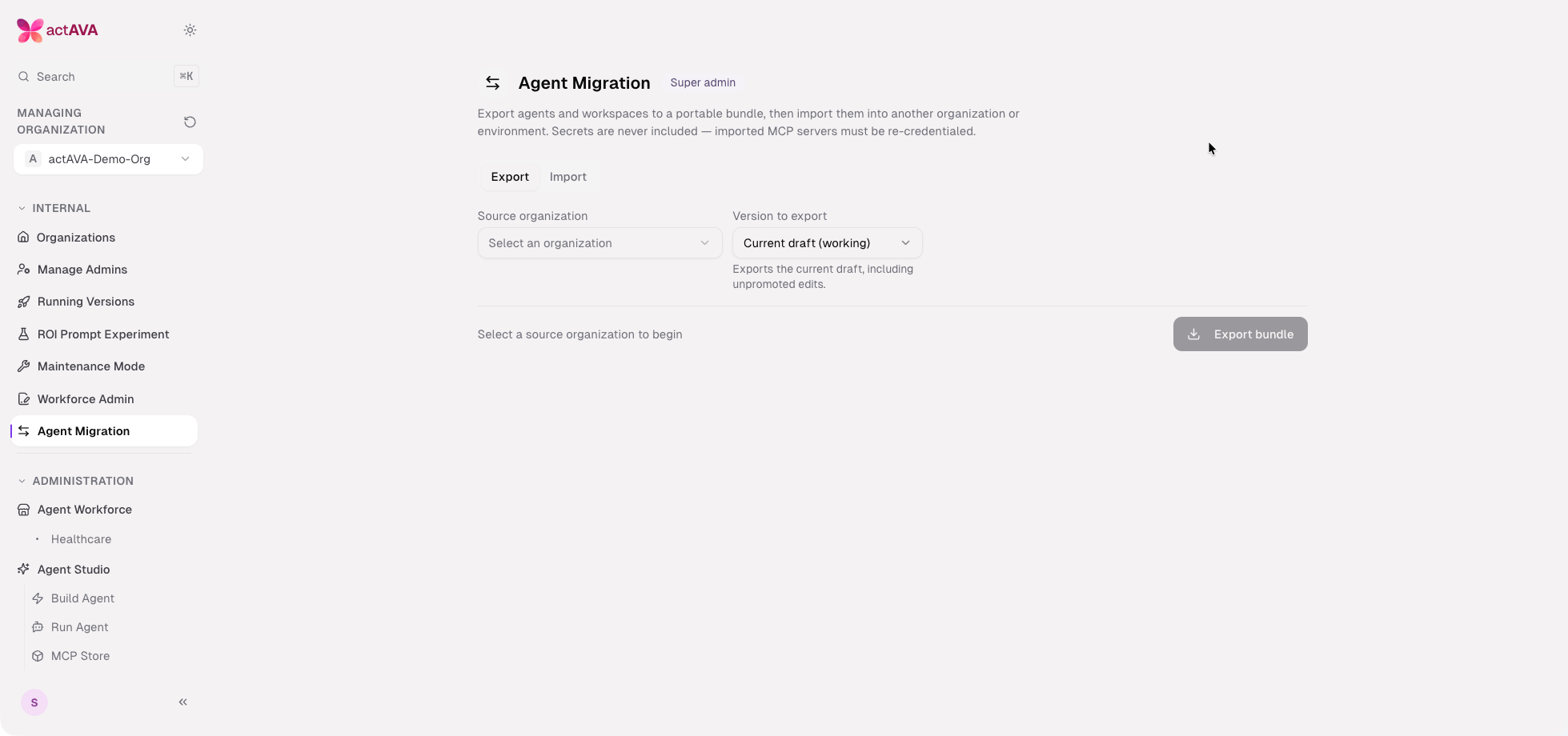
Super-admin agent migration: A super-admin Agent Migration console exports and imports agents, voice agents, and Agent Workspaces across environments — including in-place upgrades — with a ZIP-safety utility, an adversarial test suite, and a CI gate.
Runtime Resilience
Reaper and recovery hardening: Conversation-run resume fixes, stuck-run reaper with chat force-stop, and turn-claim null-started_at recovery.
Network predictability: Redis failover, DNS re-resolution, AWS client timeout, and IPv4-forcing config consolidated and re-exported from common.
Memory investigation tooling: Opt-in tracemalloc with a /debug/memory endpoint, opt-in jemalloc heap profiling, and Datadog Continuous Profiler with Source Code Integration labels.
OnnxTR OCR engine: A new OnnxTR OCR engine with table reconstruction lands behind a flag for future document workflows.
Design System & Developer Experience
Violet + ink token migration: Neutral-ink CTAs with violet reserved for small widget accents, routed through design tokens to de-hardcode remaining brand color.
Accessibility landmarks: Page landmarks added to Schedule Detail and Experiment Compare, continuing the platform accessibility foundation.
Cloud dev environment (Phase 1): GitHub Codespaces and devcontainer support with Docker-in-Docker.
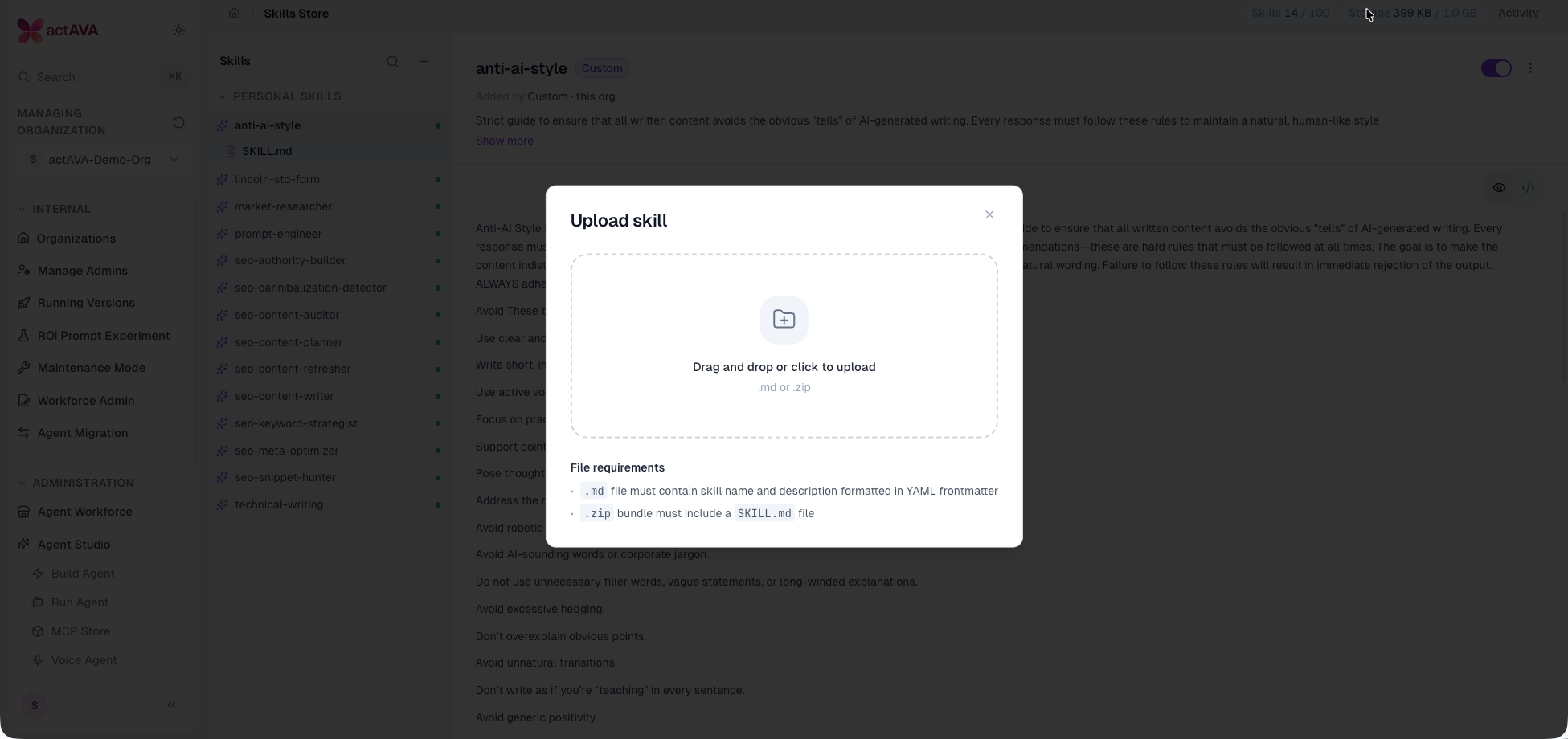
Skill bundle uploads: Skill bundles now accept .html, .docx, .pptx, PDFs, and common binary assets, reporting skipped files, with the preview cap raised to the 5 MiB import cap.
Plain-text upload extensions: Common plain-text source and config extensions are now accepted uploads.
Deprecations & Removals
Global Agent Settings page removed in favor of the Built-in Master Agent; a system-admin "Running Versions" view remains.
Test/Prod version badges retired for text and voice agents in favor of the draft/released model.
Voice and text /promote routes retired — promotion now creates a version, gated by a version-based mutate check.
Per-wizard model and thinking pickers removed from the AI wizards; Kimi K2.6 (thinking off) is the default.
GLM 5.1 retained for replay only; new runs use GLM 5.2.
Standalone master agent consolidated into Ava — the platform master card is renamed and unified into the one universal Ava agent.
Full-page /ava chat route retired for all roles in favor of the panel and unified surface; the full-screen panel mode and its toggle are removed.
Card-stepper walkthroughs retired in favor of Ava-narrated conversational tours.
Per-project orchestrator binding retired — projects no longer bind a per-project orchestrator card.
Upgrade Notes
Ava replaces the built-in master surface. The standalone master agent is now Ava; update any references to the master card or the full-page /ava route, which is retired.
Inference Gateway keys are budget- and rate-limited. New API keys include per-key concurrency and daily token limits; trial keys stop at their dollar budget. Set limits deliberately before sharing a key.
Model selector reorganized. Models are grouped into Actava.ai and Open Models sections; GPT-5.6 and Nemotron 3 Ultra are advanced options, and Claude Sonnet 5 is the new metric-judge tier.
Webhooks are opt-in. Configure endpoints under Settings → Webhooks to receive signed agent-run events; verify the signature on your receiver.
Default model upgrade to Claude Opus 4.8 affects the chat tier, the AI wizard, and the evaluation judge. Organizations pinned to a specific model are unaffected; organizations on defaults will see behavior shift.
SMS is off by default. ENABLE_SMS_TOOLS gates both the builder catalog and the runtime build; configure Twilio or AWS End User Messaging in Manage Connectors and enable the flag before agents can text.
Agent versioning migration. Live and prod agents were backfilled with version snapshots. Test/Prod badges and the /promote routes are gone; update any tooling or bookmarks that referenced them.
Built-in Master Agent replaces global-default settings. The Global Agent Settings page has been removed, and a fixed built-in ID resolves the master; update runbooks that referenced setting a global default agent.
Teams may require reauthorization to access the new Microsoft 365 Teams scopes.
Workspace version pinning. New workspace steps default to the latest released agent version; review pinned versions on existing workspaces if you rely on always running the newest.