Release Notes
ACTAVA Platform Release Notes CHRYSO v8 (September 2026)
ACTAVA now tracks AI compliance where the AI runs. CHRYSO, shown in the platform as Compliance, measures an organization against frameworks such as the NIST AI Risk Management Framework and HIPAA technical safeguards, and recalculates every control from what is happening on the platform: live agents, their evaluations and run history, approved policies, signed acknowledgments, completed training, and uploaded evidence. Organization administrators get a single page showing how many controls are satisfied, what is blocking the rest, and who needs to act. Members and citizen developers get a short task list of policies to sign and training to complete. For healthcare payers, providers, and life-science teams, the result is an audit-ready posture that stays current without a separate compliance spreadsheet.
Actava.ai Platform Release Notes CHRYSO v8 (September 2026)
Release date: September 30, 2026
Release at a glance: a new Compliance module is available with KORA, including 8 regulatory frameworks, about 157 controls, a policy library with an approval workflow, 17 training modules, evidence collection with confidence-based automation, an AI system inventory populated from live agents, and a task list for every member.
Summary
actAVA now tracks AI compliance where the AI runs. Chryso, shown in the platform as Compliance, measures an organization against frameworks such as the NIST AI Risk Management Framework and HIPAA technical safeguards, and recalculates every control from what is happening on the platform: live agents, their evaluations and run history, approved policies, signed acknowledgments, completed training, and uploaded evidence. Organization administrators get a single page showing how many controls are satisfied, what is blocking the rest, and who needs to act. Members and citizen developers get a short task list of policies to sign and training to complete. For healthcare payers, providers, and life-science teams, the result is an audit-ready posture that stays current without a separate compliance spreadsheet.
Key Feature Highlights
Framework posture: NIST AI RMF is the baseline for every Compliance customer, with seven more frameworks available, including ONC HTI-1, HIPAA Security Rule technical safeguards, FDA GMLP, FDA PCCP, FDA 510(k), USCDI v3 and AI Health Equity.
Controls with tests: each NIST control lists the tests that prove it, shows which pass, and links straight to the fix.
AI system inventory: every agent that goes live is registered automatically, with an AI-drafted profile the administrator confirms.
Policies with approval: start from a template, a blank page, or your own documents, submit to at least two approvers, then assign for e-signed acknowledgment.
Training: assign video courses with quizzes to groups or people; completions count toward the controls they satisfy.
Evidence automation: the platform maps evidence to controls by confidence, and only uncertain mappings wait for review.
Compliance Tasks: one place for each member's approvals, acknowledgments, training, and certificates.
The Compliance Overview for an organization administrator: controls satisfied, the weekly trend, active frameworks, and what needs attention.
New features
Framework posture and controls
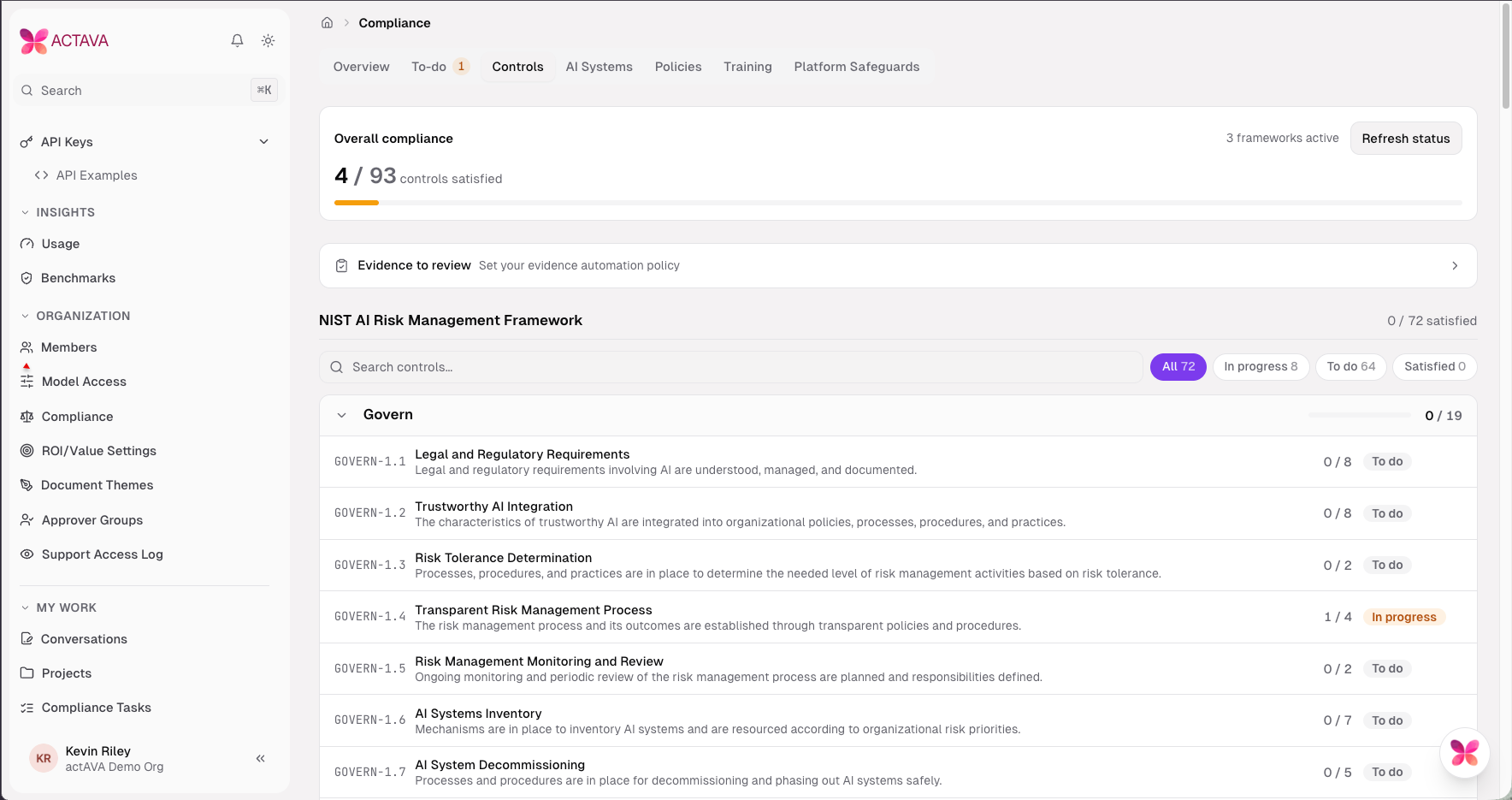
Know where you stand on every control, and why.
Compliance teams used to assemble posture by hand from policies, spreadsheets, and screenshots. The Compliance module calculates it continuously from platform data and shows results by framework and control.
Overview: controls satisfied, a weekly trend, active frameworks, a "Needs you" panel, and a five-step Getting set up checklist for new organizations.
Controls: every control grouped by framework and function, with search, status filters (All, In progress, To do, Satisfied), and on-demand Refresh status.
Test-based model for NIST AI RMF: a control is Satisfied only when every test passes. Each control page shows "N / M tests passing" and one card per test.
Deactivation with a reason: a control that does not apply to the organization is deactivated with a recorded reason and leaves the posture; it can be reactivated at any time.
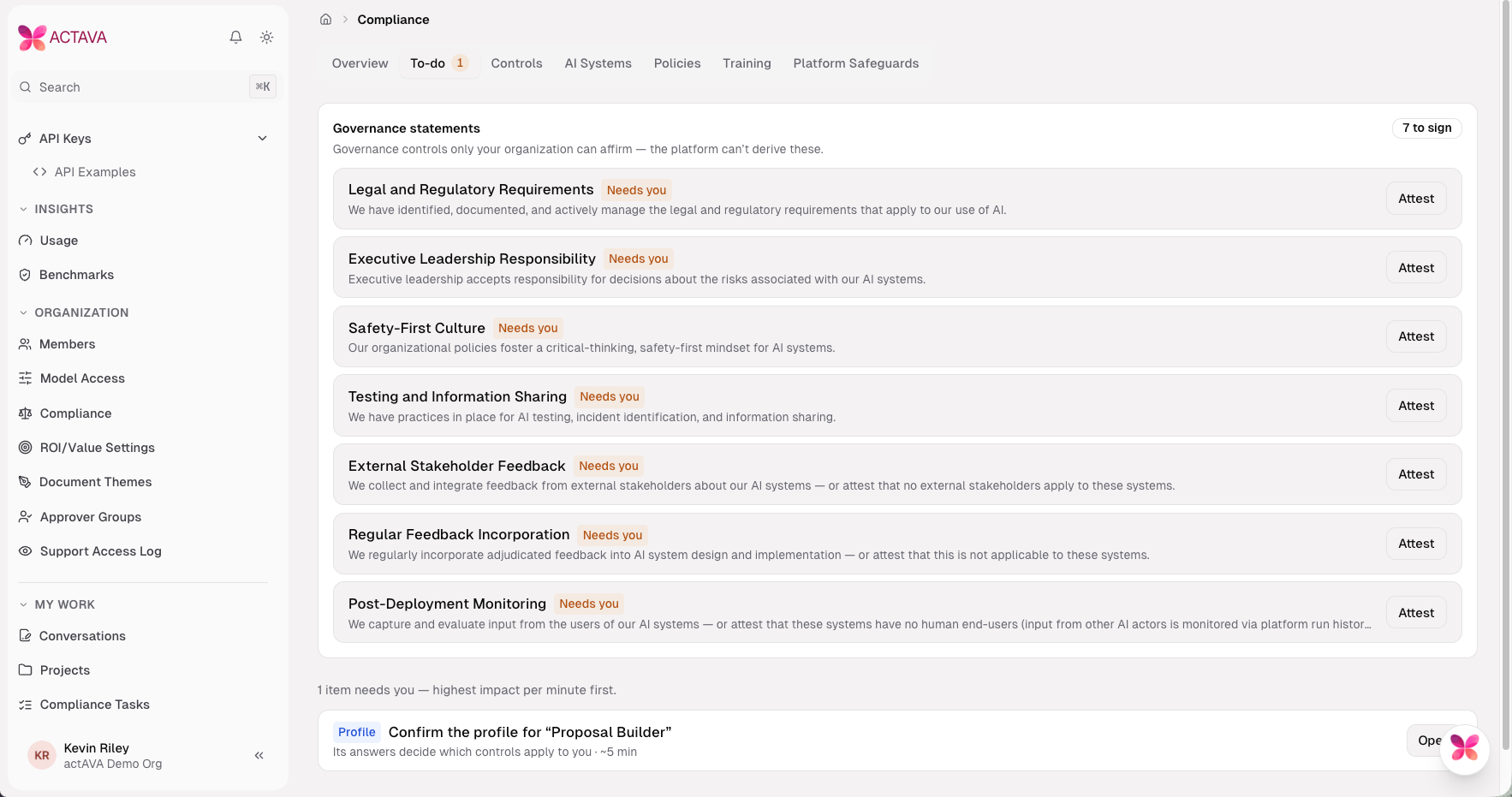
To-do: a ranked list of approvals, evidence reviews, AI system profiles and settings, highest impact first, with outstanding governance attestations at the top.
Posture summary: a one-page report per framework with Print / save PDF.
Platform Safeguards: controls the actAVA platform satisfies on the customer's behalf, such as documentation standards and continuous monitoring, shown as Satisfied by the platform.
A NIST AI RMF control page: policy tests passing, and a document requirement with Upload, Import from Drive, Fill structured form and Add link.
Framework Catalog & Opt-in Frameworks
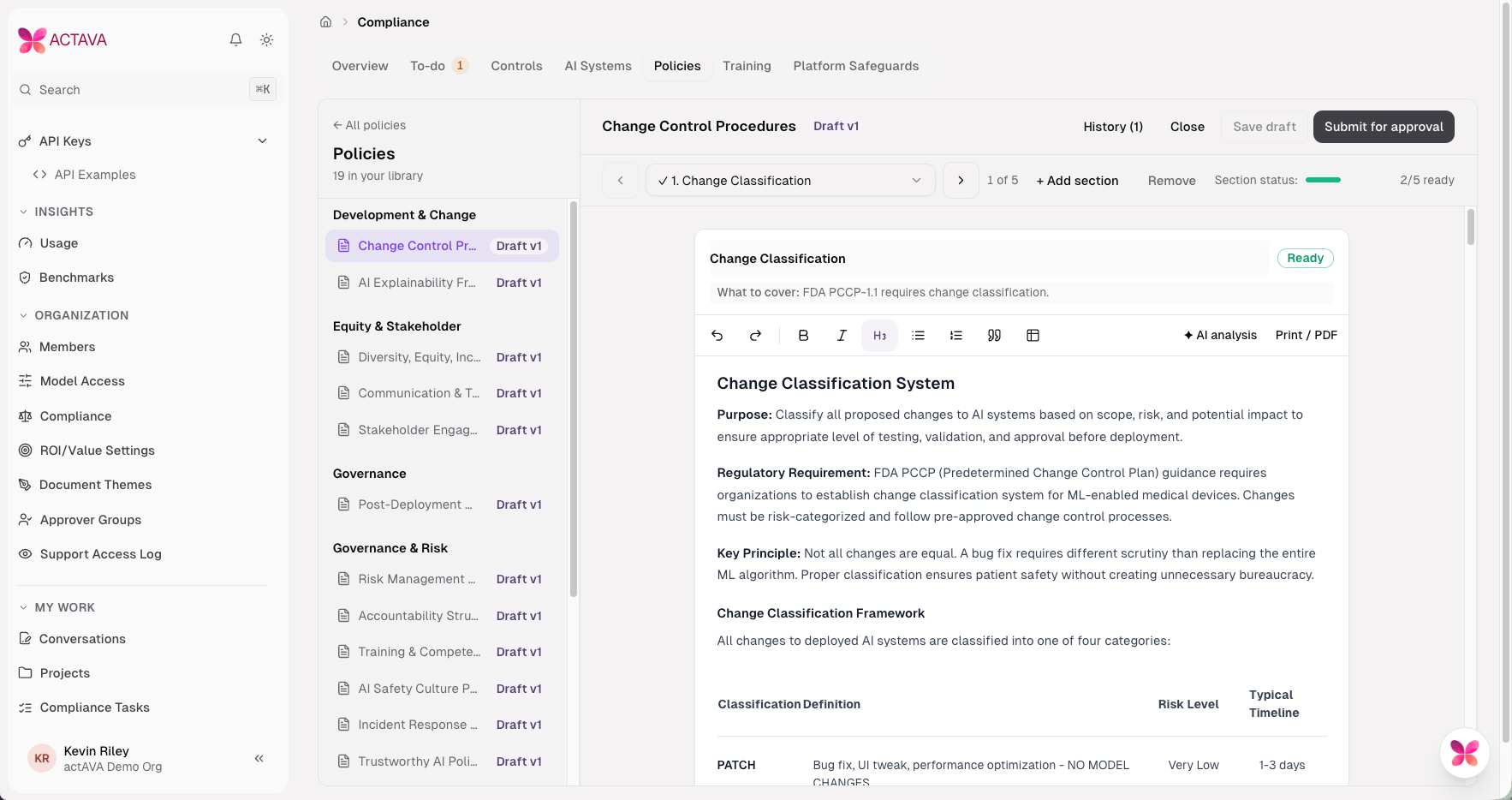
Only the frameworks that apply to you.
Eight published frameworks with about 157 controls and 167 evidence requirements.
NIST AI RMF baseline: always on and cannot be turned off.
Detect and enable: other frameworks turn on when actAVA enables them for the organization, or automatically when the platform detects them from the organization's live agents, with the reason shown.
Catalog console for actAVA administrators: frameworks, controls, requirements, policy templates, training modules and evidence types, with publish and republish, plus a per-organization framework grid.
Per-organization switch: actAVA turns Compliance on for each customer organization.
AI System Inventory
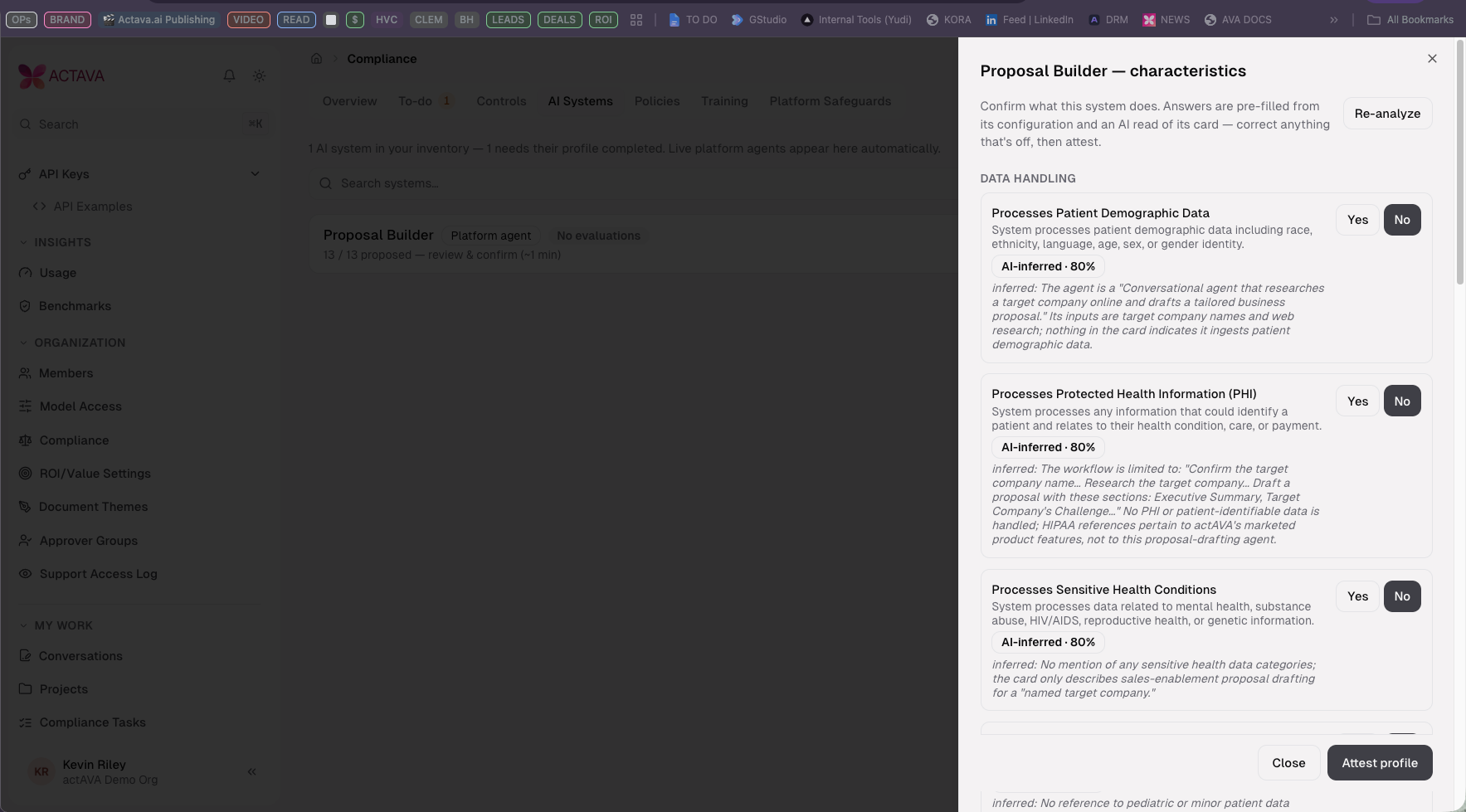
Every live agent, profiled and attested.
Automatic registration: agents built in Agent Studio join AI Systems when they go live; there is no manual entry.
AI-drafted profiles: each system's characteristics, such as whether it processes protected health information, are pre-filled from its configuration and an AI reading of its description, labeled Derived from config or AI-inferred.
Attestation: the administrator reviews, corrects, and attests the profile. Changed agents show Re-confirm. The answers decide which controls apply.
Evaluation status: each system shows Evaluated or No evaluations.
Policies
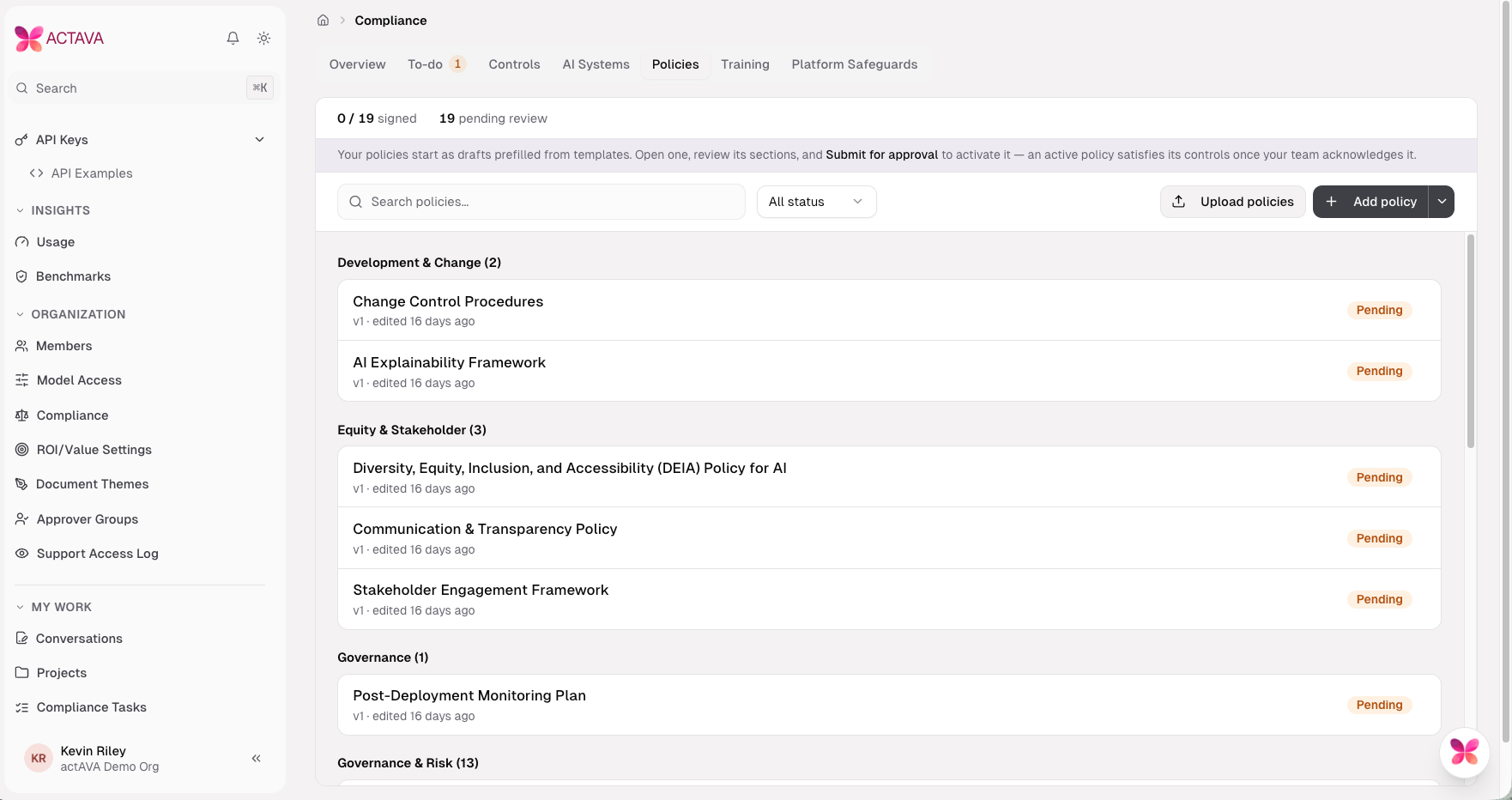
From template to signed policy in one workflow.
Three ways to start: a template library of exemplar compliance policies, a blank policy, or an upload of existing documents that the platform matches to policy areas.
Section-by-section editor: "What to cover" guidance for each section, a section status bar, and AI analysis that suggests customizations.
Approval by at least two people: any user can be named as an approver; approvers are notified in the app and by email, and one change request sends the policy back to draft.
Assignment and e-signature: active policies are assigned to groups or people, and each acknowledgment signs that exact version.
Versions: revision drafts, a version history with side-by-side comparison, and re-acknowledgment with a "what changed" note.
Library view: signed, pending, and acknowledged counts, search and status filter, and a read-only view with an Approved by panel for active policies.
Training
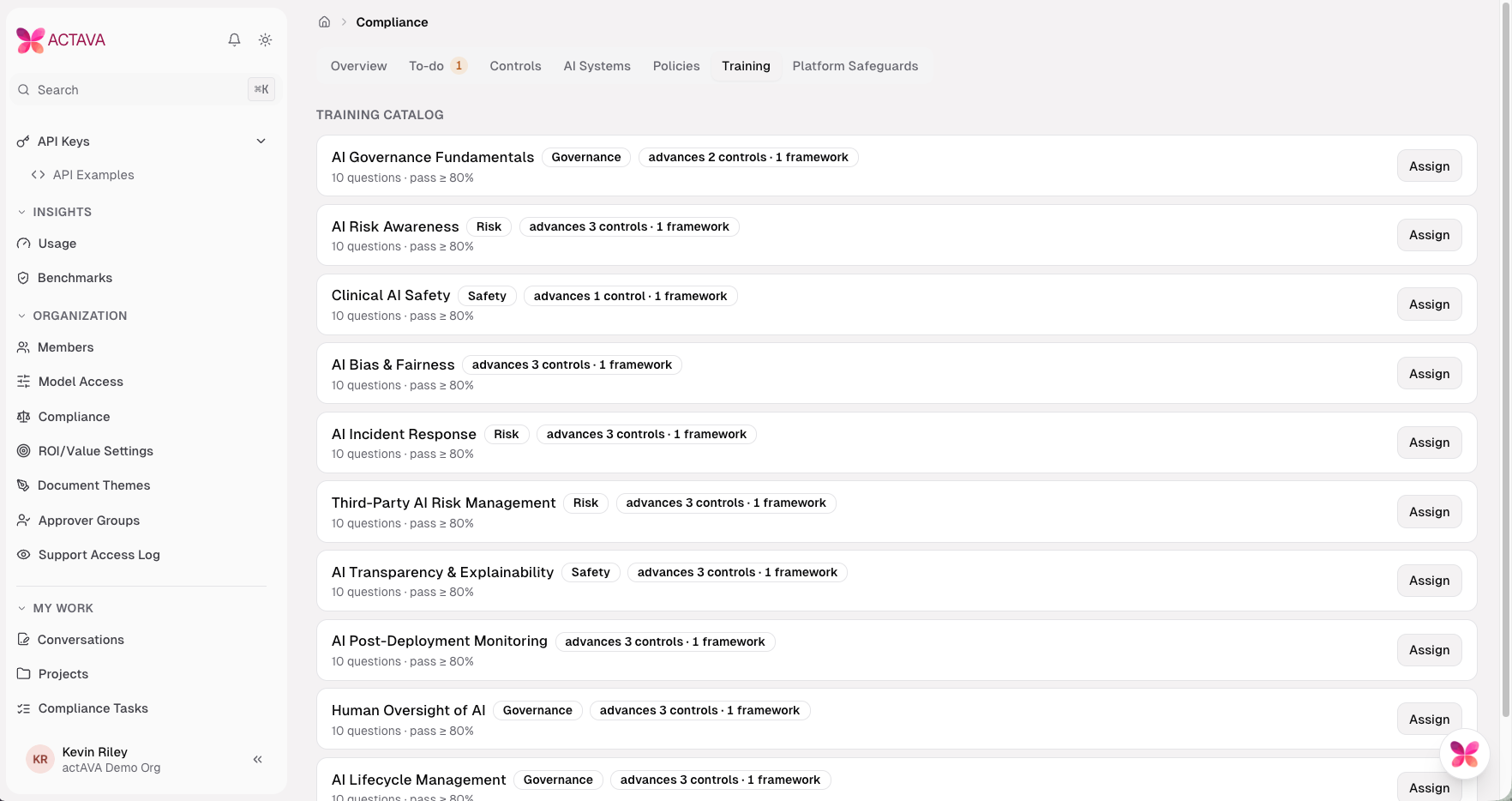
Assign it, watch it, prove it.
17 training modules covering AI governance, risk, clinical safety, bias and fairness, incident response and more.
Assignment to groups or specific people, with completion tracking per assignment.
Video with quiz: the video must be watched before it can be marked complete; quizzes have a pass mark.
Watch-to-pass modules: modules can be set so that watching completes the course and the quiz is optional practice.
Certificates for completed courses, and recertification periods per module.
Evidence
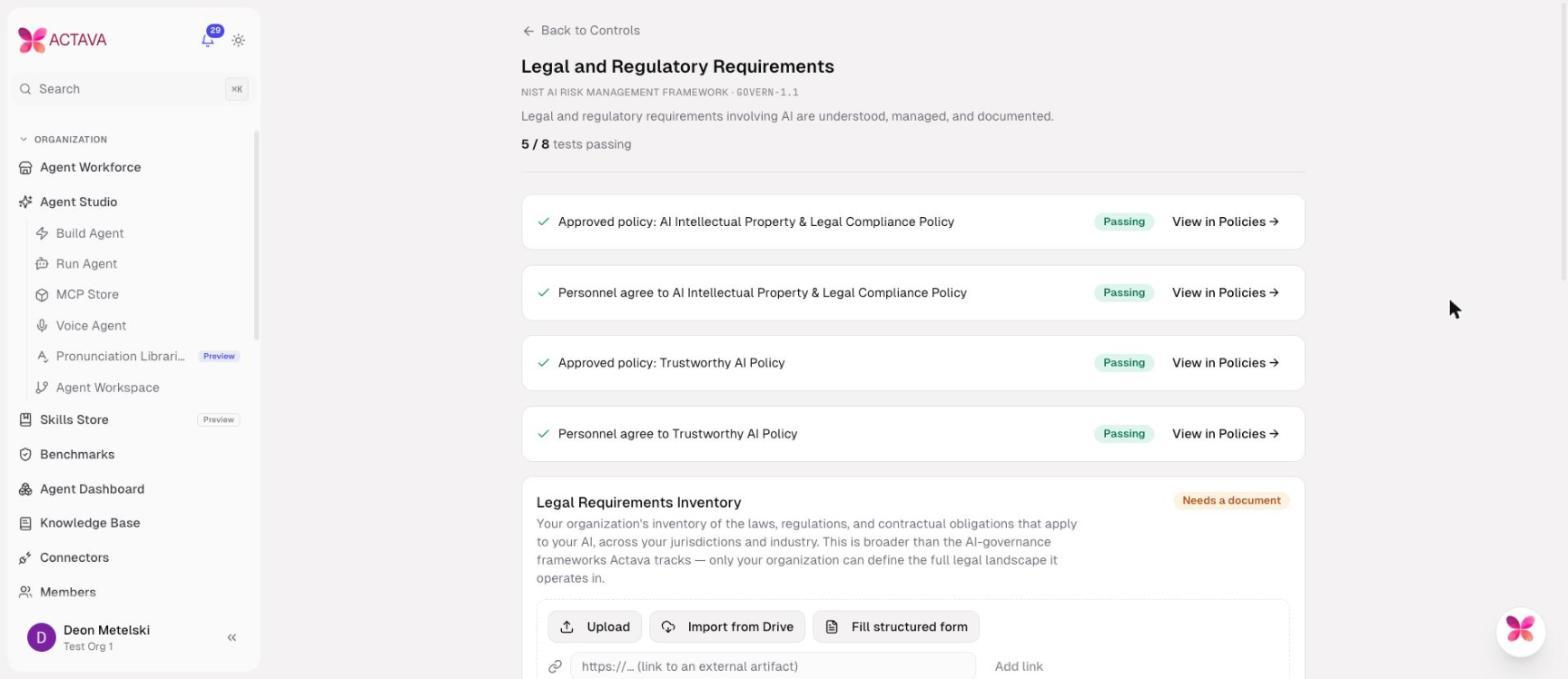
Collect once, credit everywhere it applies.
Ways to add evidence: upload, import from Google Drive, add a link, or fill a structured form that can satisfy several controls at once.
Governance attestations: affirm governance statements directly on the control.
Platform-generated evidence: AI system inventory, run history, model cards, configuration, evaluations, training records, vendor registry, roles and risk register.
Evidence automation policy: mappings at 85% confidence or above are accepted automatically, 60% to 85% wait for review, and below 60% are held. Thresholds are adjustable, and the system keeps automatic acceptances in an audit trail.
Removal with a reason: evidence the organization added can be removed with a recorded reason.
Compliance Tasks for members and citizen developers
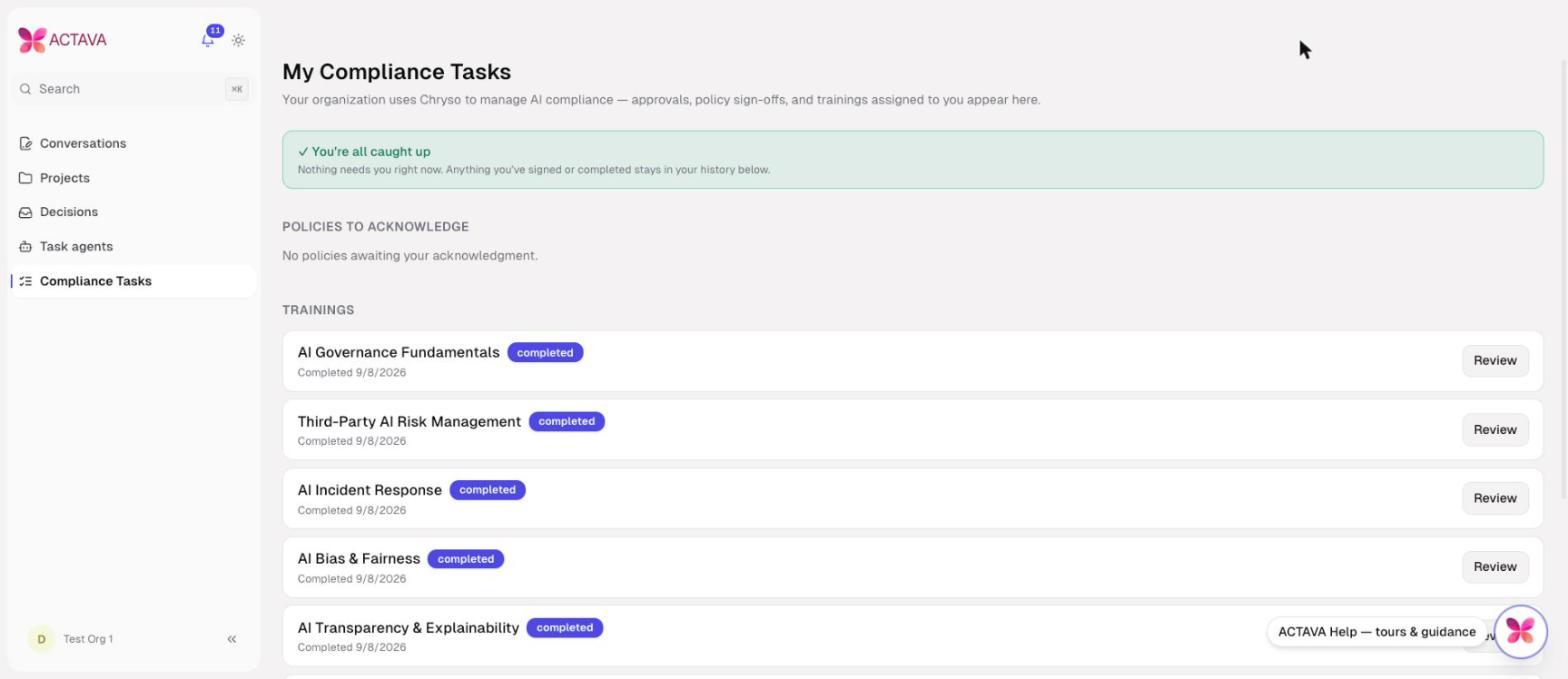
My Compliance Tasks as a member sees it. Everyone knows what is theirs to do.
My Compliance Tasks: Pending your approval, Policies to acknowledge, Trainings, Certificates, and Acknowledgment history on one page.
Role-aware navigation: members and citizen developers see Compliance Tasks; organization administrators also see the full Compliance page.
Notifications
Policy approval requested (in the app and by email), policy approval completed, policy assigned, training assigned, and compliance regression when the posture drops (at most once every six hours).
Improvements and fixes since launch
Controls and evidence were combined into per-control pages, and organization settings moved onto the controls they satisfy.
Platform Safeguards split out from customer-configured settings.
Deactivation with a reason replaced marking controls as not applicable.
The compliance checklist builds itself on first load.
Read-only active and in-review policies scroll correctly.
Saved structured-evidence answers can be viewed again.
Training videos and customer evidence are stored in separate storage buckets.
Quiz answers are no longer sent to the browser, malformed quizzes no longer cause errors, and evidence links are checked for a safe address.
Legacy /chryso links redirect to /compliance.
Availability
Compliance is turned on per organization by actAVA. NIST AI RMF is included for every Compliance organization; additional frameworks are enabled on request or detected from live agents. Contact your actAVA representative to schedule onboarding. The customer onboarding and implementation guide covers setup step by step.