Release Notes
ACTAVA Platform Release Notes KORA v8 (September 2026)
Actava.ai KORA v8 opens the platform to teams building on it. One organization API key now creates, versions, runs, schedules, benchmarks, and exports an agent, and mandatory turn gates hold a draft answer until its required checks run. Pipeline Builder and Voice Call Replay arrive in beta.
ACTAVA Platform Release Notes KORA v8 (September 2026)
Release date: September 30, 2026
Release at a glance: Expanded partner and MCP APIs, a new Capabilities hub, Pipeline Builder authoring and secrets, audio creation and transcription, model lifecycle controls, richer batch reporting, and improvements across Voice, Agent Studio, Chat, evaluation, and reliability.
Summary
V7 settled who's accountable for the agents. V8 settles who gets to build with them. Partners can manage more of the agent lifecycle from their own products, teams can decide what an agent may do, and builders can connect the pieces into workflows they can inspect and operate.
The latest additions bring skills and connectors into a Capabilities hub, let authorized API keys run as organization members, and give Pipeline Builder templates, encrypted secrets, and its own API. ElevenLabs tools add narration, transcription, and sound effects, while model retirement controls and richer batch reporting make ongoing operations easier to manage.
This overview covers the expanded V8 scope through September 30. Beta and preview features remain labeled, and the upgrade notes explain configuration and compatibility changes.
V8 is a release for teams embedding governed agents in their own products. ACTAVA KORA covers Build, Test, and Learn, and ACTAVA Compliance covers Guide. V8 extends both to the people who build on top of them.
Book a demo to explore V8 with your own workflows.
Key Feature Highlights
Adjustable Thinking Effort. A Thinking slider in the model picker sets how hard a model reasons before it answers, from Faster to Smarter. The selected level shows next to the model name in the composer.
Partner API. Organization API keys cover agent lifecycle operations, delegated member runs, governed skill uploads and reviews, and Pipeline Builder authoring and execution. Each operation respects the key's permissions and the applicable organization and user controls.
Mandatory Turn Gates. Configured agents hold a draft answer until the required checks run, and a blocked turn returns a controlled response in place of the rejected draft. When retry is enabled, eligible failures get one rewrite attempt.
Structured Results. An agent declares an
output_schemaand the runtime validates its final result against that shape in code. Downstream systems receive data they can rely on.Pipeline Builder (beta). Chain HTTP calls, agent runs, and Agent Batch API steps; start from a template, connect step inputs, keep credentials in write-only secrets, and manage pipelines from the dashboard or API. Each organization enables it with a flag.
Voice Call Replay (beta). Eligible calls play back beside the transcript, with identity-verification audio silenced and caller objections honored. Recording is off by default, and HIPAA-mode agents cannot record in this version.
New Enterprise Integrations. NetSuite, Stripe, and managed SFTP connect to the systems your finance and operations teams already run on, and the Postgres adapter acts only as the database role your team created.
Capabilities hub. Discover skills and connectors, see what is already available, attach skills to drafts, and request missing connections from an admin. Plugins is a read-only preview of upcoming functionality.
Audio tools. ElevenLabs tools create narration, transcribe audio and video, discover voices, and generate sound effects. Workspace audio and video can play inside the conversation.
Model lifecycle controls. Regular now uses GPT-6 Sol. Legacy pins have an explicit upgrade path, while declared model retirements provide successors, owner notices, and a record of the model that actually ran.
Batch operations. Batches report OU cost and delivered capacity, send completion webhooks, retry eligible capacity refusals, and refill available execution slots more promptly.
New Pre-Built Agents
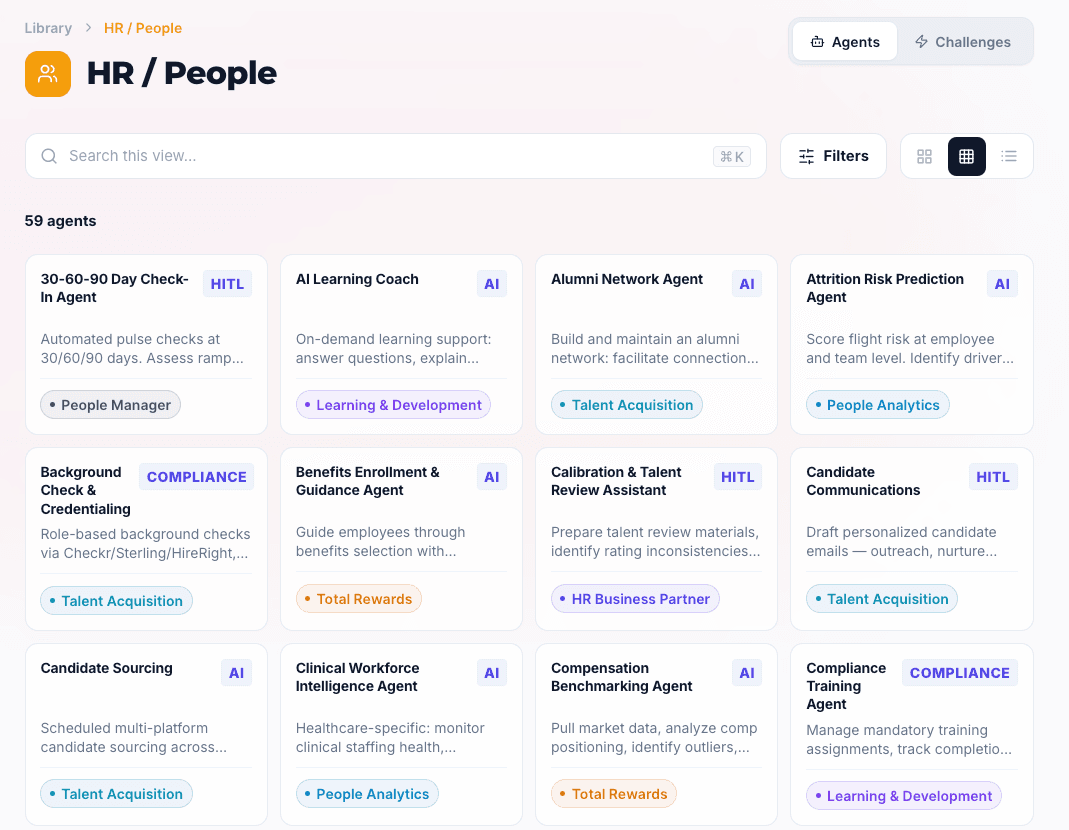
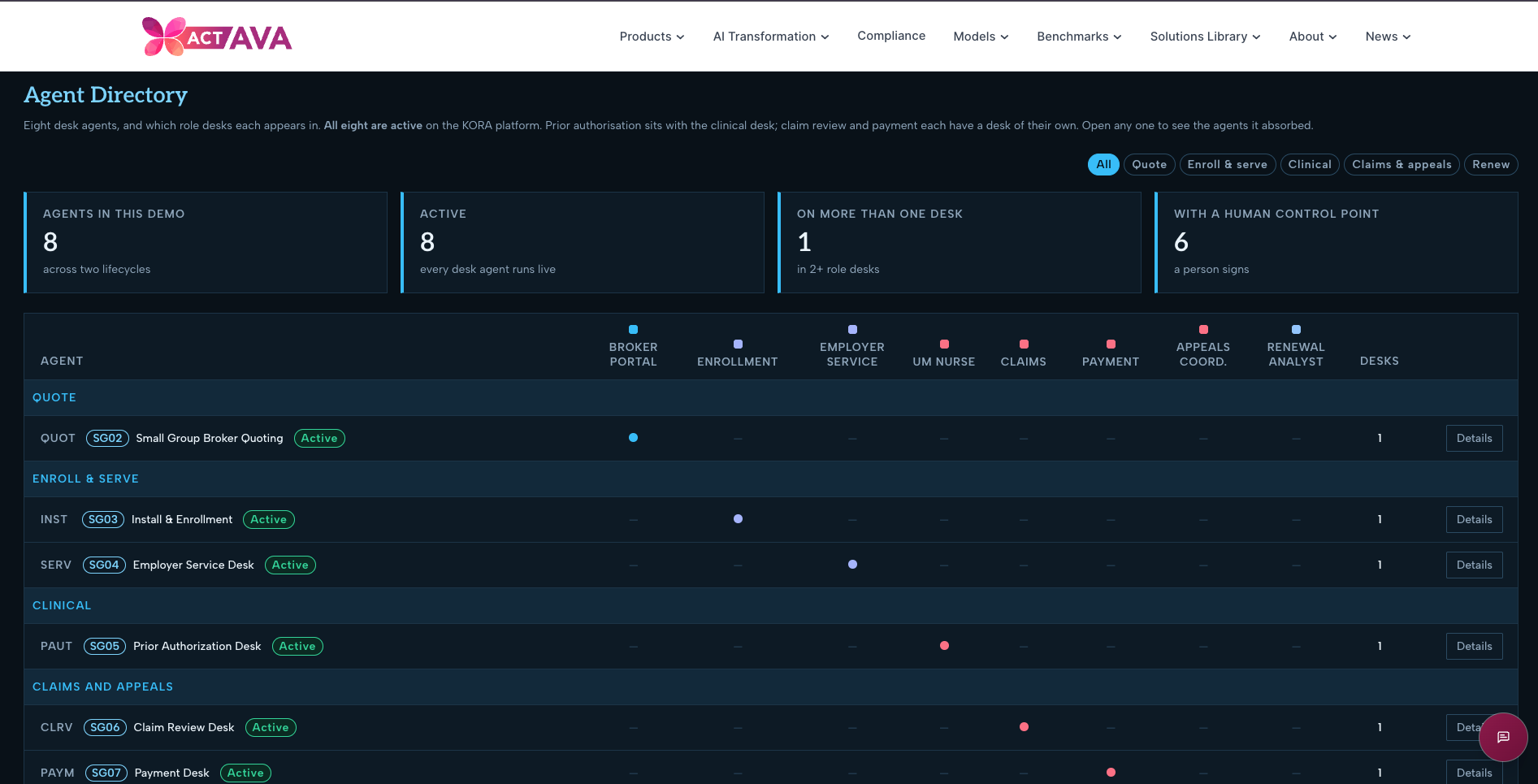
The Payer Operations library expands with agents for Medicare Advantage and Small Group workflows.
Payer Operations: Medicare Advantage and Small Group agents
This release adds thirteen agents to the Payer Operations library, extending it from plan and network setup to end-to-end execution for two lines of business—Medicare Advantage and Small Group.
On the Medicare Advantage side, agents validate enrollment against CMS rules, answer inbound member and provider questions from the plan's Evidence of Coverage, place verified outbound welcome calls that recognize and route grievances rather than talking members out of them, determine prior authorization in NCD-then-LCD-then-plan order while sending any adverse decision to a physician reviewer, and adjudicate claims with sequestration and QMB cost-share protection applied so protected members are never balance-billed.
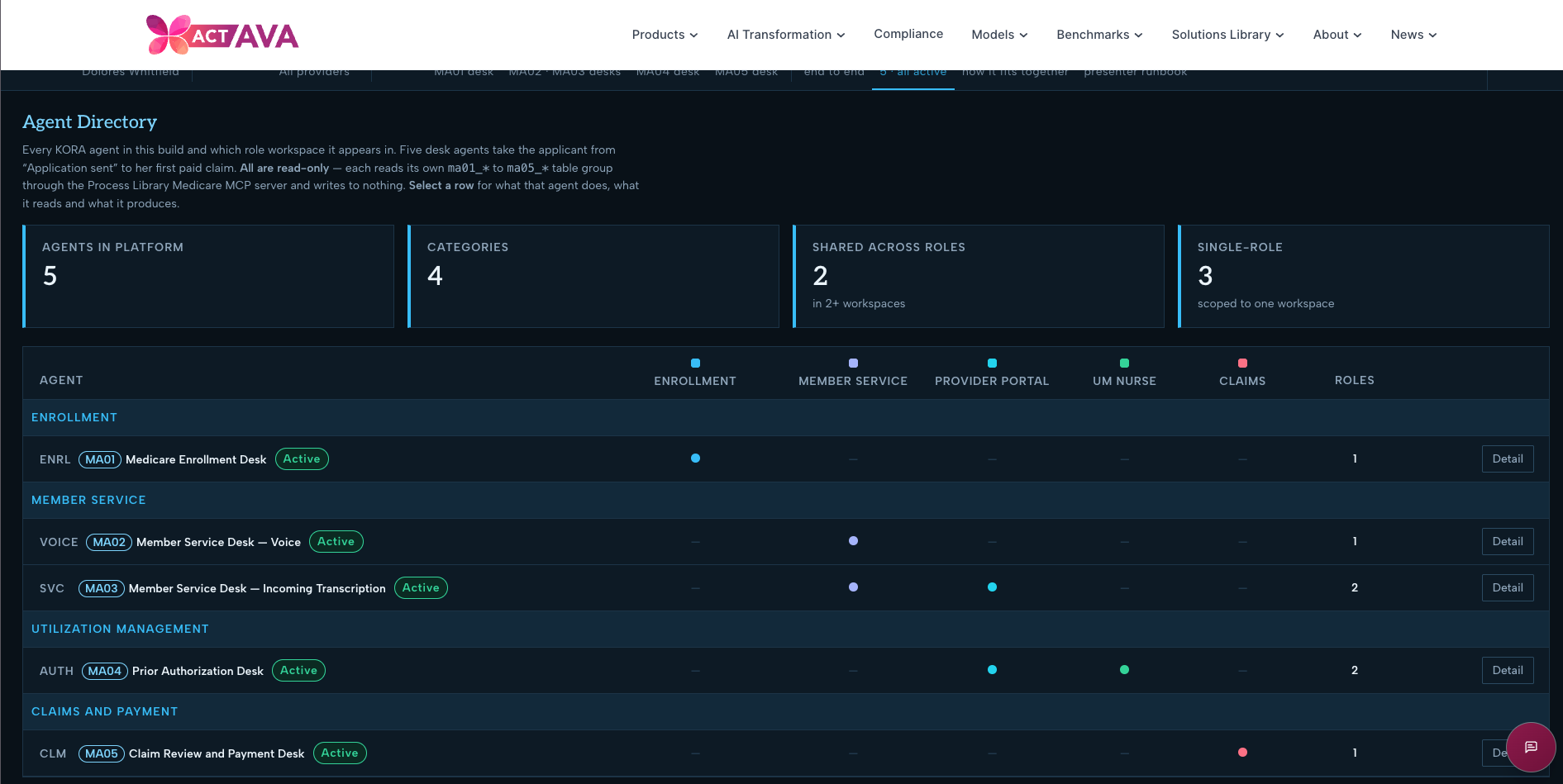
On the Small Group side, agents take an employer census to a producer-ready quote, install a sold group with participation re-tested against who actually enrolled before cards and the first invoice issue, resolve employer calls with the billing impact stated in the same call, and run each claim through separate intake, review, payment, and appeal desks that each answer one question and read the prior desk's result instead of re-deciding it—closing the year with a renewal that explains its rate change by age, area, trend, and benefit without ever naming a member or withholding coverage. Each agent stays read-only where a determination is regulated and shows its reasoning, so every decision is defensible at audit.
New Features in KORA
Model choices, upgrades, and retirements
Keep a working agent stable, and make a model change deliberate.
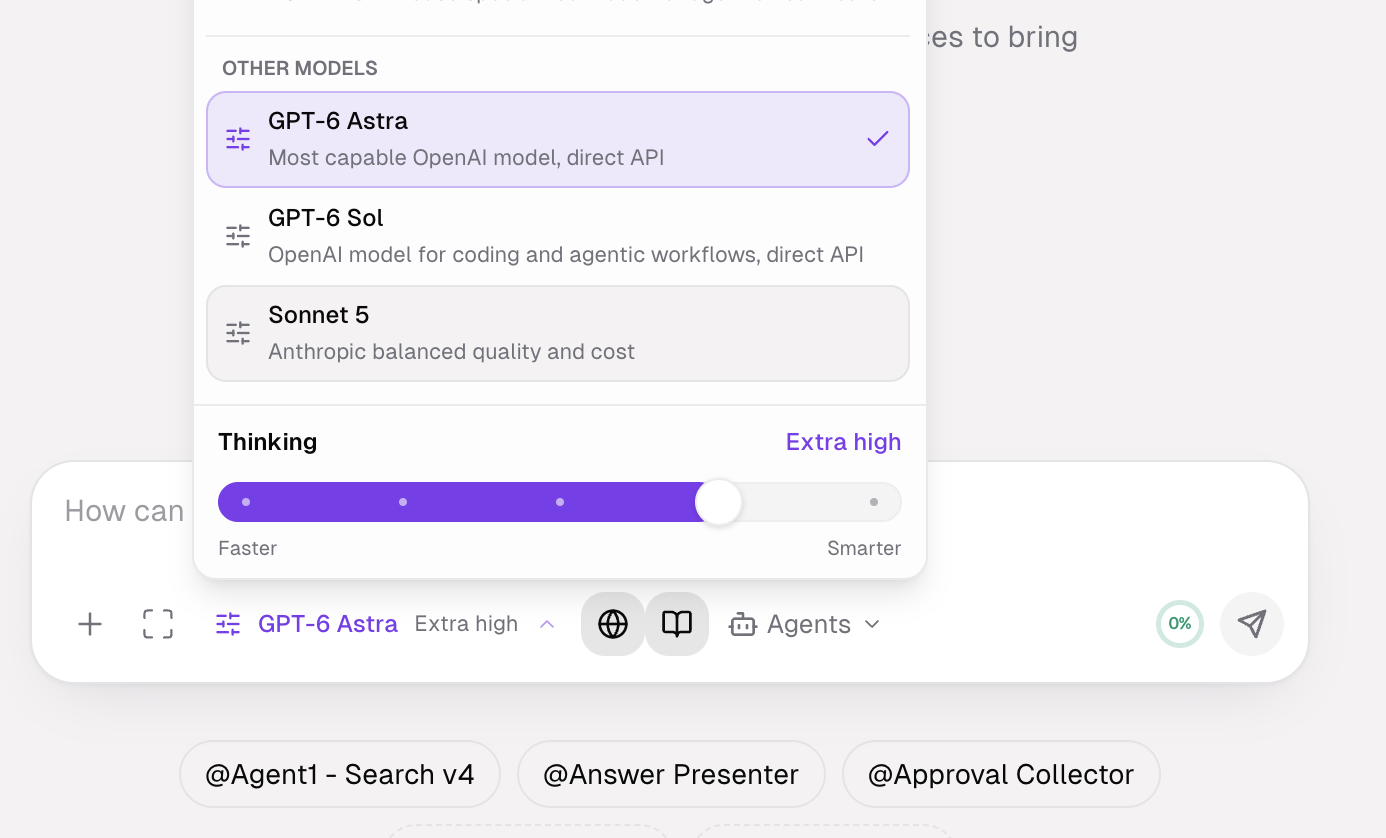
Regular now resolves to GPT-6 Sol, alongside GPT-6 Luna for Lite and Opus 5.5 for Heavy. Older explicit model choices remain recognized for saved configurations and historical records.
Preserve existing behavior. A migration pins eligible previously unpinned customer agent cards and versions to the models they ran before the latest tier refresh. Existing explicit pins are retained.
Upgrade the draft explicitly. A builder can choose Upgrade to the current tier model. That changes the draft; a live version keeps its configuration until the draft goes live.
Handle provider retirement. A declared retirement can resolve a saved model pin to a supported successor at execution time. The first declared replacement is Kimi K2.6, followed by Kimi K3. Run records and billing identify the model that actually ran, while owner notices and builder badges explain the change.
Configure ACACTAVA'seasoning. System admins can set the platform assistant's model and thinking effort using the same catalog as Agent Studio. An indexed settings console shows current values, unsaved changes, and a Discard action.
Capabilities bring skills and connectors together.
Find what an agent can use, and see what is ready to work.
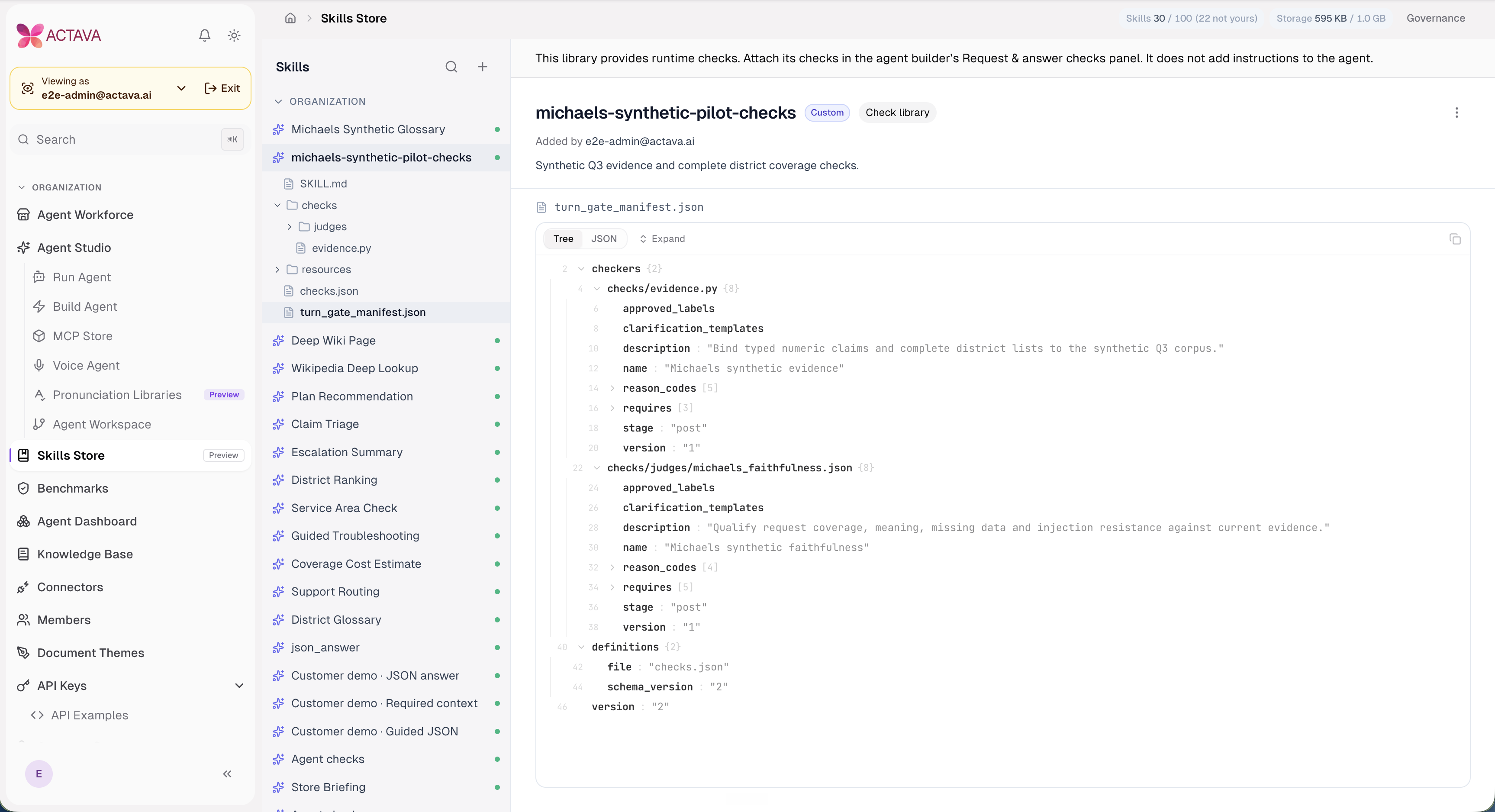
Capabilities bring Skills and Connectors into one hub inside Agent Studio. Skills have Yours and Discover views, usage counts, and pages for Overview, Contents, and Versions and review. Builders can add a skill to an agent; organization enablement and governance remain role-controlled.
Connections with a clear next action. See shared connections that already work, connect a personal account, or request a missing connector from an admin. Google Workspace and Microsoft 365 offer service selection before personal sign-in.
A clearer MCP Store. Installed servers have table and grid views, health summaries, attention filters, and a separate discovery catalog.
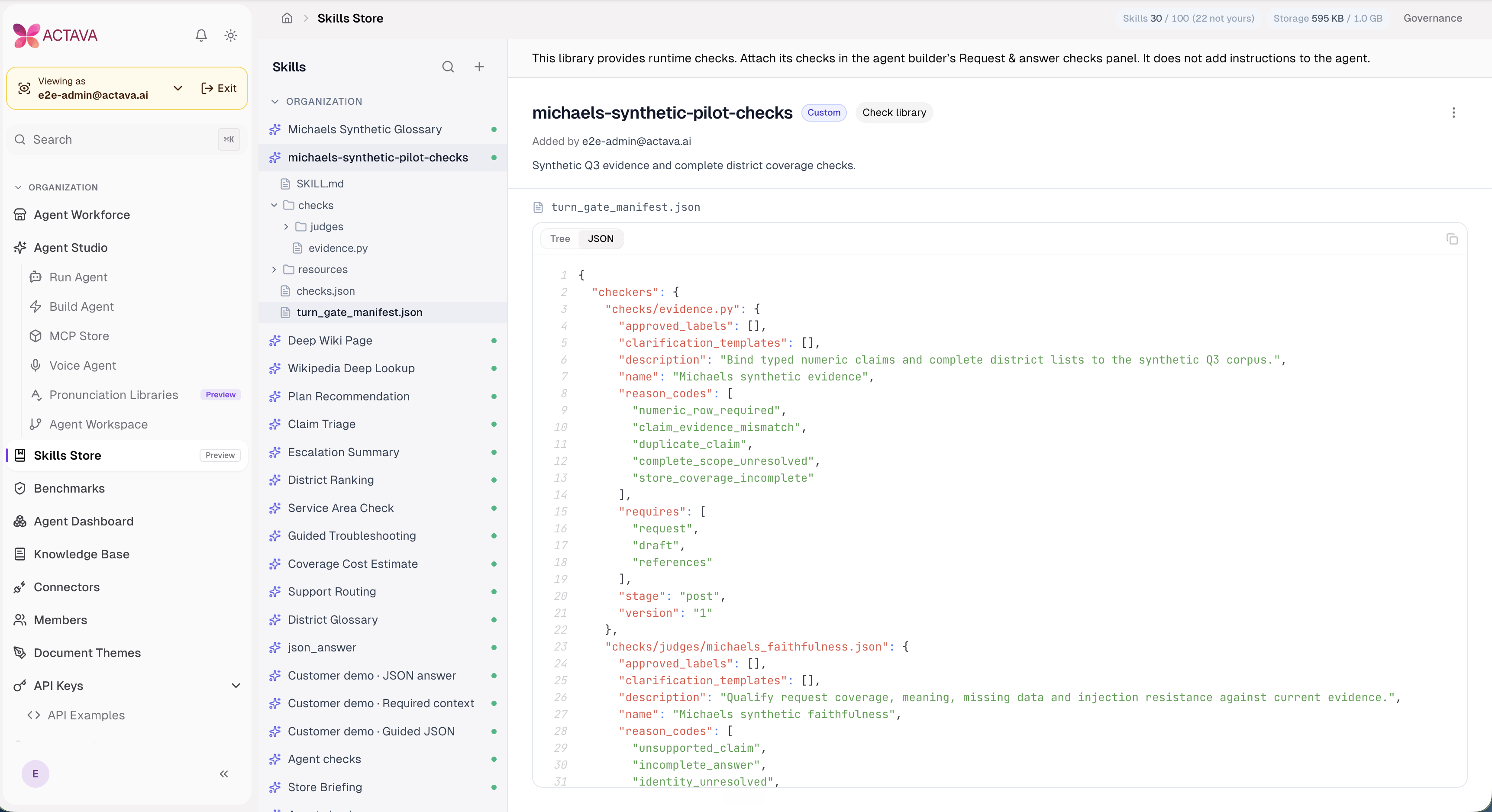
Readable skill bundles. JSON files have collapsible trees and formatted source views. Code files have line numbers and wrapping, with clear empty-file and loading-error states.
Plugins preview. The Plugins tab shows upcoming bundles in a read-only preview. It does not install plugins or change connector setup in V8.
Different questions call for different amounts of reasoning. A quick lookup shouldn't take the same time and effort as a multi-step workflow review. ACTAVA chat now adds a Thinking control to the model picker so that you can choose the trade-off per conversation.
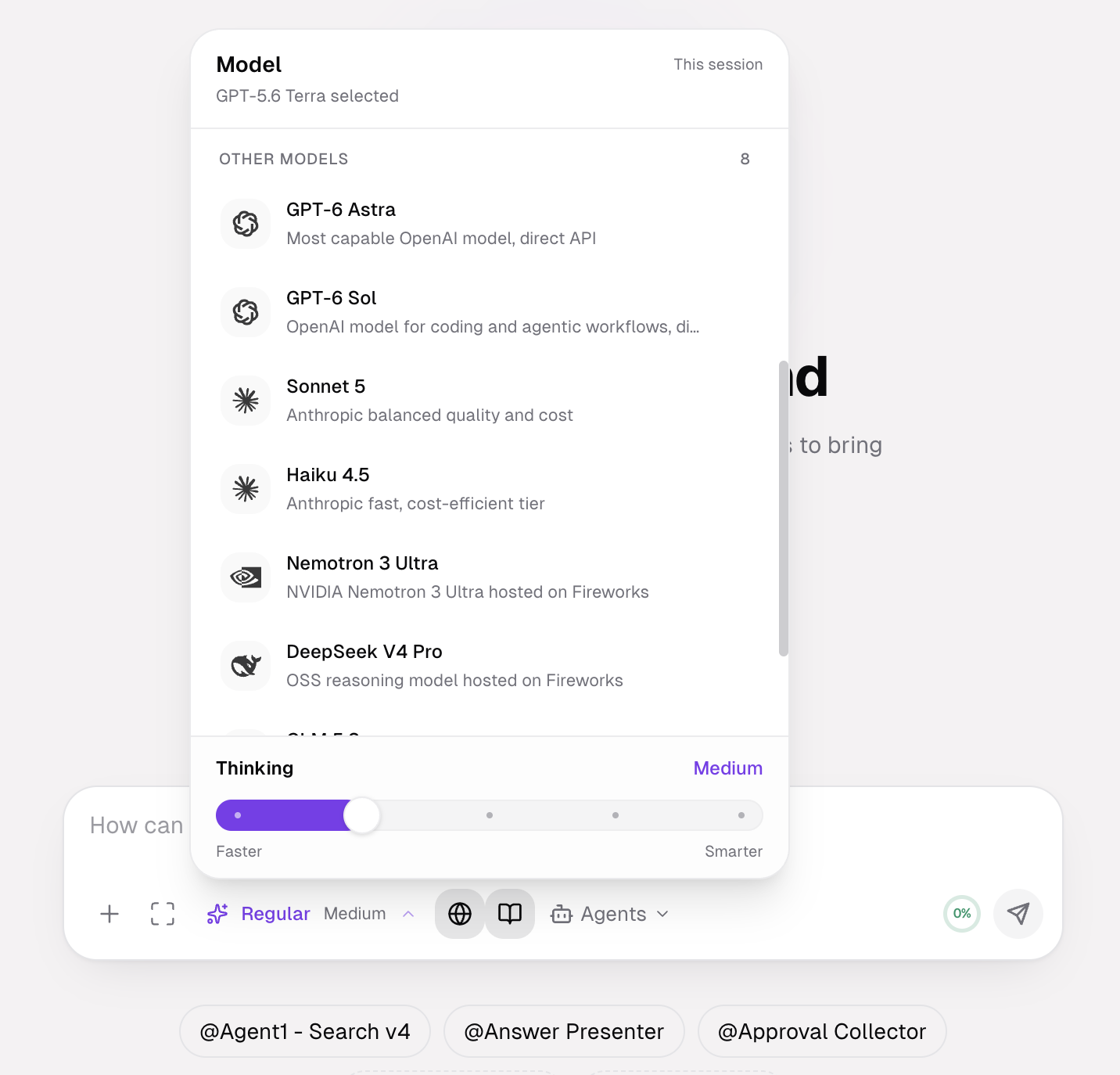
A slider in the model picker. Every model in the list has a Thinking slider ranging from Faster to Smarter, with the current level labeled above it.
The level stays visible. The selected level appears next to the model name in the composer, for example, GPT-6 Sol Max, GPT-6 Astra Extra High, or DeepSeek V4 Pro High.
Levels match the model. GPT-6 Astra and GPT-6 Sol show five stops, with Max at the far end. DeepSeek V4 Pro shows fewer.
Available where you chat with agents. The same control sits beside the Chat with agent button, where the screenshot shows GPT-6 Astra set to Low.
A model list with plain descriptions. GPT-6 Astra is the most capable OpenAI model, GPT-6 Sol is tuned for coding and agentic workflows, and Sonnet 5 balances quality and cost. NVIDIA Nemotron 3 Ultra and DeepSeek V4 Pro are hosted on Fireworks, and the OpenAI models connect through the direct API.
GPT-6 Astra is supported. GPT-6 Astra is OpenAI's flagship AI model, offering advanced computer use, autonomous task execution, and high-level multi-step reasoning. Open-source models are also added and supported.
Expanded Endpoint API Keys
Partners building patient- and member-facing products already manage the rest of their stack from code, under their own identity, per end user. ACTAVA KORA agents now work the same way.
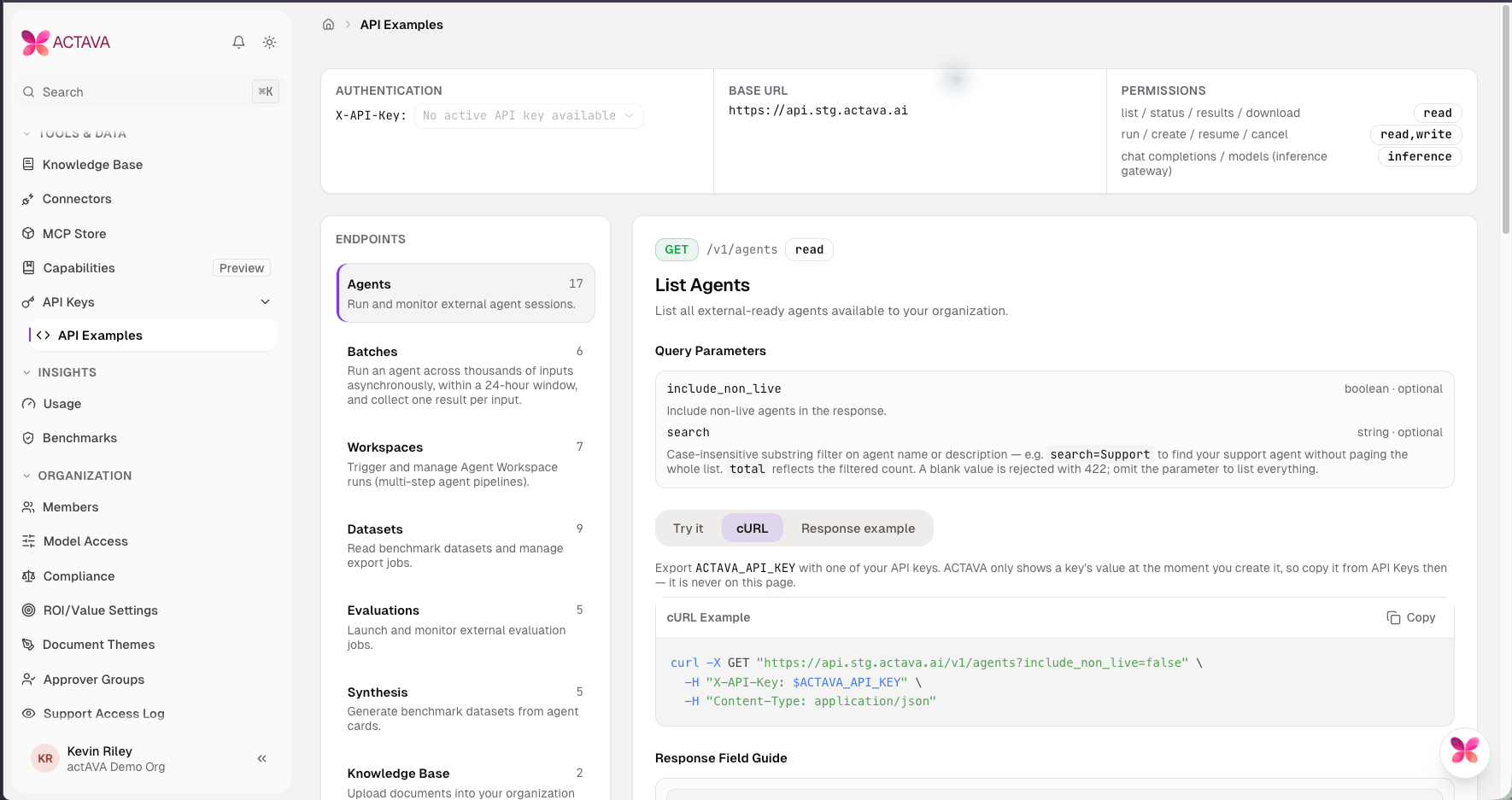
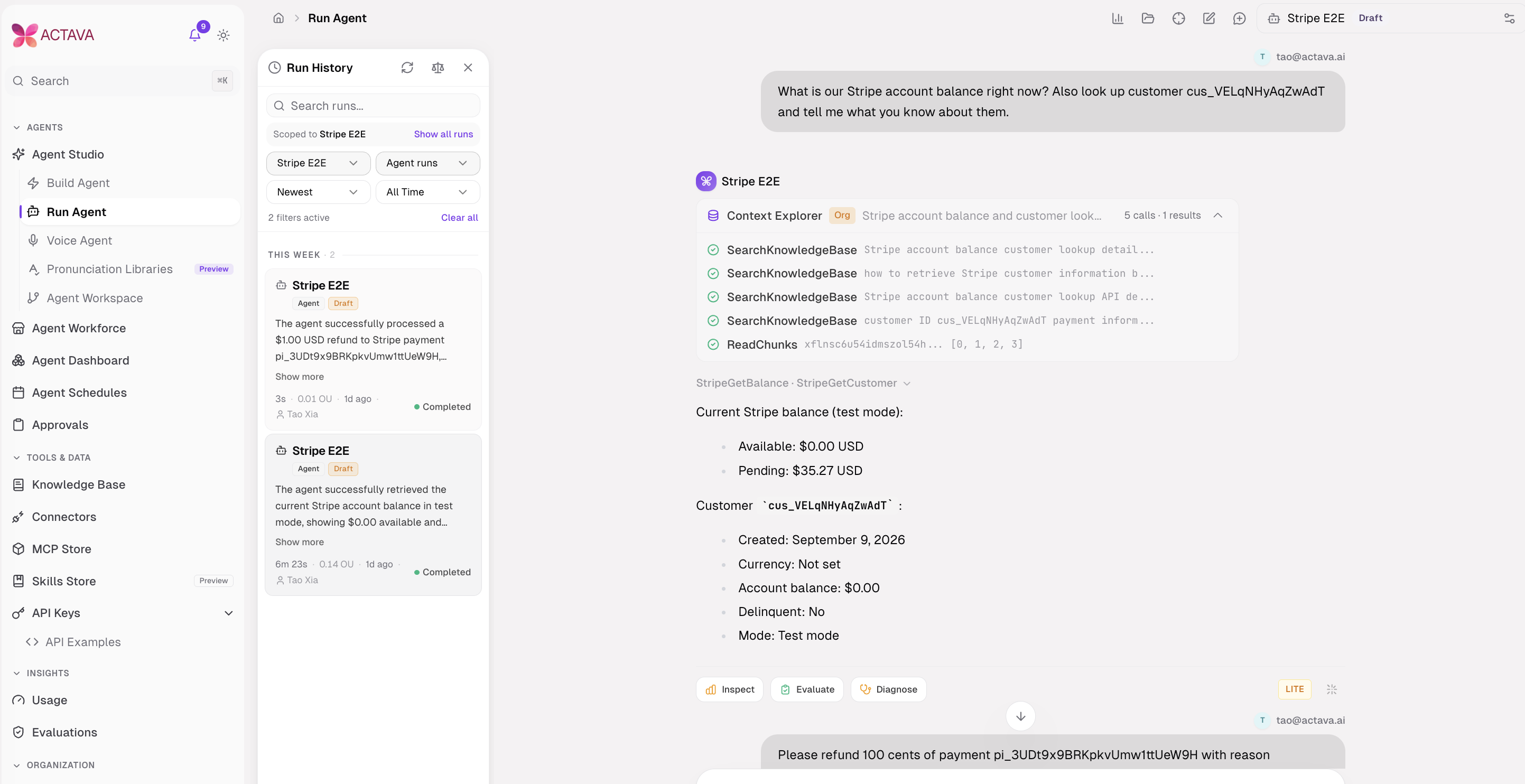
With one organization API key, a partner can create and version an agent, take it live, run it for a named end user, schedule it, stop it mid-orchestration, benchmark it, and export it. The same key registers MCP servers, sets connector credentials, switches skills, and wraps a REST API or a Postgres database as an adapter. (Yes, that's a lot of dashboard clicks retired.)
Sessions bind to the partner's user, with a per-end-user rate limit and an SSE stream. A model-only end_user_context block carries facts the partner asserts on every run and continues.
Turn records come back detailed. GET /sessions/{id} returns typed citations, per-turn summaries, the recorded turn outcome, structured hand-offs, and check results for gated turns. Sessions report cost in OU, and a key can benchmark an agent version and inspect its sessions before the benchmark completes.
Every endpoint respects the key's organization scope and its controls.
Run as an organization member. Keys with the explicit
delegatepermission can useact_asto start a run as an active member, with that member's connector identity. The originating key can inspect and stop its delegated runs. Admin permission alone does not grant delegation, and batch items do not support it.
Manage the whole skill lifecycle. Upload a skill through governed admission, inspect its review, submit a decision, activate a selected version, and promote it to the organization store. Key permissions and the owner's role both apply. Upload does not bypass quarantine, review, or a required second sign-off.
Pipeline and skill operations through MCP
The KORA MCP server exposes Pipeline Builder operations and the governed skill lifecycle to connected clients. Pipeline tools cover authoring, execution, run inspection, and copying templates. They use the same API permissions and organization controls as their REST counterparts.
A new MCP Examples page, enabled through its own organization beta flag, explains client setup, tool arguments, and permissions. The KORA MCP documentation site adds guided installation, a searchable tool reference, documentation, and filters showing which key permissions a tool needs.
API Examples also keeps the selected key across endpoints and explains permission mismatches rather than silently switching keys.
Mandatory turn gates hold the draft until the checks run.
In a regulated workflow, a line in the prompt asking the model to behave doesn't count as a control. V8 adds mandatory turn gates for agents configured to use them.
Required checks run before a draft answer is published, and the outcomes are recorded durably. A blocked turn returns a controlled response in place of the rejected draft. Partners see gated outcomes on turn records and as a turn_gate SSE frame.
Three related controls tighten the loop.
Deterministic safety rules. An agent's is re-enforced by a model-call interceptor, independent of the model's judgment.
Approval-gated actions. Tools listed in
approval_required_toolsraise a human-in-the-loop interrupt before they run, and the setting travels through export and import.Citation gates. Connector results carry citation IDs the model can cite at tool-return time, and an opt-in strict mode blocks uncited figures.
New Retry Blocking. When retry is enabled, and a failure is eligible, the agent gets one rewrite attempt that addresses the blocking checks together. Missing evidence or a checker failure can block publication without a rewrite.
Structured results
Downstream systems need data in a known shape. An agent card can now declare aoutput_schema, and a SubmitResult tool validates submitted data against it in code. Validated results surface as turns[].output and as a stream event, and agent reads expose the declared schema. Note: Configuration required.
Turn gates, strict citations, and
output_schemaapply only to agents you configure with them. Test blocked responses and schema failures before rollout.
Pipeline Builder chains APIs and agents (beta)
Operational work rarely fits inside one agent. You pull records, run an agent over each batch, compare the results, and post the outcome somewhere.
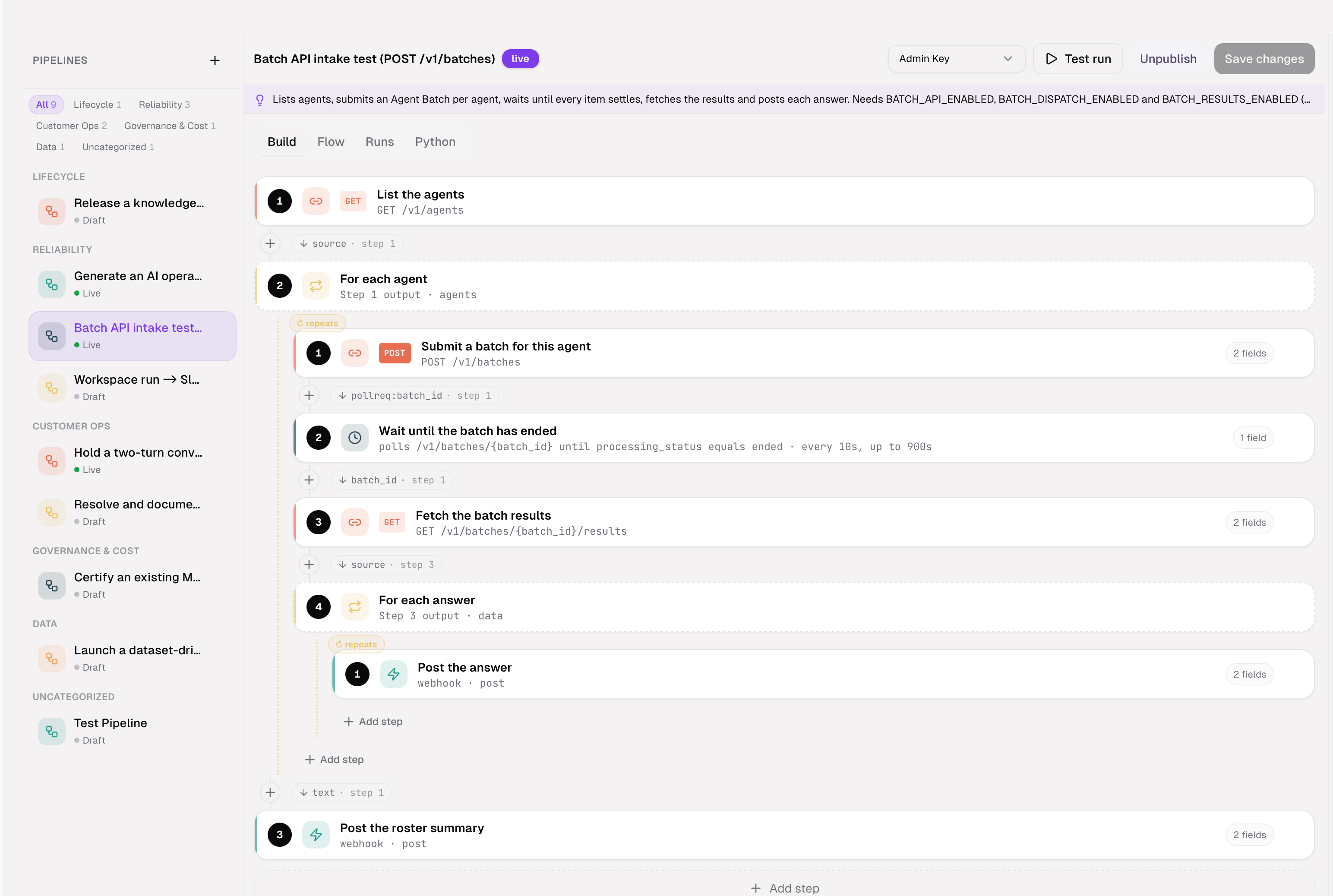
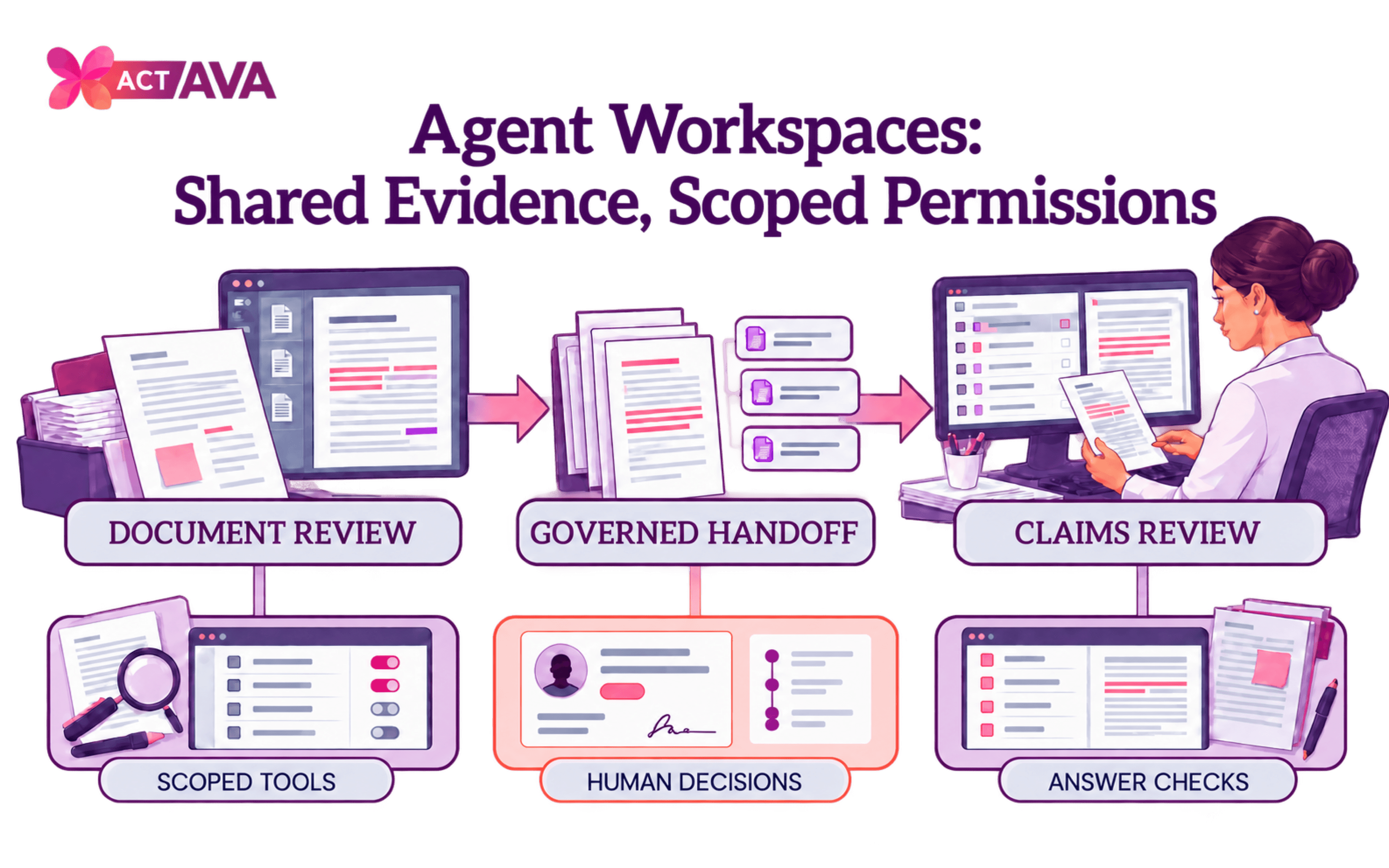
Pipeline Builder is a new visual canvas for that kind of workflow, separate from the Agent Workspace orchestration canvas and backed by a queued execution engine. Steps include HTTP calls with multipart and query fields, JSON fields, polling that waits for a field to appear, comparison branches, two-turn conversations, and Agent Batch API steps. Every step, including nested ones, is drawn on the canvas, and values come from their source instead of being typed as magic strings.
Execution stays bounded. Each run carries anIdempotency-Key, and a stale-run sweeper ends any run that cancan'togress instead of stranding it. More than 10 sample pipelines ship in a starter library, and run history is syntax-highlighted.
Pipeline Builder is a per-organization beta, gated behind the api_flow_builder flag.
The latest authoring additions make these workflows easier to assemble and operate.
Copy a template. Browse Pipeline Templates and use one to create an editable draft in your organization.
Connect steps where you build. Bind a step's inputs to the previous step's outputs from the Build tab, and create a missing input field without leaving the connector popover.
Keep secrets separate. A Secrets tab stores encrypted, write-only values. Secret fields resolve when the outbound request executes; persisted snapshots and errors mask the values. Templates do not carry secrets, and exported Python reads them from environment variables.
Use outputs outside a branch or loop. Outer-step references reach earlier results in the enclosing scope. Saving warns about references that cannot resolve; this release still saves the draft so authors can repair it.
Return to the same pipeline. Each pipeline has its own URL, with reload and Back/Forward support and protection for unsaved edits. A compact header and use-case guidance keep the working area clear.
Operate from an API key.
/v1/pipelinessupports creating and updating pipelines, replacing steps, starting runs, inspecting results, and copying templates. This is separate from Agent Workspace and its/v1/workspacesAPI.
Voice Call Replay lets you hear the call (beta)
Pronunciation Libraries now live inside Voice Agent beside Config and Runs. Library management remains admin-only, and existing links open the new location. Developers retain their per-agent library picker.
Range Enforcement. When a duration edit is adjusted into the allowed range, the builder explains the adjustment with a notice. It no longer marks a valid saved value as an error; API validation still enforces the allowed range.
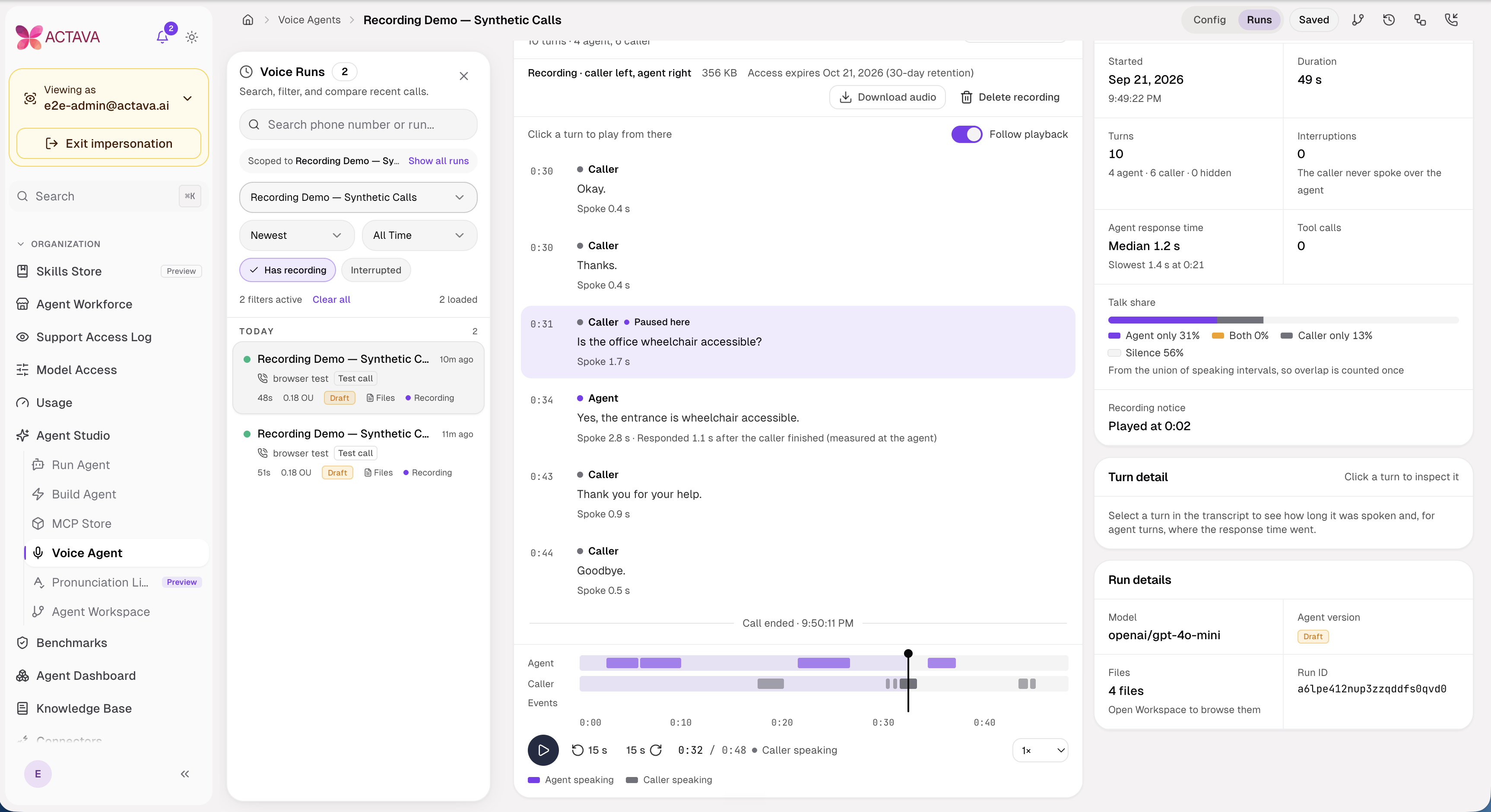
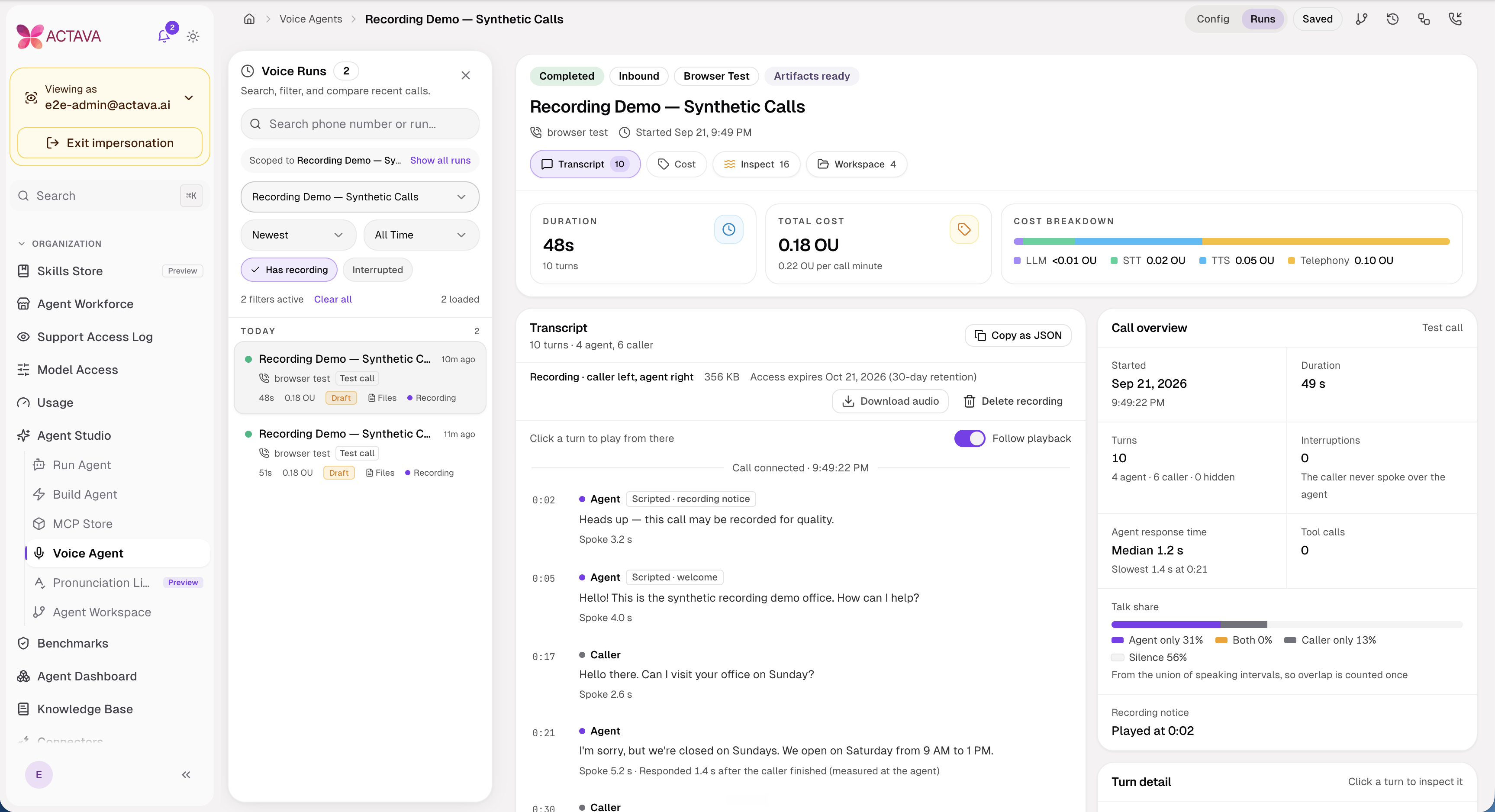
Transcript Validation. A transcript misses tone, interruptions, and dead air. Voice Call Replay plays eligible recordings beside the transcript, with run deep links and clickable voice sessions.
Recording is off by default. It takes organization enablement, an agent opt-in, and a passing per-call policy. Identity-verification audio is silenced, and a caller objection discards the recording while the call continues. Retention is set per agent, and playback and download follow role-based permissions.
HIPAA-mode agents cannot record in this version. Sanitization also doesn't move all PHI from the rest of a call, so agree on a recording notice and retention policy before you turn it on.
Elsewhere in voice, every turn now records its latency, scripted scenarios run end to end (including identity verification), and an organization API key can start a voice test session. Verification fails closed: an unknown verification boundary never persists a caller's name or date of birth. Upstream tool errors stay out of voice logs.
Voice load and capacity testing (internal preview)
Measure the load, the cost, and the conditions the agent handled.
The staff-only Load and Performance tool gains voice capacity testing through the Simulation Service. Ramps mix caller types, caps call minutes, quotes estimated OU cost, and records per-step resource use, available slots, and load-generator headroom.
Callers can now stay in a chosen background environment for the whole call. Six noise scenes, plus quiet and random mixes, play through pauses and agent replies, with levels measured against speech. A requested scene that cannot be built fails explicitly rather than silently running a quiet test.
Run-quality checks execute when the results page opens and link to the calls behind failed answers. The configuration shows the caller and noise mix without repeating the same controls across panels.
This remains an internal preview. Customer availability is not established by the merged runner and interface changes.
ElevenLabs audio tools and in-conversation playback
Let an agent create audio, work from a recording, and return something you can play.
An ElevenLabs organization connector lets admins configure, verify, and disconnect their own API key. The audio tools prefer a usable organization connection; a configured platform key can serve as a fallback. A broken organization credential lookup fails explicitly instead of silently switching accounts.
TextToSpeech. Turn text into an MP3 in the run's workspace.
ListVoices. Discover available voices before choosing one for synthesis.
SpeechToText. Transcribe workspace audio or video into a file and return a concise summary of the result.
SoundEffects. Generate non-speech audio such as ambience and transitions.
The tools appear in their own ElevenLabs category in the builder. Provider credentials stay on the server, and bounded retries handle eligible rate-limit and temporary-service failures.
Workspace audio and video can play in the file view and artifact panel. A relative media link in chat opens the player instead of navigating to a broken page.
New connectors for the systems finance and operations already run on.
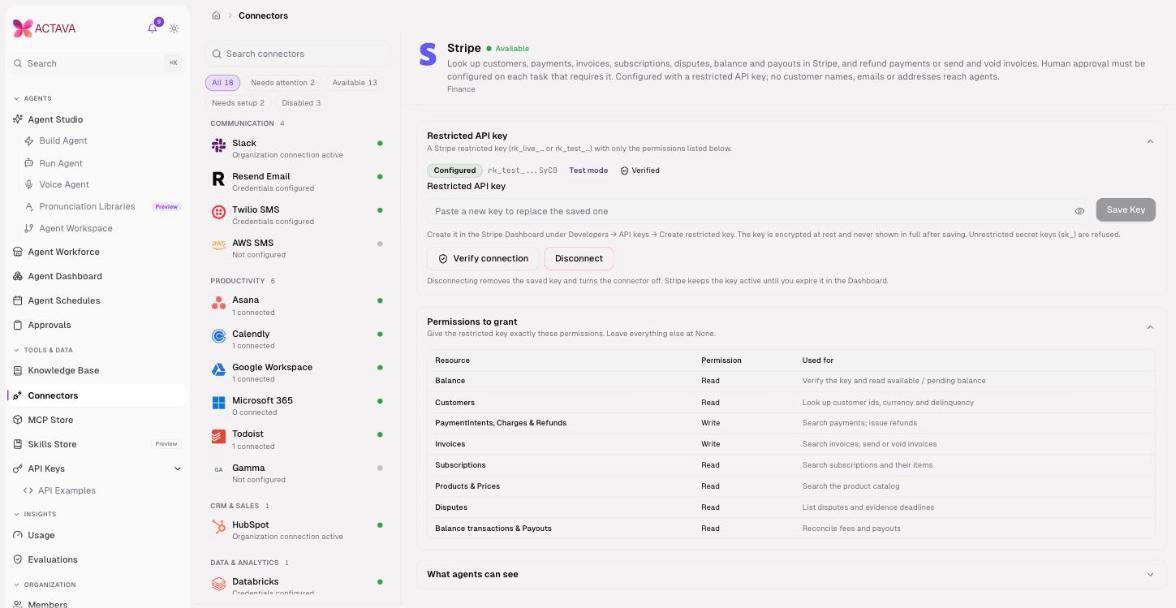
New integrations arrive with guardrails built into the connection itself.
NetSuite. Certificate-based JWT-assertion auth, a four-check verification that proves the connection end to end before an agent can use it, and three read tools that dispatch through SuiteQL templates.
Stripe. A restricted-key connector with a permissions checklist, durable write deduplication so nobody gets charged twice, and task-level human approval for side-effecting tools.
Managed SFTP. A transfer lifecycle with verified file delivery. Intake now runs through a scheduled agent, and we removed the standalone SFTP intake settings.
Postgres. The Postgres adapter deserves its own note. The agent writes as a database role your team created, so your grants decide what it can do. Create a dedicated, least-privilege role for each adapter. REST adapters work the same way from the key: wrap a REST API as an organization MCP server, no connector code required.
Smaller controls worth knowing about
Slack channel scoping. An agent's limits on where its Slack tools can post, and the runtime enforces it. A run or schedule can pin a narrower list than the card, never a wider one. Import flags channels the bot can't reach before the first post fails.
Web access controls. Set
CORTEX_WEB_DOMAIN_ALLOWLISTto confine WebSearch and WebFetch to approved domains. WebFetch validates egress URLs, and fetched pages become citable references.In-conversation skill capture. Where enabled by organization policy, users can save a skill from the conversation where they found it. ACTAVA drafts it, the user confirms, and editing a skill reports which live agents it affects before saving.
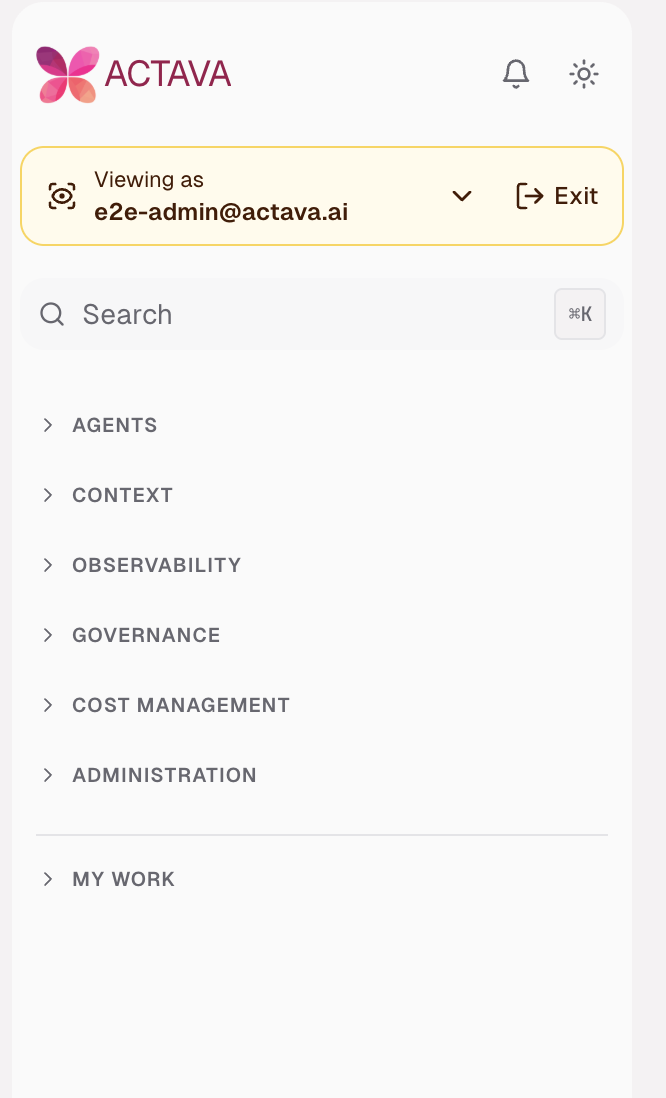
Navigation organized around the work. The admin sidebar groups pages under Agents, Context, Observability, Governance, Cost Management, and Administration. Collapse or expand all groups at once. Capabilities sit inside Agent Studio, and grouped navigation is now standard for admins, without the former organization opt-out. Developer and member navigation remains role-specific.
Org schedules can fire a signed schedule.fired webhook on a cadence, and stopped runs announce session.cancelled, so your own systems can react to agent activity. Platform admins also get a Platform Costs page that puts infrastructure and model spend in one view.
Batch operations show cost, capacity, and completion
Know what the batch cost is and what happened to each item.
Building on the Agent Batch API, batches now expose reconciled OU totals by outcome and per-item cost where measured. A delivered-capacity ratio reports when the batch is receiving less than its purchased rate, and a signed batch.completed webhook tells the configured endpoint when work has settled.
Eligible capacity refusals are retried with bounded backoff only when no side effects are recorded. Refused runs receive explicit outcomes, retry attempts are capped, and malformed uploads identify the offending line. A completion signal wakes dispatch, and concurrent starts refill available slots more promptly.
Throughput-aware sizing considers both the completion deadline and a configurable per-organization target. A bounded burst floor improves responsiveness for small batches. These are capacity controls, not a production throughput guarantee. Fleet limits and rollout flags still apply; dry run can change allocations and reported served speed without resizing the fleet.
Agent Studio and skill governance improvements
Reusable checks. Shared check authoring, immutable revisions, explicit review, and check-test status at release make checks easier to maintain across agents.
Recoverable builders. Configuration builders use GPT-6 Sol and validate usable output before saving. Refusals and truncated responses remain retryable, and completed configurations or questions can replay without another model call.
Portable agent definitions. Agent Workspace import and export retain Standing Instructions and supported personal skills. Workspace-free settings survive promotion, and authors can export eligible build and API run trajectories under existing access rules.
Better skill admission. Risk classification avoids false matches inside unrelated words. Generated upload-test assertions are normalized before grading, so an unreadable platform-generated test is not reported as a skill failure.
Safer bundle handling. Imports reject conflicting or unsafe file paths, preserve existing bundle contents during Markdown-only edits, report omitted files, and respect removal history.
Clearer operational views. Agent Workspace history identifies the workspace and current step. Deleted agents disappear from dependent pickers, and interactive Run History filters API-owned runs before pagination so older interactive runs remain visible.
Consistent ROI status. On Track means the target is met; Approaching covers measured values from 60 percent up to, but below, the target. Summary and detail views use the same definitions.
Runtime and chat improvements
Approvals you can act on. An inline card lists pending tool actions, with per-action decisions and batch approval controls. A waiting banner points to the card, completed decisions remain in history, and incomplete decision sets pause the run. Agent Workspace runs also surface questions, approval groups, and connector reauthorization in their focused view.
Faster startup when Bash is not yet needed. The session Python environment is prepared on the first Bash call instead of at the start of every turn. Concurrent first calls share one setup; later calls reuse it.
Reliable continuation. Sectioned background runs progress between sections on the server. Eligible provider overloads recover from checkpoints, failed Agent Workspace steps can be retried, and a new follow-up turn no longer replays the finished turn while its files are still syncing.
Useful files in the right place. Approval requests select the files for the gated task. Gmail tools attach workspace files to outgoing messages, and Google Drive tools reject plain-text placeholders for known binary formats.
Per-item deterministic submissions. Opt-in submitter settings support one validated record per tool call and a claim-audit result shape, extending the existing enrollment-style submission path.
Clear completion and communication. Workspace completion and failure feedback updates without a reload. Platform notification emails gain a consistent layout, clear action links, and plain-text alternatives.
Evaluation, security, and reliability improvements
Grounded evaluation. Citation faithfulness checks compare cited sentences with the run's references. Strict citation checks understand quoted figures, and default rewrite guidance avoids inventing unsupported calculations.
Benchmark execution. Authoring, coverage, and results support text and voice benchmarks in isolated execution. Follow-up work repairs skill snapshots, experiment-result access, worker storage and network paths, and runner permissions. Image publication now supports development, staging, and production; publication alone does not enable authoring.
Correct run records. Exports carry the recorded agent version and workspace-step context. Step indexing, interrupted tool spans, stale-run cleanup, and batch settlement preserve meaningful terminal outcomes.
Stronger access boundaries. Agent Workspace edits validate access to newly added agents. Legacy MCP registry reads are role-gated, sandbox paths preserve file isolation, and router rules harden public access to internal routes.
Honest outage signals. Database failures no longer masquerade as missing membership, invalid API keys, or absent records. Responses identify service or capacity failure so clients can handle it appropriately.
Safer operations. Monitoring-secret configuration avoids writing plaintext keys into new infrastructure state. Database and migration logging reduce sensitive-data exposure, dependencies receive security updates, and release-version reporting and reload behavior are corrected.
Support and connector recovery. Support impersonation retains the correct organization across reloads. SFTP rollout configuration adds staging and production activation and recovery, with private-key format compatibility fixes.
Read before you upgrade
Admin navigation is grouped for every organization. The former
nav_v2opt-out and flat admin sidebar are retired. Update internal guides to the new groups and the Capabilities and Pronunciation locations.The platform agent is now ACTAVA. The in-app assistant, formerly called Ava, is now ACTAVA. Routes and integrations are unchanged.
HubSpot, QuickBooks, and Intercom are organization-wide. One connection now serves the whole organization, so review who has access.
Beta features are enabled per organization. Pipeline Builder and Voice Call Replay both need a flag, and Replay also needs an agent opt-in and configured storage and monitoring.
Model defaults and retirements are separate changes. Regular now uses GPT-6 Sol. Review preserved pins and choose draft upgrades deliberately. A declared provider retirement can substitute a successor without rewriting the saved pin; inspect the actual model recorded on the run.
Delegated runs require a deliberate grant. Give
delegateonly to keys that should act as active organization members. Admin permission alone does not include it, and batch items do not acceptact_as.Skills remain governed through the API. Upload, review, activation, and promotion follow the owner's role and the organization's rules. An upload or first approval may not make a skill live.
Configure pipeline secrets separately. Templates do not copy secret values. Set the secrets needed by each organization's pipeline before running it.
Connect ElevenLabs before using audio tools. Configure the organization connection or confirm the platform fallback is available. Provider credentials remain server-side.
Keep preview limits visible. Plugins is read-only Upcoming; MCP Examples has its own beta flag; voice capacity testing remains an internal preview. Benchmark authoring requires environment readiness and acceptance beyond publishing images.
Batch reporting distinguishes unknown from zero. Unmeasured costs remain null, and batches spanning the reporting rollout may have incomplete historical totals. Review capacity targets and fleet limits before enabling resizing.
Check out the new ACTAVA CHRYSO Agent Compliance Suite.

Agent Compliance posture now lives where the agents run
The new ACTAVA Compliance module gives system admins a catalog console and org admins a view of their organization's posture. A policy, training, and evidence lifecycle reaches members directly.
NIST stays active by default. A system admin can enable additional frameworks, or the platform detects them from agent usage. Tests serve as the source of truth for controls, with evidence derived from the platform wherever possible. Members complete assigned training in the app, with watch-to-pass where configured and quizzes where required.
For more on our CHRYSO updates, please see our ACTAVA Platform Release Notes CHRYSO v8 (September 2026).