Release Notes
Actava.ai Platform Release Notes v2 (March 2026)
The March '26 Actava.ai Release accelerates the journey to an Agentic Enterprise by connecting AI agents directly to the tools your teams already use — Google Workspace, Slack, and branded email — while giving administrators deeper visibility into agent costs and performance. This release also delivers polished document theming, an AI brand extractor, and critical reliability improvements that ensure agents perform flawlessly from demo to production.
By Deon Metelski
Actava.ai Platform Release Notes
March 3, 2026
The March ’26 Actava.ai Release empowers organizations to advance toward becoming an Agentic Enterprise by seamlessly integrating AI agents with human expertise. This release equips every team with the insights, automation, and resources needed to confidently enhance customer experiences. It also helps administrators control the costs of their agentic solutions.
New Features
Google Workspace Integration
Healthcare teams live inside Google Workspace — from shared care-coordination documents to scheduling and email. With this release, Actava.ai agents can now operate natively across Gmail, Google Calendar, Google Drive, and Google Slides, enabling workflows like automated referral follow-ups, appointment scheduling, and care-plan document generation without ever leaving the tools clinicians already know.
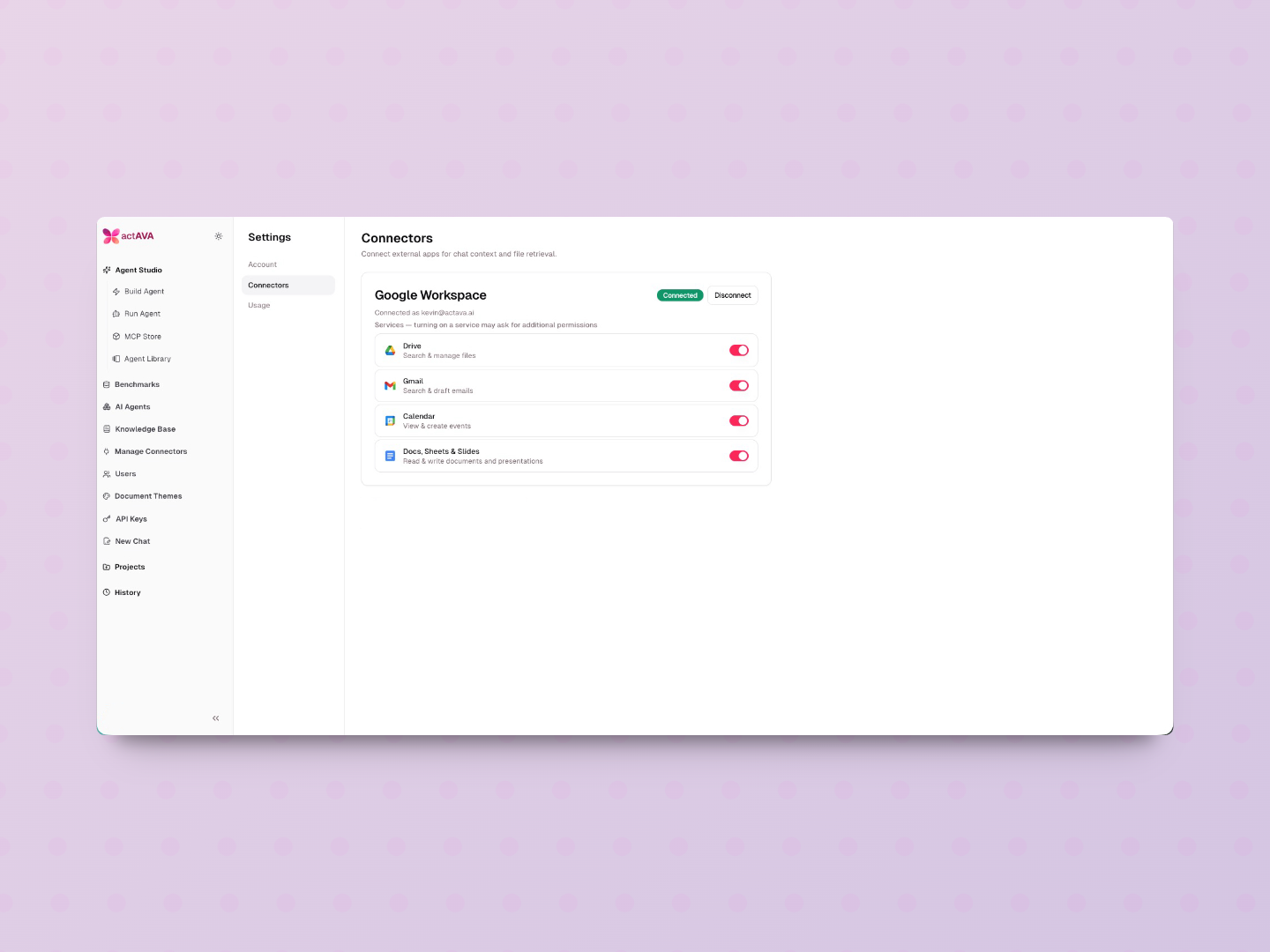
40 new agent tools spanning Gmail (send, search, label), Google Calendar (create, update, delete events), Google Drive (copy, move, organize files), and Google Slides (create and edit presentations)
40 new backend route handlers with corresponding service methods and 30 new Google Workspace client methods
Simplified connector UI redesigned with per-service toggles — administrators control exactly which capabilities (Gmail send, Calendar delete, etc.) are available to each agent
OAuth improvements, including domain validation and user-friendly error messages
Safety-first design — Google Drive delete operations removed from agent tooling to reduce risk surface in production and demo environments
Graceful token refresh — expired OAuth tokens are handled cleanly, eliminating 500-type errors
217 new tests (133 agent-side, 84 backend-side) ensuring enterprise-grade reliability
Slack Integration & Human-in-the-Loop Notifications
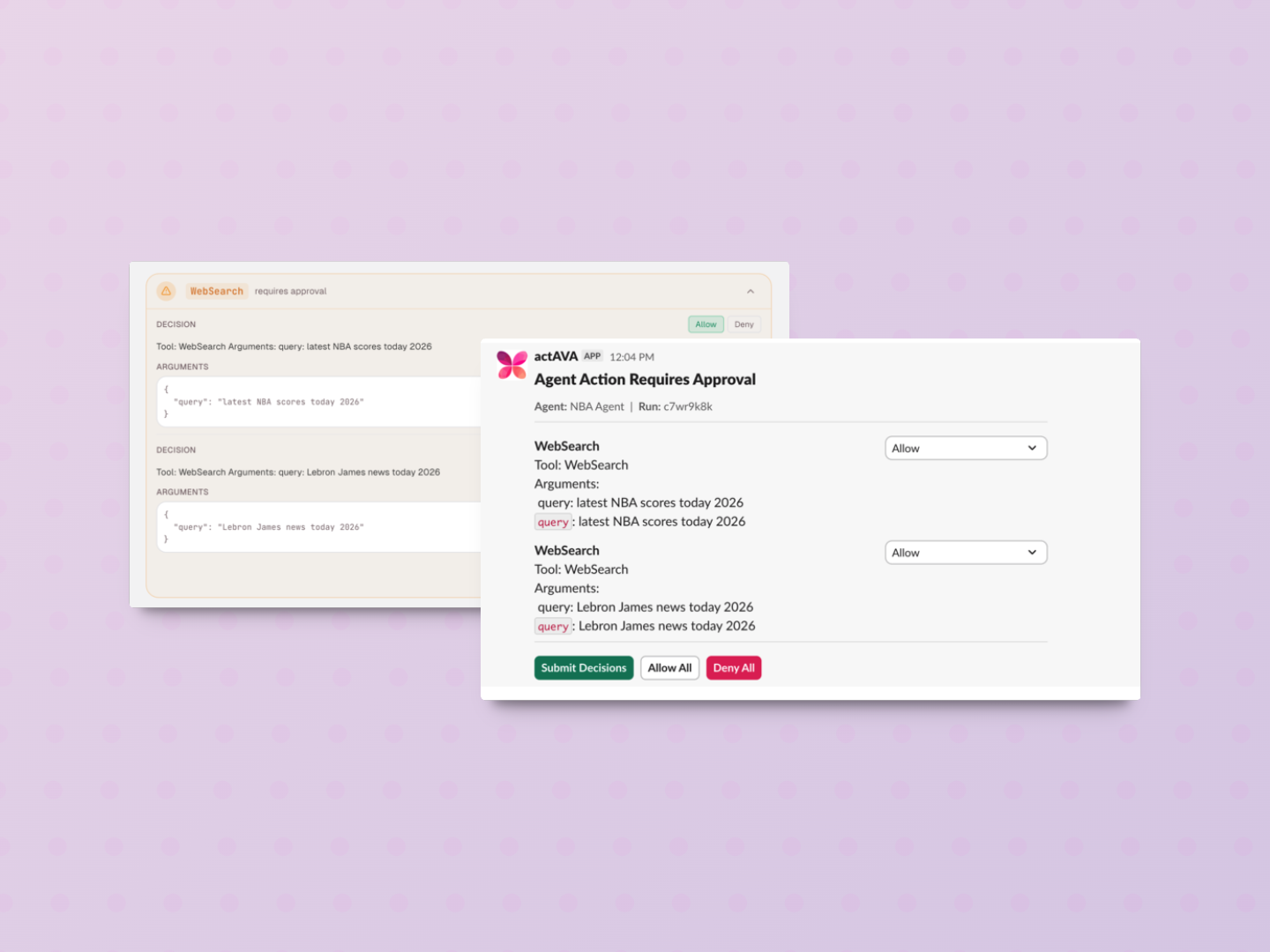
Modern care teams coordinate in real time through Slack. This release introduces full Slack integration with a purpose-built human-in-the-loop notification system, allowing agents to pause critical workflows and request clinician approval directly in Slack — ensuring that AI speed never outpaces human judgment.
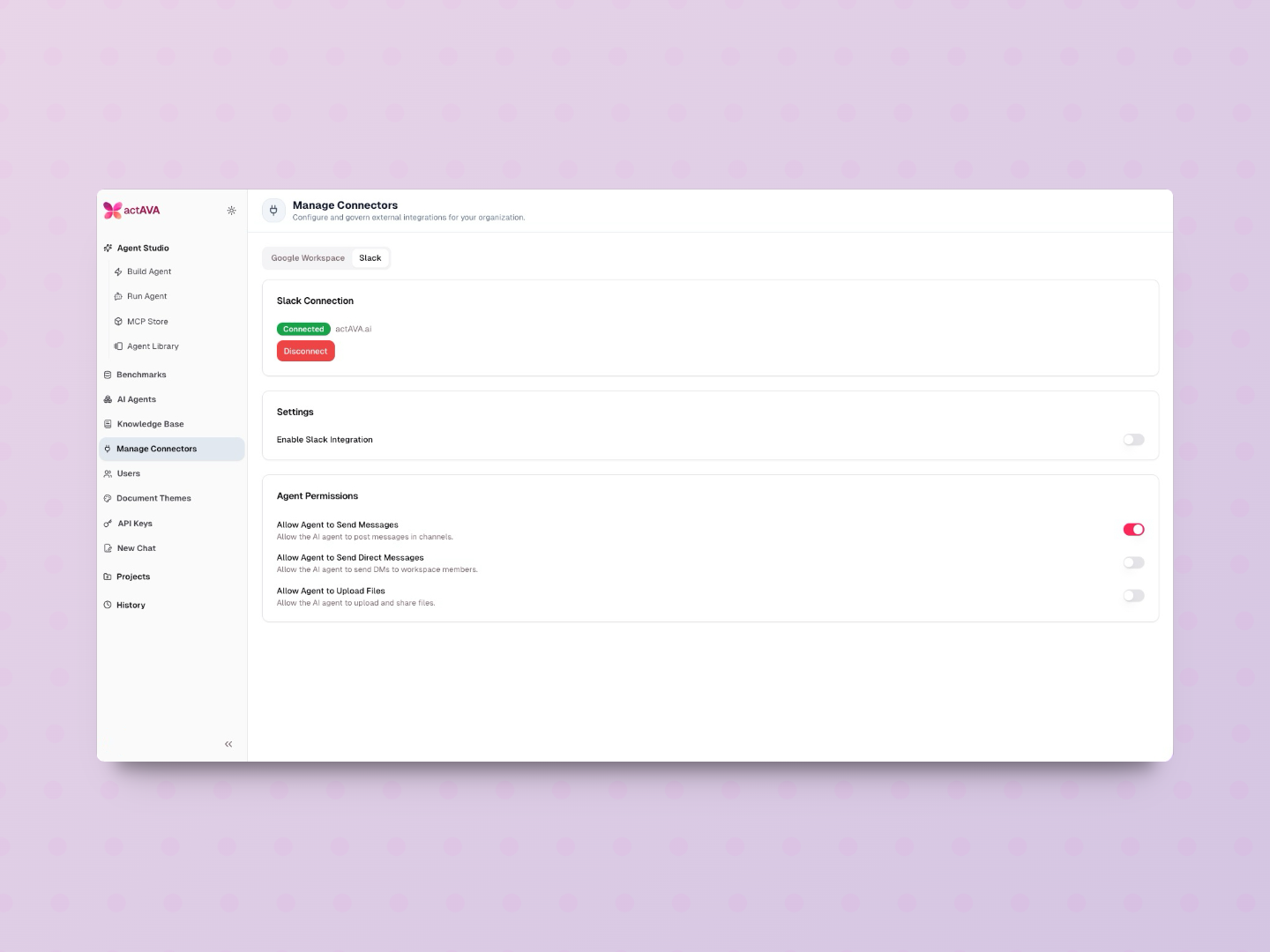
Full Slack OAuth flow with backend routes, callback handling, and role-based access in the Manage Connectors admin page
Slack messaging tools have been added to the Cortex agent for sending messages and joining channels
HITL Slack notifications — agents can notify designated Slack channels when a workflow requires human review or approval
Slack interaction handling with internal auth for secure agent-to-Slack communication
HITL notification tracking with a new data model and migration for full auditability
Document Themes & Export
Consistent, branded document output builds trust with patients, payers, and partners. Document Themes (formerly "Format Cards") have been elevated with a redesigned editor, expanded font support, and polished export capabilities across PDF, DOCX, and PPTX — so every artifact an agent produces looks like it came from your organization, not a machine.
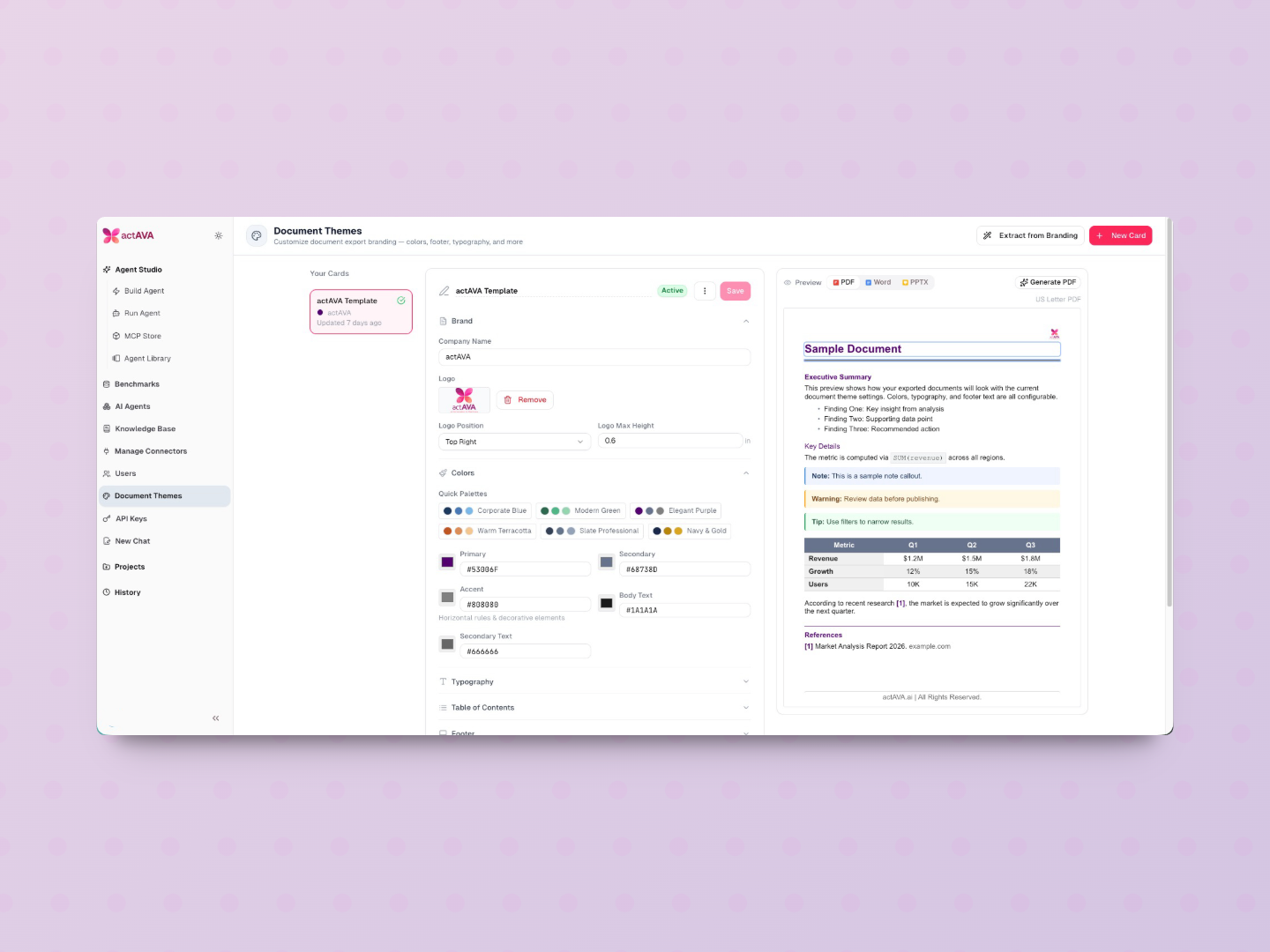
Renamed "Format Cards" to "Document Themes" across the entire UI for clarity
Redesigned editor with config import/export, active badge indicators, and reordered sections
Google Fonts expansion — more font family options with proper CSS stacks
Compact preview redesign with larger preview scale and realistic sample content, including optional Table of Contents
Multi-format preview — preview Document Theme output in DOCX and PPTX before exporting
PDF export polish — configurable font family, cleaned callout labels, and proper table colors
Table of Contents, anchor links, and colored indicators in DOCX export
Organization scoping added to API calls, ensuring themes are managed at the enterprise level
AI Brand Extractor
Setting up a new agent's visual identity should take seconds, not hours. The AI Brand Extractor automatically reads your organization's PDF materials — logos, color palettes, typography, tone of voice — and generates a brand identity configuration that feeds directly into agent setup.
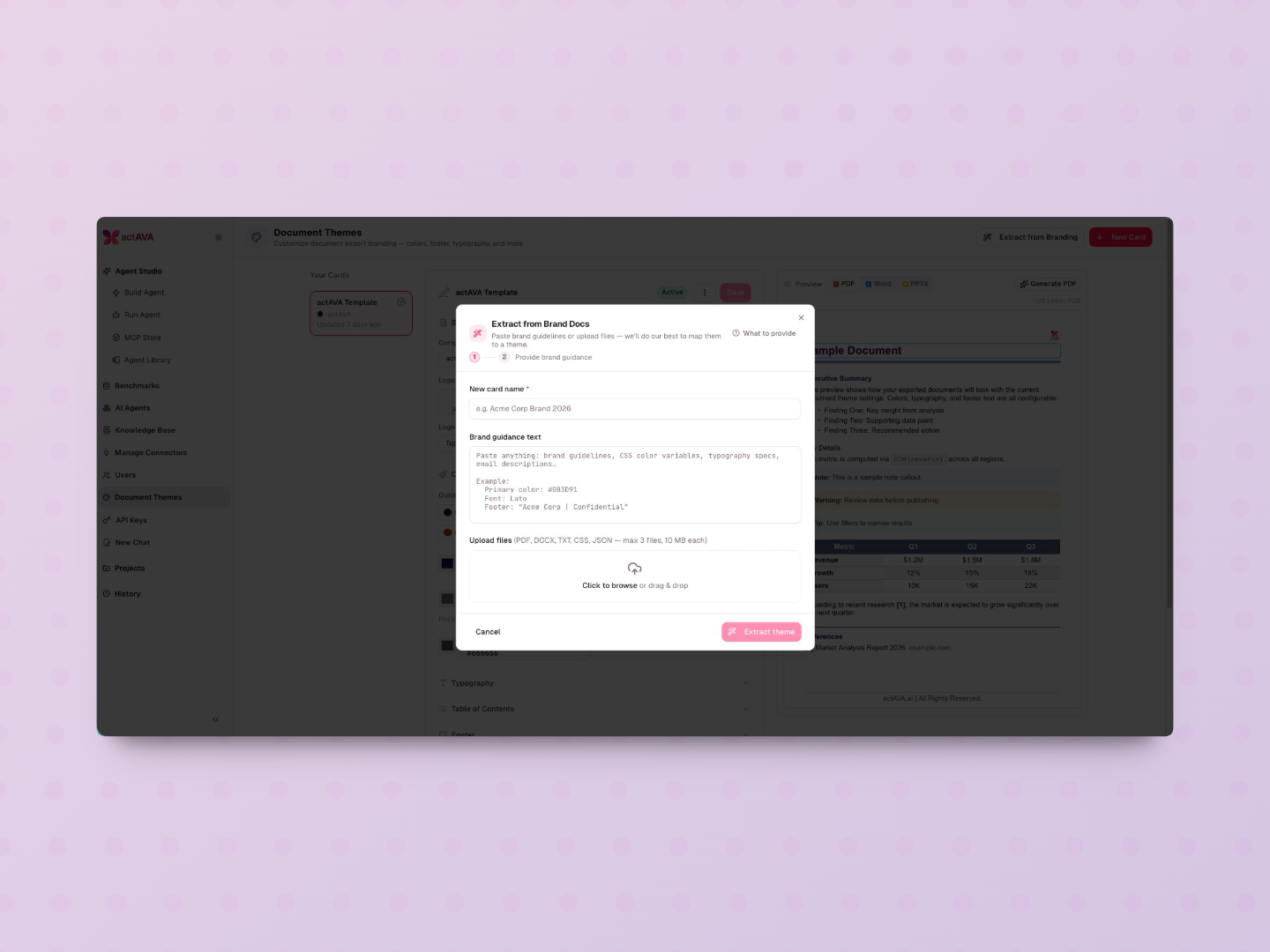
New endpoint and UI modal for uploading brand PDFs
Automated brand extraction via pypdf, pulling colors, fonts, and identity elements
Direct integration into agent configuration — extracted brand context is applied automatically
Benchmark Usage & Cost Breakdown
Healthcare organizations need full transparency into the cost of their agentic solutions. The new Benchmark Usage dashboard provides a category-level cost breakdown for every agent run, enabling administrators to understand exactly where resources are being consumed and optimize accordingly.
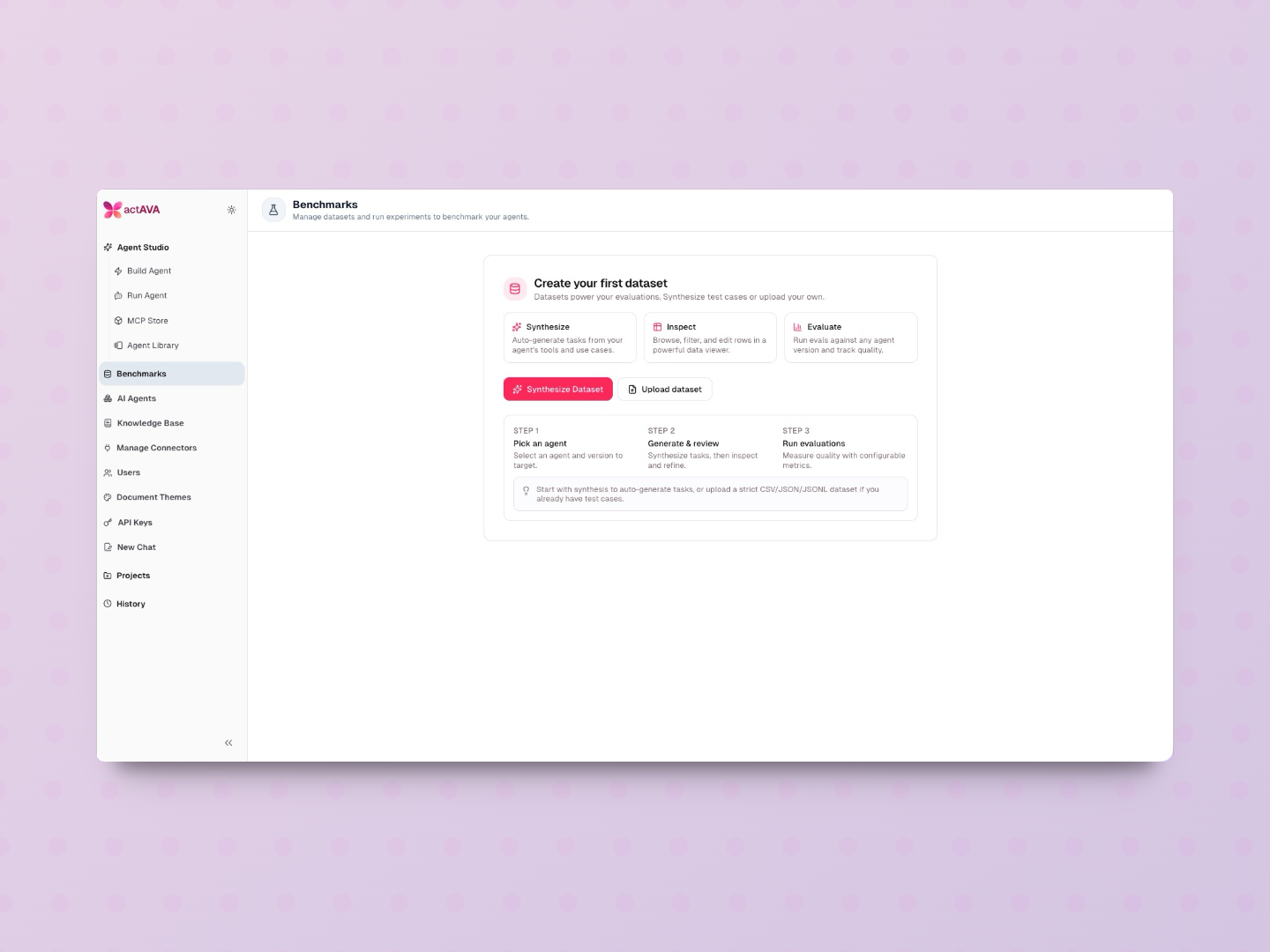
Category cost breakdown queries in the agent run repository
Service-layer integration wiring cost data through to the API
New "Benchmark Usage" admin tab with visual cost breakdown by category
Agent Studio Improvements
Agent Import & Upgrade
Deploying and versioning agents across environments is now seamless. Import agent definitions with a new force_upgrade parameter that validates compatibility, performs atomic upgrades, and promotes new versions — eliminating conflict errors and manual rework.
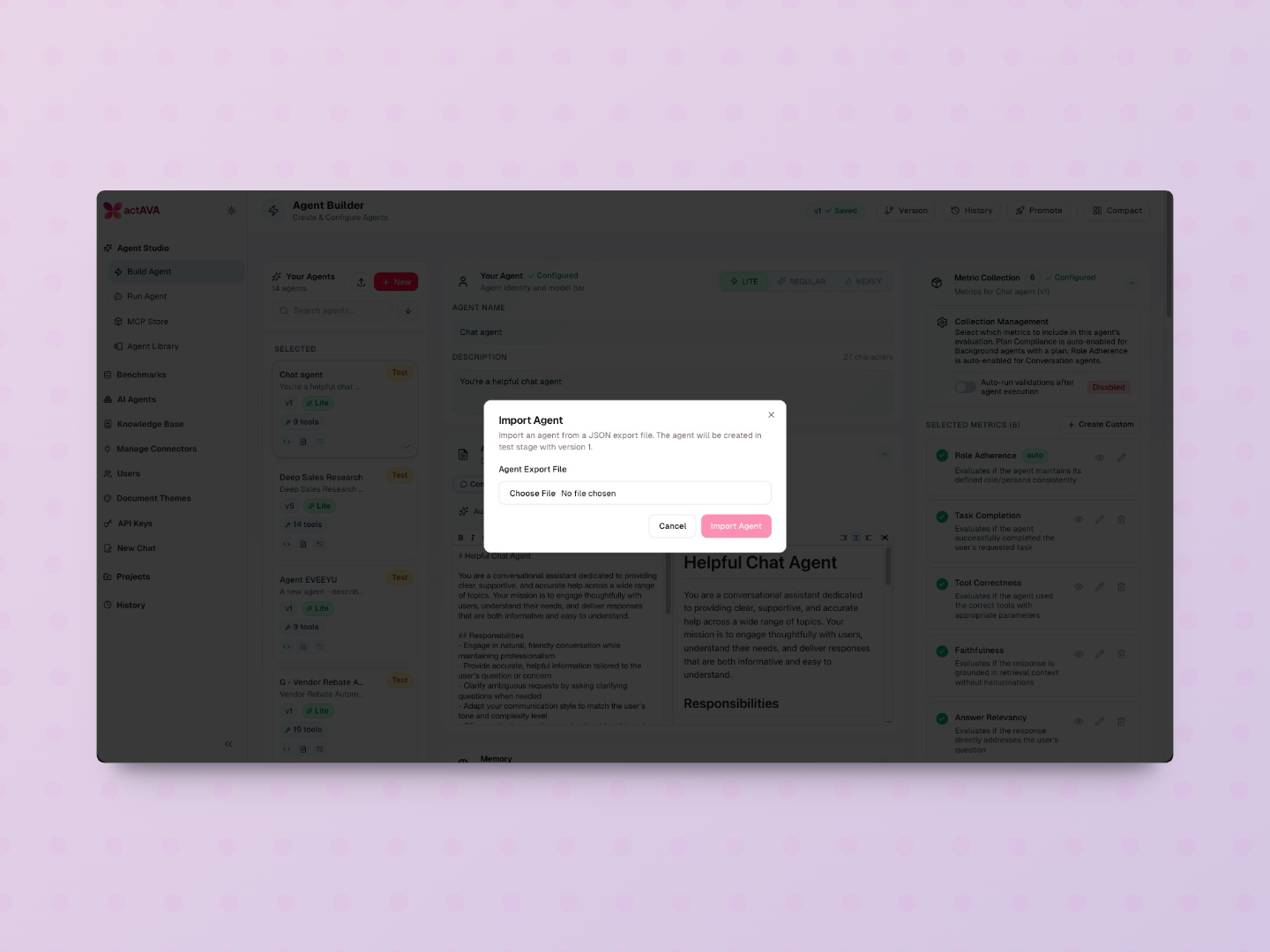
Import Agent button in the sidebar for export/import of agent configurations
Force upgrade with resource compatibility validation and atomic upgrade flow
Separate MCP vs. skill validation in import compatibility checks
User-friendly error messages on validation failures
Mandatory Core Tools
Every agent now ships with essential file system and shell tools out of the box — Glob, Grep, Read, Edit, Write, and Bash are automatically injected. No more missing capabilities during demos or production runs.
Python Code Editor
A new Monaco-based Python Code Editor brings syntax highlighting and code-completion directly into Agent Studio, making it easier to configure custom logic, evaluation scripts, and agent behaviors.
URL Deep-Linking for Run History
Run sessions are now URL-addressable — share a direct link to any specific session or run for faster debugging, team collaboration, and audit trails.
Agent Name Branding
The reserved "Actava.ai" prefix is now enforced for internal organization agent names, preventing naming collisions and reinforcing brand consistency across the agent library.
Evaluations & Experiments
The platform's evaluation capabilities continue to mature with improvements designed for enterprise-scale testing and compliance validation.
Item-level rubric score calculations and filtering in the experiments UI
Dedicated evals session type that disables HITL for eval and synthesis runs, ensuring clean automated testing
S3 workspace fallback for multi-container AWS deployments
Trace span reconstitution for full observability of evaluation runs
Synthesis improvements and meta-agent custom tool handling
Source type filtering for more targeted evaluation workflows
Infrastructure & Reliability
S3 fallback for workspace files — files now survive container restarts with atomic write cleanup and proper logging, eliminating demo failures
Compact streaming events before DB persistence, achieving ~40% event count reduction
Optimized storage — ~50% reduction in run_json size and ~30% reduction in trace_span size
Request ID + Datadog trace context propagated end-to-end through the SQS worker pipeline
Datadog APM initialization shared across services with new monitors and threshold documentation
User timezone support — browser timezone captured and forwarded to agent sessions
Duplicate user profile fix — deduplication of integration connections by Google email
Lambda invoke retry logic improvements
Staging releases v17–v20 promoted and verified
Design System & Developer Experience
Formalized style guide and color token governance with lint enforcement for hardcoded colors
Dark mode fixes, including Safari prefix and warm dark muted-foreground adjustments
Standardized typography across markdown renderers
Account settings page and settings layout wrapper with the Skills tab restricted to system admins
System admin org-scoped access — view any organization's usage via X-Organization-Id header
Confirmation dialog before creating new agent versions
Active run highlighting and state management race condition fixes

Written by
Deon Metelski
Chief Product Officer
Product leader shaping agentic healthcare AI that feels human and interoperates across every clinical ecosystem. Previously a healthcare product leader at Zyter|TruCare, Deon has spent his career turning complex clinical and operational work into products clinicians trust. At Actava.ai he leads distributed teams to orchestrate safe, explainable AI agents across EHRs and connected ecosystems, translating clinical and operational needs into intuitive, dependable experiences. His work blends empathy with data, advancing healthcare AI through a product lens, and is driven by a commitment to access, interoperability, and measurable outcomes across the care continuum.